(PLR) Viral Cartoon Video Creator AI Review
Staring At a Blank AI Prompt Box
While Everyone Else Is Already Getting Paid?
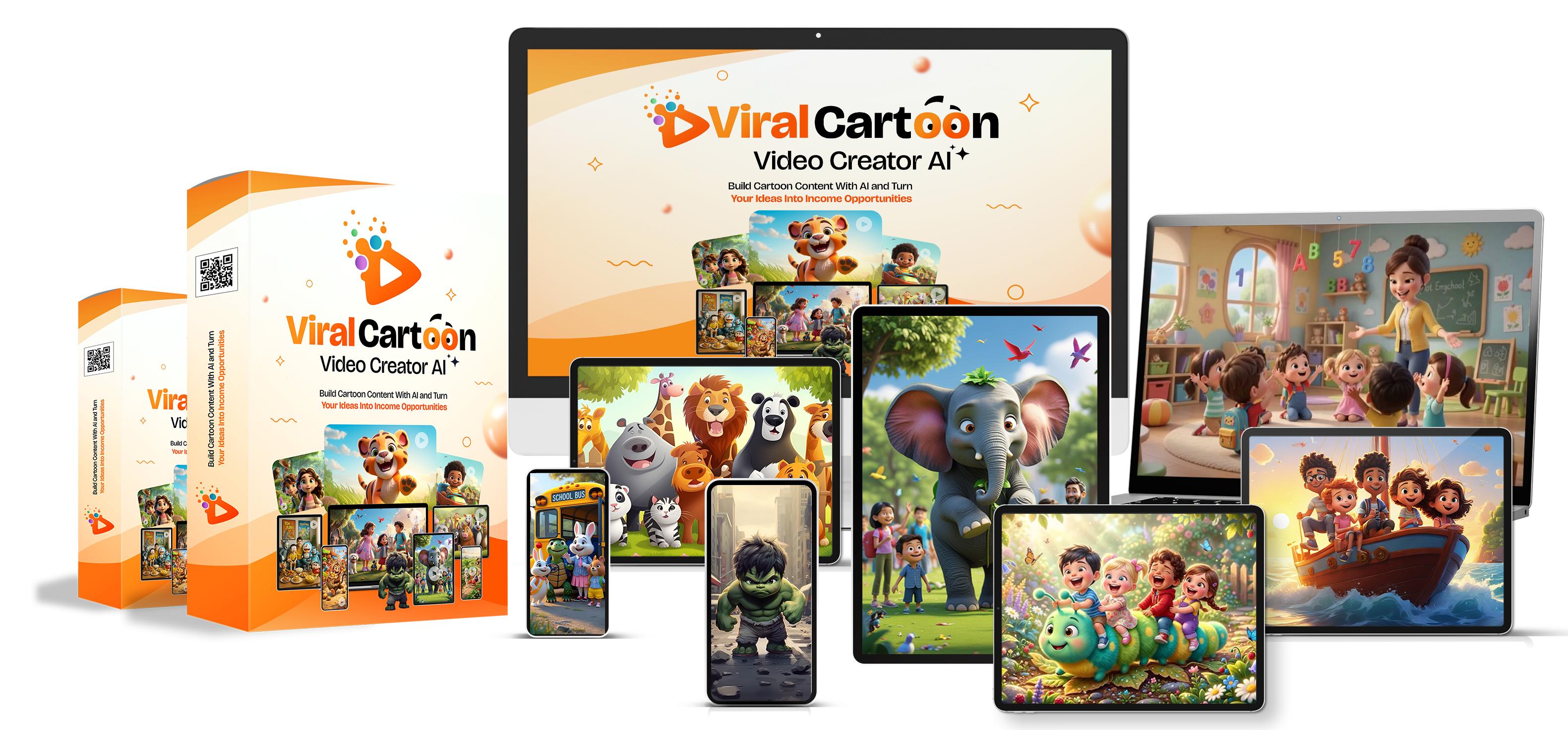
AI video tools have made it easier to experiment with cartoon content, but getting a consistent result can still be challenging. You need ideas, characters, scenes, visual direction, and prompts that work with your chosen video generator.
Viral Cartoon Video Creator AI is designed to help solve the prompt-building problem. It provides 324 structured prompts across 17 cartoon niches, along with Full Private Label Rights (PLR).
In this review, we’ll examine what’s included, how the prompt library works, which AI video tools it supports, how the PLR license may be used, and what buyers should consider before purchasing.
Check The Viral Cartoon Video Creator AI Offer
Explore the current price and package details on the official checkout page.
The vendor uses changing promotional pricing. Confirm the current price at checkout.


Includes Full PLR rights according to the vendor.
What Is Viral Cartoon Video Creator AI?
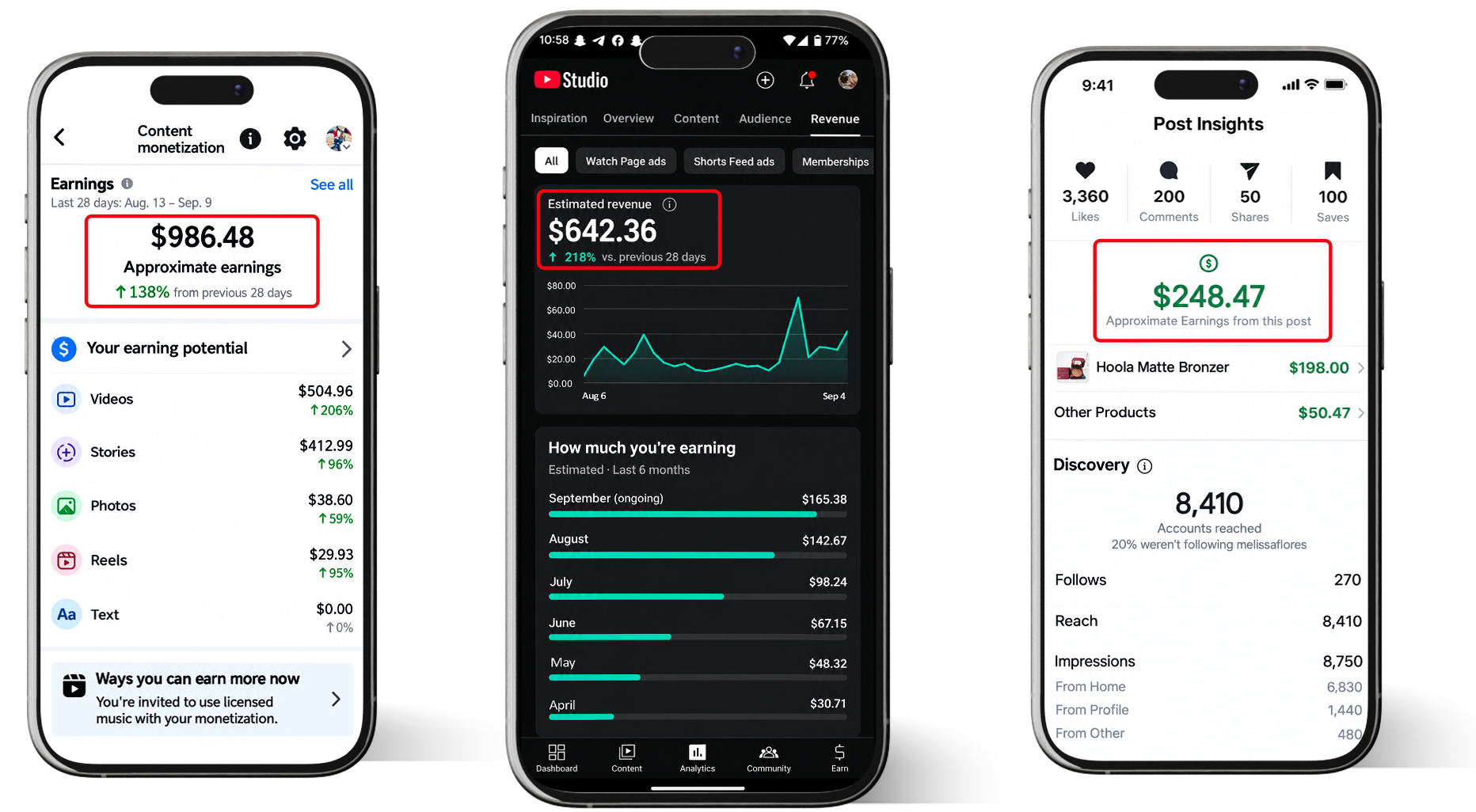
Viral Cartoon Video Creator AI is a prompt library designed to help users create cartoon-style videos with AI video generators. The product is focused on content creation rather than providing a standalone animation editor.
The package contains 324 prompts across 17 cartoon niches. The prompts provide creative direction for cartoon concepts, characters, scenes, visuals, and content hooks.
Instead of beginning with a blank prompt box, users can select a niche, copy a prompt, and paste it into a compatible AI video generator. The generated scenes can then be combined, exported, and published on platforms such as YouTube Shorts, TikTok, Instagram Reels, and Facebook Reels.
The product also includes Full Private Label Rights, allowing buyers to rebrand and resell the prompt library under the terms described by the vendor.
What’s Included In The Package?
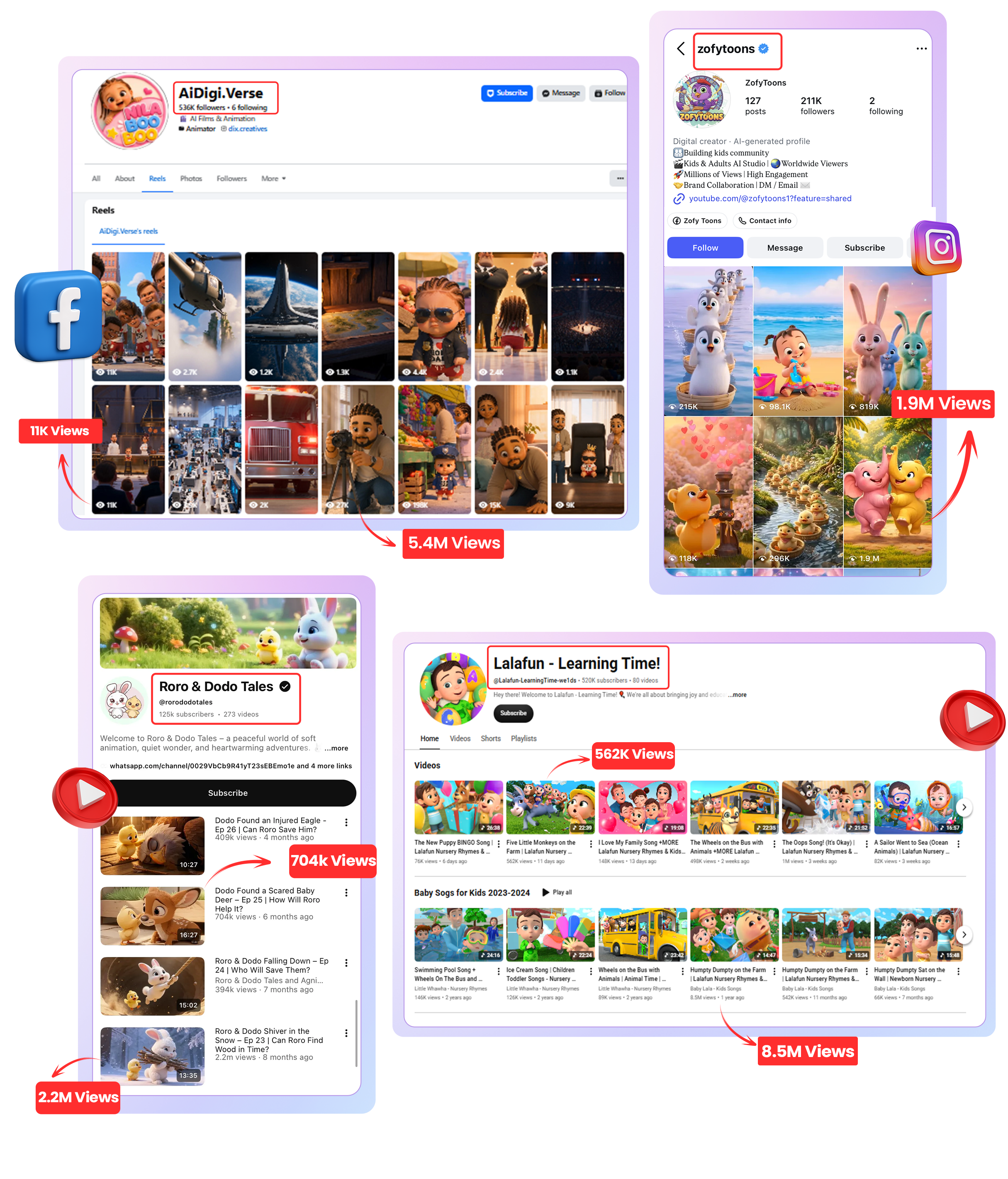
The official sales page lists 324 prompts organized into 17 cartoon niches. The collection is intended to provide different content directions rather than a single generic cartoon prompt.
The 17 Cartoon Niches
The vendor organizes the prompt library into 17 core cartoon niches. The page provides the following breakdown:
| Cartoon Niche | Number Of Prompts |
|---|---|
| Funny Animal Cartoons | 30 |
| Dinosaur Adventures | 25 |
| Superhero Cartoons | 25 |
| Fairy Tales | 20 |
| Fantasy Adventures | 20 |
| Pirate Adventures | 15 |
| Space Adventures | 15 |
| Robots & AI Characters | 15 |
| Educational Cartoons | 25 |
| Moral Stories | 25 |
| Family Comedy | 15 |
| School-Life Stories | 15 |
| Talking Animal Stories | 20 |
| Bedtime Stories | 15 |
| Holiday & Seasonal Cartoons | 15 |
| Mystery & Detective Stories | 14 |
The sales page describes 17 niches, but the visible list above contains 16 named categories. The listed prompt counts total 314, not 324. Confirm the complete delivered library and its organization after purchase.
How Does It Work?
The advertised workflow is designed to be straightforward, even for people who have never created cartoon videos with AI.
Step 1: Choose A Niche And Prompt
Start by selecting a cartoon niche that fits your channel or project. You can choose from themes such as funny animals, dinosaurs, fairy tales, educational cartoons, bedtime stories, and more.
Then select a prompt from the library. Each prompt is intended to provide a specific creative direction, helping you avoid starting from scratch.
Step 2: Paste The Prompt Into An AI Video Generator
Copy the selected prompt and paste it into a compatible AI video-generation tool. The vendor says the prompts are designed to work with tools including Sora, Veo, Kling, Pika Labs, Luma Dream Machine, Meta AI tools, and Gemini Omni AI.
Actual results may vary between platforms. Some tools may interpret instructions differently, and certain features may require a paid plan.
Step 3: Generate, Combine, And Publish
Generate the scenes using your chosen tool. Depending on the output, you may need to combine multiple clips, adjust timing, add audio, or make other edits before publishing.
Once the video is ready, you can export it and publish it on platforms that support your content format.
Which AI Video Tools Does It Support?
The sales page names several AI video generators that can be used with the prompt library:
- Sora
- Veo
- Kling
- Pika Labs
- Luma Dream Machine
- Meta AI tools
- Gemini Omni AI
- Other compatible text-to-video tools
The vendor positions the prompts as flexible across these tools. However, compatibility does not mean that every prompt will produce identical results in every generator. Different platforms have different prompt formats, output lengths, moderation rules, and credit requirements.
What Can You Do With The Videos?
The product page describes several possible ways to use cartoon content. These are potential use cases, not guaranteed sources of revenue.
1. YouTube Videos And Shorts
You can use the prompts to create cartoon concepts for a YouTube channel, including short-form videos. A focused niche may help you develop a recognizable channel identity and a repeatable content schedule.
However, views and monetization depend on many factors, including originality, audience interest, watch time, platform eligibility, and compliance with YouTube policies.
2. TikTok, Instagram Reels, And Facebook Reels
The prompts can also be used to create vertical cartoon content for short-form platforms. You may adapt a video for multiple platforms, but it is worth checking each platform’s current content and monetization rules.
3. Freelance Cartoon Video Services
Another possible use is offering cartoon video creation as a service. Potential customers could include small businesses, educators, parents, creators, or brands looking for simple cartoon-style content.
The prompt library may reduce some of the creative setup work, but you still need to generate the videos, check quality, handle revisions, and deliver what the client requested.
4. PLR Resale
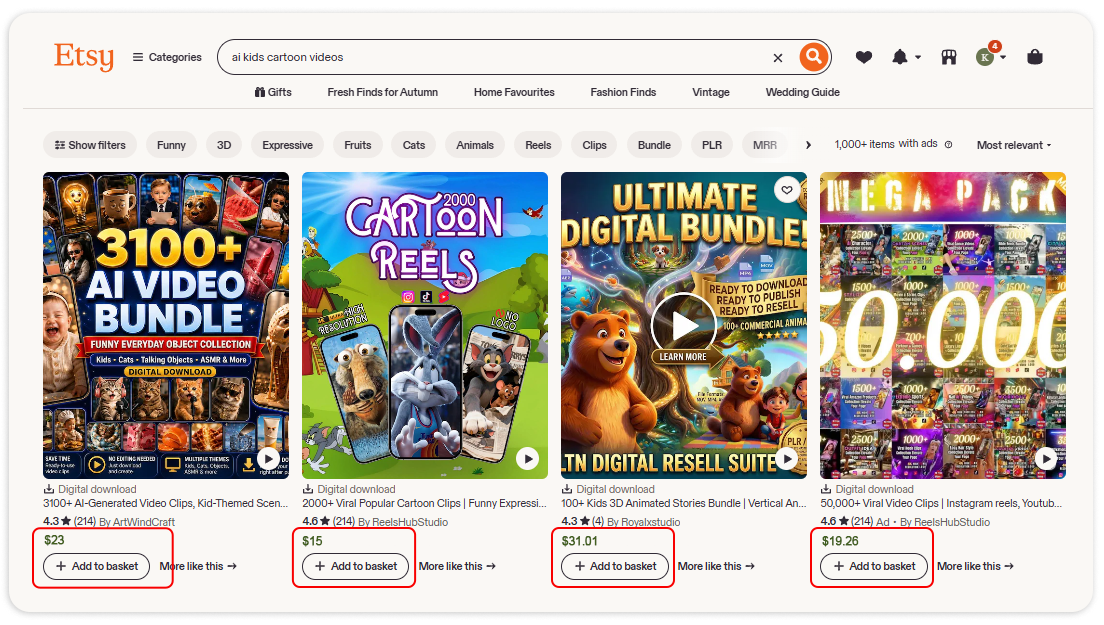
The package’s PLR rights are a major part of its positioning. According to the vendor, buyers can edit, rebrand, package, and resell the prompt library as their own product.
You could potentially create a branded prompt pack, bundle prompts by niche, or include them in a larger digital product offer. Always review the actual license before making specific resale-rights promises to your own customers.
5. Themed Channel Projects
The vendor also mentions building a themed cartoon channel and potentially selling it later. This is a possible business model, but channel growth and resale value are uncertain. A channel’s audience, content history, monetization status, and platform rules can all affect its value.
Full PLR Rights: What Does It Mean?
Private Label Rights are a key selling point of Viral Cartoon Video Creator AI. The official page says buyers can rebrand and resell the prompt library and repurpose the prompts and videos created from them.
The vendor describes several permitted uses:
- Rename the package and add your own branding.
- Edit the prompts to suit your audience or product.
- Sell the library as an individual product.
- Bundle prompts into a larger package.
- Include the library in memberships or client offers.
- Use the prompts for your own projects and content.
- Repurpose the materials according to the included license.
The sales page says buyers can keep 100% of their sales revenue, with no royalties paid back to the vendor.
Can You Create Your Own PLR Product?
Yes, that is one of the central use cases promoted on the sales page. You could rebrand the prompt library and offer it as your own digital product.
For example, you might organize a customized product around a particular audience:
- AI Cartoon Prompts For YouTube Beginners
- Kids’ Cartoon Story Prompt Collection
- Educational Cartoon Video Prompt Pack
- Funny Animal Video Prompt Bundle
- AI Cartoon Content Toolkit For Freelancers
Adding your own instructions, examples, tutorials, or niche-specific workflows may help make the product more useful and distinguish it from an unchanged PLR package.
Is It Really A Complete Video Creator?
The product’s name may lead some buyers to expect a standalone application that generates and edits videos automatically. Based on the sales page, the core product is a prompt library.
You still need a compatible AI video generator to create the scenes. Depending on your chosen tool, you may also need to edit clips, combine scenes, add music or voiceovers, and export the final video.
So, it is more accurate to think of Viral Cartoon Video Creator AI as a structured prompt system that supports video creation, rather than a replacement for every part of a video-production workflow.
Pricing And Refund Policy
The sales page uses a dime-sale pricing model, meaning the price can increase as purchases are made. The exact amount may change over time, so the live checkout is the place to confirm the current price.
The vendor also advertises a 30-day money-back guarantee. According to the sales page, buyers can request a refund within 30 days if the product is not a good fit. Check the checkout terms for the applicable conditions.
See The Current Price And Refund Terms
Review the offer details before deciding whether the prompt library fits your needs.
Affiliate link. The price may change because of the dime-sale promotion.
Pros And Cons
Pros
- 324 prompts advertised across 17 cartoon niches.
- Structured prompts can reduce blank-page friction.
- Designed for several popular AI video generators.
- Useful for experimenting with different cartoon themes.
- Supports short-form video content workflows.
- Full PLR rights are advertised.
- Can be rebranded and resold under the stated license.
- Potential use for personal projects, client work, or digital products.
- 30-day refund policy advertised by the vendor.
Cons
- It is a prompt library, not a standalone video-generation application.
- You may need a separate paid AI video tool.
- Some generated scenes may require retries or editing.
- Video quality and consistency depend on the chosen platform.
- Publishing and monetization are not guaranteed.
- Building a channel still requires content planning and ongoing work.
- The visible niche list and prompt-count total should be confirmed against the delivered package.
Who Is Viral Cartoon Video Creator AI For?
This product may be relevant to:
- Creators experimenting with AI cartoon videos.
- Faceless YouTube channel owners.
- Short-form video creators.
- PLR sellers who want a rebrandable prompt product.
- Freelancers considering cartoon video services.
- Digital marketers who want to test different video niches.
- Beginners who want structured prompts instead of writing every instruction themselves.
- Educators and content creators exploring cartoon-style material.
Who Should Probably Skip It?
If you are looking for a complete animation application with a built-in timeline editor, character rigging, voice production, and automatic publishing, this product may not meet that expectation.
It may also be unnecessary if you already have a tested prompt library and a reliable video-generation workflow.
And if you expect the product to create viral videos or generate passive income automatically, it is important to understand that the sales page’s business examples are not guarantees of results.
Viral Cartoon Video Creator AI Compared With Writing Your Own Prompts
| Factor | Writing Prompts Yourself | Viral Cartoon Video Creator AI |
|---|---|---|
| Starting point | Begin with your own ideas and instructions | Choose from a ready-made library |
| Niche selection | Research and organize manually | 17 niches are advertised |
| Prompt structure | Build and test your own format | Pre-structured prompts |
| Video generation | Requires a compatible video tool | Also requires a compatible video tool |
| PLR rights | Depends on the materials you create | Full PLR advertised by the vendor |
| Customization | Complete control | Prompts can be edited and rebranded |
Important Considerations Before Publishing Cartoon Videos
Having a prompt library does not automatically make every generated video suitable for publication. Before uploading, consider the following:
- Originality: Avoid copying existing cartoon characters, recognizable franchises, or another creator’s distinctive work.
- Music and sound: Use audio you have the right to publish and monetize.
- Audience suitability: Review videos carefully, especially if you are creating content intended for children.
- Platform policies: Check current rules for AI-generated content, reused content, and monetization.
- Quality: Watch the complete video before publishing. Check scene continuity, visual glitches, captions, and audio.
- Disclosure: Follow any applicable platform requirements for disclosing synthetic or AI-generated content.
Frequently Asked Questions
What is Viral Cartoon Video Creator AI?
It is a collection of AI cartoon video prompts designed to help users create cartoon concepts and videos with compatible AI video generators.
How many prompts are included?
The sales page advertises 324 premium prompts across 17 cartoon niches. The visible category list should be checked against the delivered package because the displayed counts do not fully reconcile.
Do I need video editing experience?
The vendor says no prior editing experience is required to use the prompts. However, some generated clips may still need to be combined, reviewed, or adjusted before publication.
Does it generate videos by itself?
No standalone video-generation application is described as the core product. You copy prompts into a compatible AI video generator to create the actual video scenes.
Which AI video tools can I use?
The sales page names Sora, Veo, Kling, Pika Labs, Luma Dream Machine, Meta AI tools, Gemini Omni AI, and other compatible tools. Availability and features vary by platform.
Can I use the prompts for YouTube Shorts and TikTok?
Yes. The product is designed for cartoon content that can be adapted for YouTube Shorts, TikTok, Instagram Reels, and Facebook Reels.
Does it include PLR rights?
Yes. The vendor advertises Full Private Label Rights, including the ability to edit, rebrand, and resell the prompt library, subject to the supplied license.
Can I sell videos created with the prompts?
The sales page says the prompts and videos created from them can be repurposed. Review the license and the terms of your AI video tool to confirm the rights for your particular use.
Are there recurring fees?
The vendor describes the product itself as a one-time purchase with no recurring product subscription. However, your chosen AI video generator may have separate subscription fees or usage limits.
Does it guarantee viral views or income?
No. Views, monetization, client sales, and channel growth depend on many factors. The product provides prompts, not guaranteed results.
Is there a refund guarantee?
The official sales page advertises a 30-day money-back guarantee. Check the current checkout terms for the applicable refund process.
Final Thoughts: Is Viral Cartoon Video Creator AI Worth Considering?
Viral Cartoon Video Creator AI is a specialized prompt library for people who want to experiment with AI-generated cartoon videos. Its main features are the collection of 324 advertised prompts, 17 intended niches, compatibility with multiple AI video tools, and Full PLR rights.
For creators, the prompts may provide a starting point for planning cartoon content without writing every instruction from scratch. For PLR sellers, the license offers another possible use: customizing and packaging the library as a branded digital product.
However, buyers should understand that the product is not a complete animation platform. You still need an AI video generator, and you may need to edit and review the output. The vendor’s examples of views and revenue should not be interpreted as typical or guaranteed results.
There is also a small detail worth verifying: the page advertises 324 prompts across 17 niches, while the visible category breakdown does not appear to account for all 324 prompts. If exact contents matter to you, confirm the delivered files before relying on the stated count.
Overall, the product is best understood as a rebrandable prompt resource for AI cartoon content creation—not an automatic viral-video or income system. Its usefulness will depend on whether you want the included niches, whether you already have access to a compatible video tool, and how you plan to use the PLR rights.
Viral Cartoon Video Creator AI — Salareview Summary
Product: Viral Cartoon Video Creator AI with PLR
Format: AI cartoon video prompt library
Prompts: 324 advertised
Niches: 17 advertised
Compatible tools: Sora, Veo, Kling, Pika Labs, Luma Dream Machine, Meta AI tools, Gemini Omni AI, and others
License: Full PLR advertised
Potential uses: Cartoon content, short-form videos, client services, and PLR resale
Pricing: Dime sale; confirm current checkout price
Refund: 30-day money-back guarantee advertised
Main limitation: Requires a separate compatible AI video generator; results are not guaranteed
Explore Viral Cartoon Video Creator AI
Check the current offer, package details, and license before purchasing.
(PLR) Viral Cartoon Video Creator AI All-Inclusive Bundle Deal
The (PLR) Viral Cartoon Video Creator AI All-Inclusive Bundle gives you the complete platform plus all four upgrades in one special one-time package.

Along with the core talking-head video creator, you unlock 70+ languages, 30 AI voices, 1080p output, longer videos, priority rendering, 4,500 total credits, the AI Creator Suite, 300+ DFY avatars, and the Agency Edition for creating client accounts and reselling the software.
This bundle delivers a much more complete setup for creating realistic AI spokesperson videos that can promote products, explain offers, attract traffic, and support sales campaigns across major social platforms. It also includes a commercial license, zero monthly fees, and a 30-day money-back guarantee.

Add my code MSAI50 to get $50 off the (PLR) Viral Cartoon Video Creator AI All-Inclusive Bundle.
(PLR) Viral Cartoon Video Creator AI Review – The Upgrades
This launch offers several optional upgrades for users who want more languages, more powerful creative tools, additional avatars, or agency-level capabilities.
Upgrade 01: (PLR) Viral Cartoon Video Creator AI Pro Edition
Price: $67 (one-time payment)
>>>Click Here To Grab This Upgrade
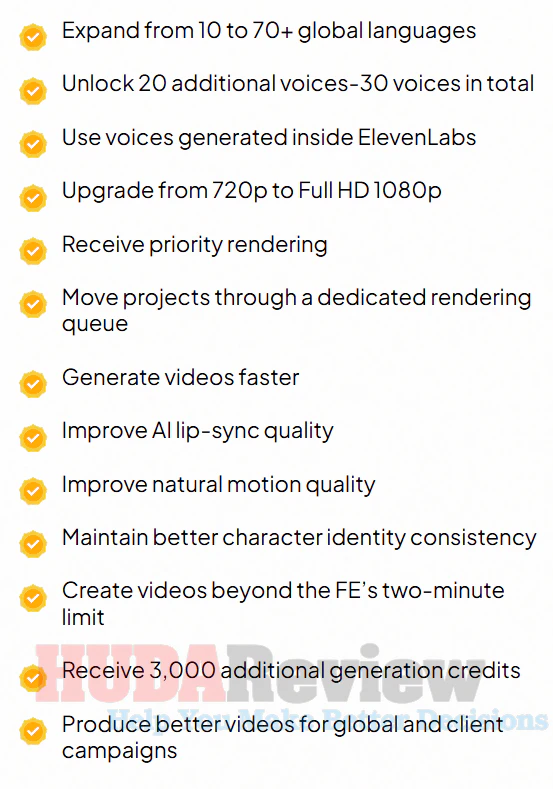
Pro Edition expands the core platform with more languages, additional voices, ElevenLabs voice support, Full HD 1080p output, priority rendering, longer videos, improved performance quality, and 6,000 extra credits.
It is the upgrade for users who want more capacity and stronger output for regular marketing or client projects.
Here’s what you will unlock with this upgrade:
Upgrade 02: Creative Suite Edition
Price: $67 (one-time payment)
>>>Click Here To Grab This Upgrade
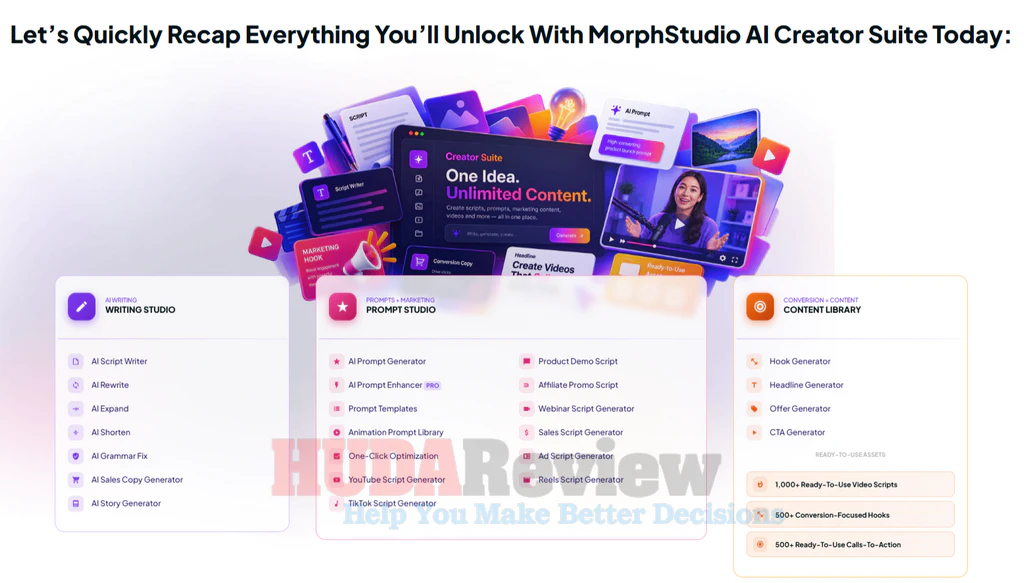
The Creative Suite strengthens the content-creation side of (PLR) Viral Cartoon Video Creator AI by helping you generate scripts, hooks, headlines, CTAs, and performance prompts for different campaigns.
It also includes 2,000+ DFY assets to help you create promotional content faster without starting from scratch.
Upgrade 03: DFY Avatars Collection
Price: $97 (one-time payment)
>>>Click Here To Grab This Upgrade
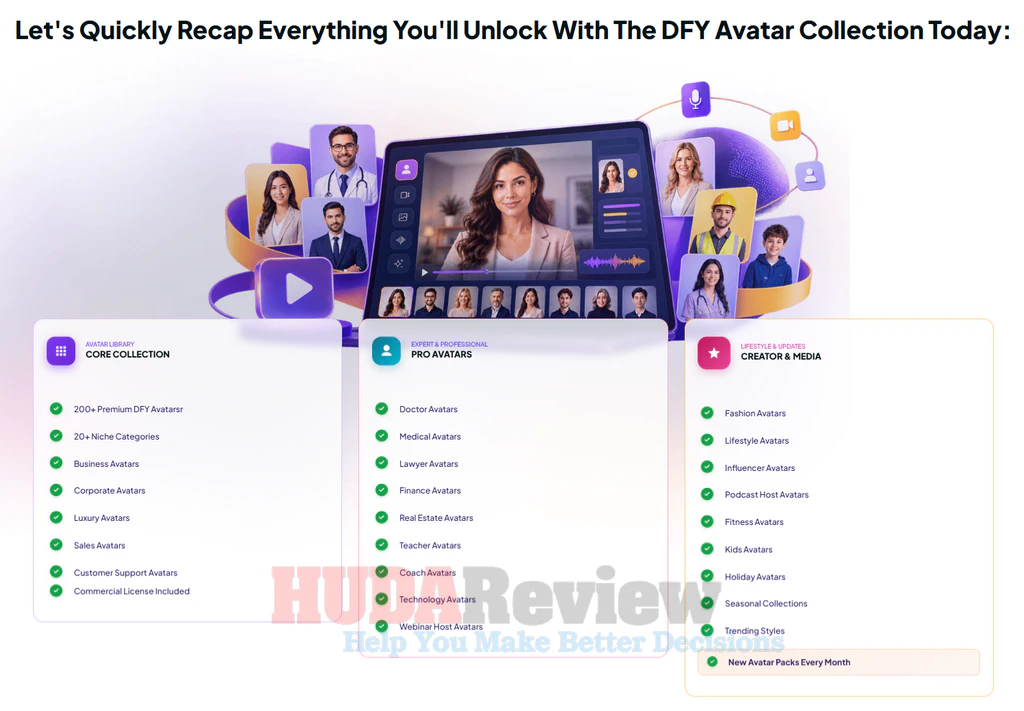
This upgrade gives you access to 300+ premium done-for-you avatars across 20 categories, covering niches such as business, medical, finance, technology, real estate, coaching, fashion, lifestyle, fitness, sales, webinars, podcasts, and more.
Upgrade 04: (PLR) Viral Cartoon Video Creator AI Agency Upgrade
Price: $247 (one-time payment)
>>>Click Here To Grab This Upgrade
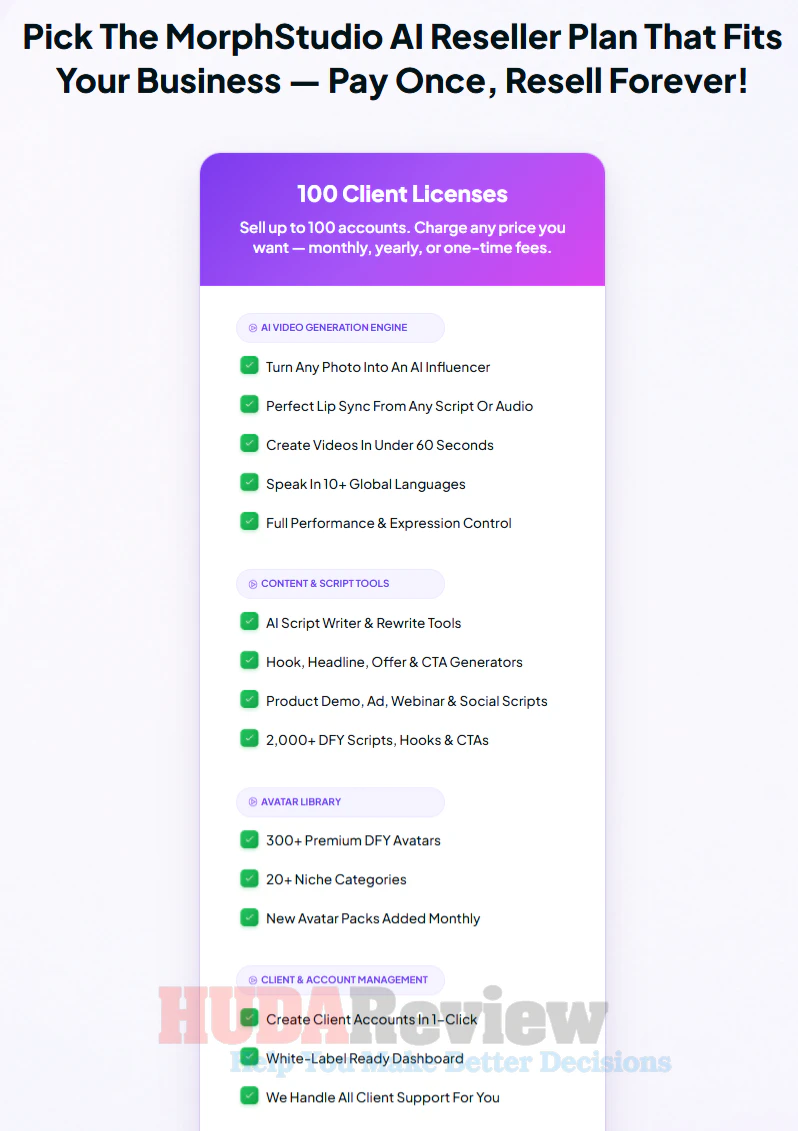
The Agency Upgrade is designed for users who want to turn (PLR) Viral Cartoon Video Creator AI into a client or reseller business.
It includes the ability to create up to 50 client accounts, resell the software under your own operation, keep 100% of sales, and use included sales, proposal, contract, pricing, and onboarding assets.
Who Is (PLR) Viral Cartoon Video Creator AI Best For?
(PLR) Viral Cartoon Video Creator AI fits people who want to create talking-head videos more quickly:
- Affiliate marketers who want spokesperson videos for product reviews, promotions, bonuses, and traffic campaigns.
- Social media creators producing content for TikTok, Instagram Reels, YouTube Shorts, Facebook, and other platforms.
- Small business owners who need promotional videos, product explainers, announcements, and branded content.
- Freelancers and agencies offering AI video creation, social media content, or marketing services to clients.
- Course creators and coaches who want presenter-style lessons, training videos, introductions, and educational content.
- Ecommerce sellers creating product presentations, ad creatives, and sales-focused videos.
- Faceless content creators who prefer to use AI avatars rather than appear on camera.
- Digital marketers who need fresh video assets for landing pages, funnels, ads, email campaigns, and promotions.
- Local business marketers creating videos for restaurants, real estate agents, salons, gyms, clinics, and other service businesses.
- Beginners looking for a more straightforward way to create talking-head videos from scripts, audio, and images.
It may be less suitable for people who want only traditional live-action filming, advanced cinematic editing with full manual control, or who rarely create video content.
What I Like And A Few Small Limitations
PROS:
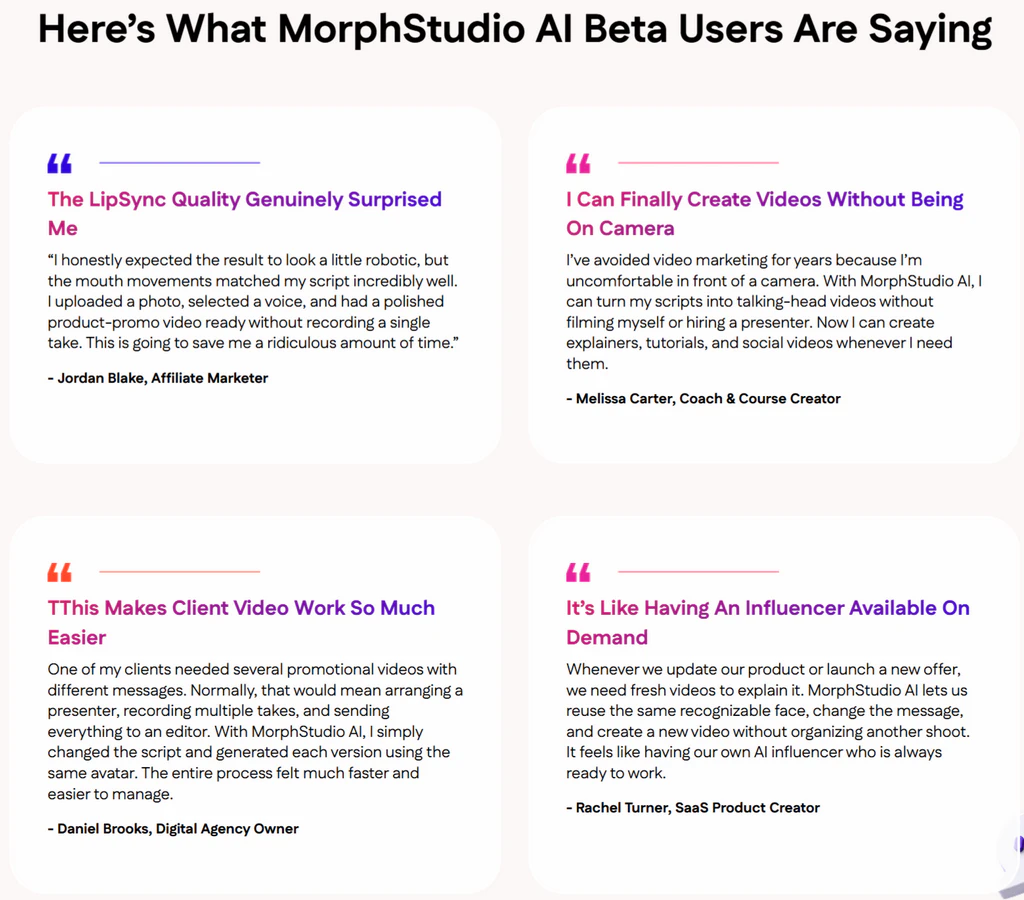
- Easy for beginners to start using.
- Helps reduce the need for on-camera recording.
- Saves time compared with traditional video production.
- Useful for both personal marketing and client work.
- Makes it easier to create content more consistently.
- Works well for faceless marketing strategies.
- Supports a wide range of online business niches.
- Gives marketers more ways to present offers visually.
- Can help turn simple scripts into more engaging content.
- Practical for social media, promotions, and sales campaigns.
- Commercial use creates extra monetization potential.
- One-time pricing makes long-term budgeting easier.
- 30-day money-back guarantee policy.
CONS:
- Your final result depends on the quality of the script, avatar, and instructions you provide.
So, Is (PLR) Viral Cartoon Video Creator AI Worth It?
(PLR) Viral Cartoon Video Creator AI reduces the time, effort, and production work normally involved in creating presenter-style videos.
This is a product worth considering because it offers a flexible creation process, strong commercial potential, and a one-time access model at launch.
Thanks for reading my (PLR) Viral Cartoon Video Creator AI review, and I hope this breakdown helps you make the right choice for your needs.
Frequently Asked Questions
Q: Can I use the videos on YouTube, TikTok, Instagram, and Facebook?
Yes. You can create videos suitable for major social platforms and adapt the output for different publishing formats.
Q: Can I generate a video from existing audio?
Yes. Upload your own audio file and let the system animate the selected avatar around the spoken content.
Q: How long can front-end videos be?
The front-end supports talking-head videos up to two minutes long. Longer video creation is available through the Pro upgrade.
Q: What video quality does the front-end provide?
The standard version exports videos in 720p MP4 format, while the Pro upgrade adds Full HD 1080p output.
Q: Can I control how the presenter delivers my message?
Yes. Performance prompts let you guide the avatar’s mood, expression, delivery style, and overall presentation.
Q: Do I have to use a built-in character?
No. You can choose an included avatar or upload your own compatible photo and turn it into a digital presenter.
Q: Can I preview a voice before creating the video?
Yes. Voice controls allow you to select and preview available voices before starting the final generation.
Q: Does video rendering use my computer resources?
No. Rendering is cloud-based, so the main processing takes place online rather than relying heavily on your local computer.
Q: Can the same avatar be used across multiple campaigns?
Yes. You can reuse a selected avatar with different scripts, voices, prompts, and marketing messages to maintain a recognizable visual presence across your content.



Our HudaReview team offers valuable bonuses to customers who purchase (PLR) Viral Cartoon Video Creator AI through our website.
Yes. You can get all the bonuses below if you purchase this product through our (PLR) Viral Cartoon Video Creator AI review post.
Super Bonus Package 01


The Ultimate Collection of High-Quality PLR Packages For Your Online Business

01st Mega Pack:
10 Beautiful Themes For Different Business Types

02nd Mega Pack:
Graphics Elements For Versatile Usage

03rd Mega Pack:
The Video Tools

04th Mega Pack:
The Social Media Marketing Suite
05th Mega Pack:
The Social Traffic Apps

06th Mega Pack:
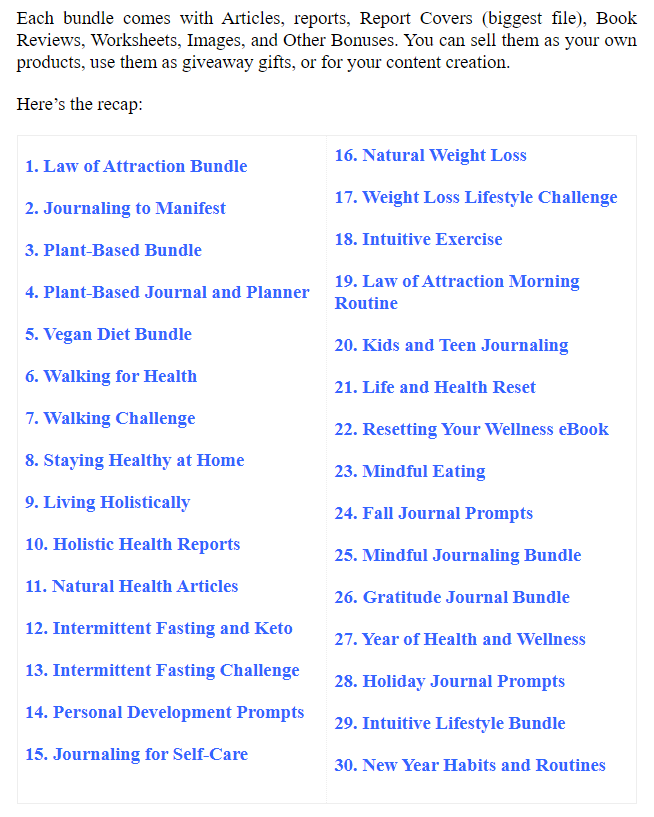
The Health, Diet, and Lifestyle Ebooks With PLR

07th Mega Pack:
The PLR Products With Personal Development Content
V.I.P AI SOFTWARE BONUS PACKAGES

Exclusive bonus packages for any Upsell or Bundle Purchase
Moreover, if you purchase at least 1 (PLR) Viral Cartoon Video Creator AI Upsell or the all-in-one (PLR) Viral Cartoon Video Creator AI Bundle offer, you will get all the bonus packages below:
1/ FAST-ACTION BONUS PACKAGE 01
2/ FAST-ACTION BONUS PACKAGE 02
3/ FAST-ACTION BONUS PACKAGE 03
4/ FAST-ACTION BONUS PACKAGE 04
5/ FAST-ACTION BONUS PACKAGE 05
6/ FAST-ACTION BONUS PACKAGE 06
7/ FAST-ACTION BONUS PACKAGE 07
8/ FAST-ACTION BONUS PACKAGE 08
9/ FAST-ACTION BONUS PACKAGE 09
10/ FAST-ACTION BONUS PACKAGE 10
***3 STEPS TO CLAIM THESE BONUSES***
Step 1: Purchase the (PLR) Viral Cartoon Video Creator AI platform on my website:
Step 2: After completing the transaction, forward the receipt to my email at hudareviewbonus@gmail.com
Final step: You will receive the bonuses within 24 hours.
Once again, thank you for reading my (PLR) Viral Cartoon Video Creator AI review to the end. Send my best wishes to you and your family.

%20AI%20Hack%20Defense%20Series.png)