
Pencil Control Worksheets Generator Review 2026 – Create KDP Preschool Workbooks Faster
Pencil Control Worksheets Generator Review
Printable Worksheet Maker For Kids’ Learning Products
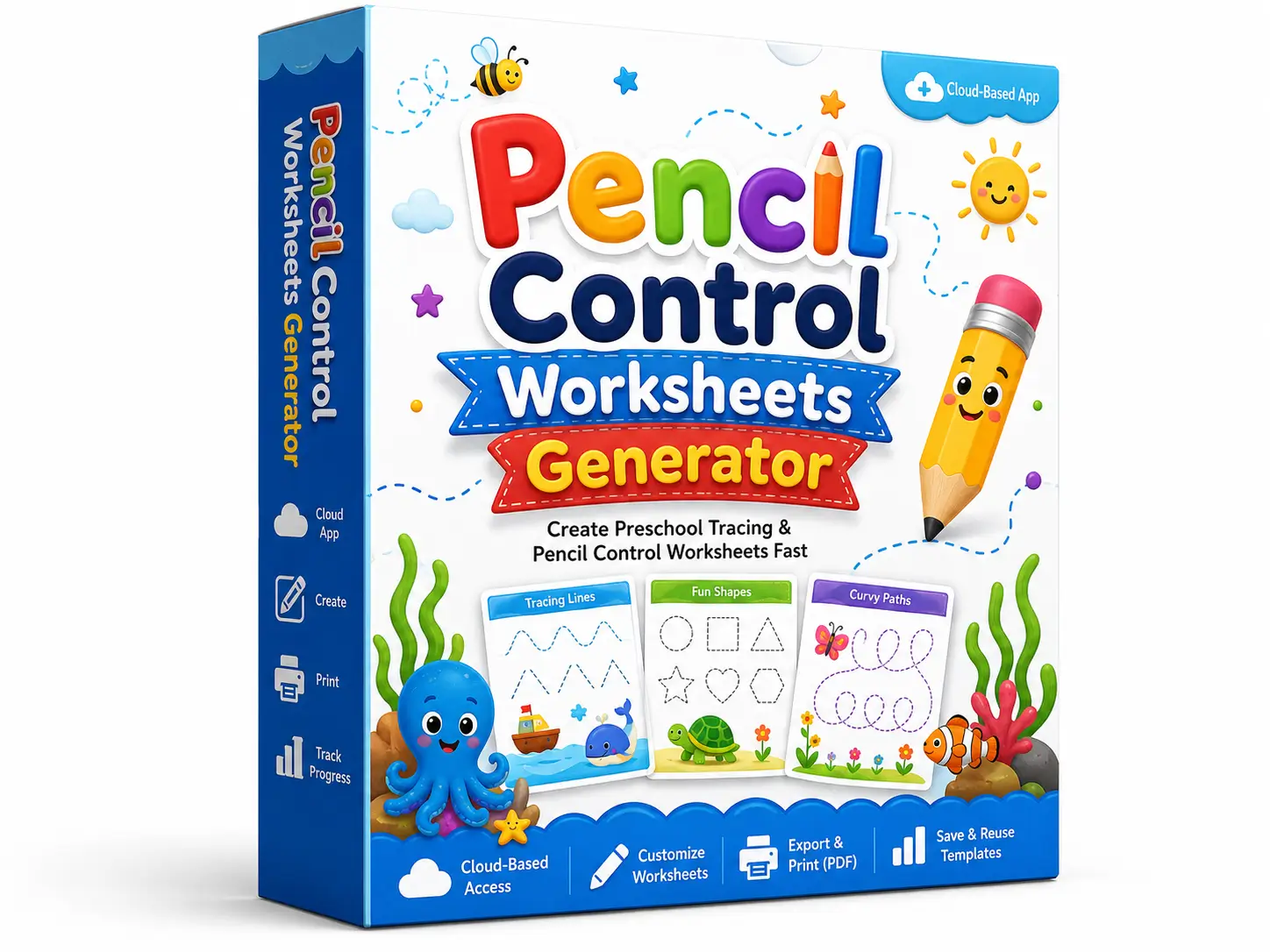
The preschool learning niche continues to attract KDP publishers, Etsy printable sellers, homeschool creators, and education-focused entrepreneurs. Parents want learning books that help children develop fine motor skills, pencil grip, hand control, early writing confidence, and prewriting ability.
That demand creates a strong opportunity, but the production side can feel slow. A quality pencil control workbook needs clean layouts, proper spacing, engaging tracing paths, clear instructions, a variety of pages, printable formatting, and enough pages to feel valuable. Creating every worksheet by hand inside Canva, PowerPoint, Illustrator, or InDesign can take many hours.
Pencil Control Worksheets Generator gives publishers a faster way to create these pages. It helps users generate professional pencil control worksheets, customize them, clone pages, arrange workbook layouts, and export finished files for publishing or selling.
In this Pencil Control Worksheets Generator review, I will walk you through what the software does, how it works, its main features, pricing, upgrades, pros and cons, licensing terms, and my honest thoughts before you buy.
Pencil Control Worksheets Generator Review – Quick Overview
| Developers | Niranjan Pradhan & BP Mishra |
| Product Name | Pencil Control Worksheets Generator |
| Product Type | Cloud-based worksheet and workbook creator |
| Main Purpose | Create pencil control worksheets and preschool tracing workbooks |
| Best For | KDP publishers, Etsy printable sellers, homeschool creators, preschool workbook sellers |
| Creators | Niranjan Pradhan and BP Mishra |
| Front-End Price | $47 during launch |
| Regular Price Mentioned | $147 after the launch ends. |
| Sales page | https://pencilcontrolworksheets.com/fe5h9d0/ |
| Launch Starts | 11:00 am EST, 26th June 2026 |
| Launch Ends | 11:59 pm EST, 29th June 2026 |
| Monthly Download Limit | 100 downloads per month on the front-end offer |
| File Export Options | PDF, PNG, JPG |
| Browser Note | Chrome recommended |
| Language Note | English worksheet creation |
| Refund Policy | No refund; all sales final |
| Commercial Use | Amazon KDP, Etsy, and your own websites allowed |
| Not Allowed | PLR, resell rights, Creative Fabrica, Fiverr, Design Cuts, freebies, rights transfer |
| Support | Vendor Support Desk: https://pencilcontrolworksheets.com/support/
HudaReview Support Email: hudareviewbonus@gmail.com |
What Is ‘Pencil Control Worksheets Generator’?
Pencil Control Worksheets Generator is a cloud-based app that helps users create pencil control worksheets and complete preschool tracing workbooks from a point-and-click dashboard.
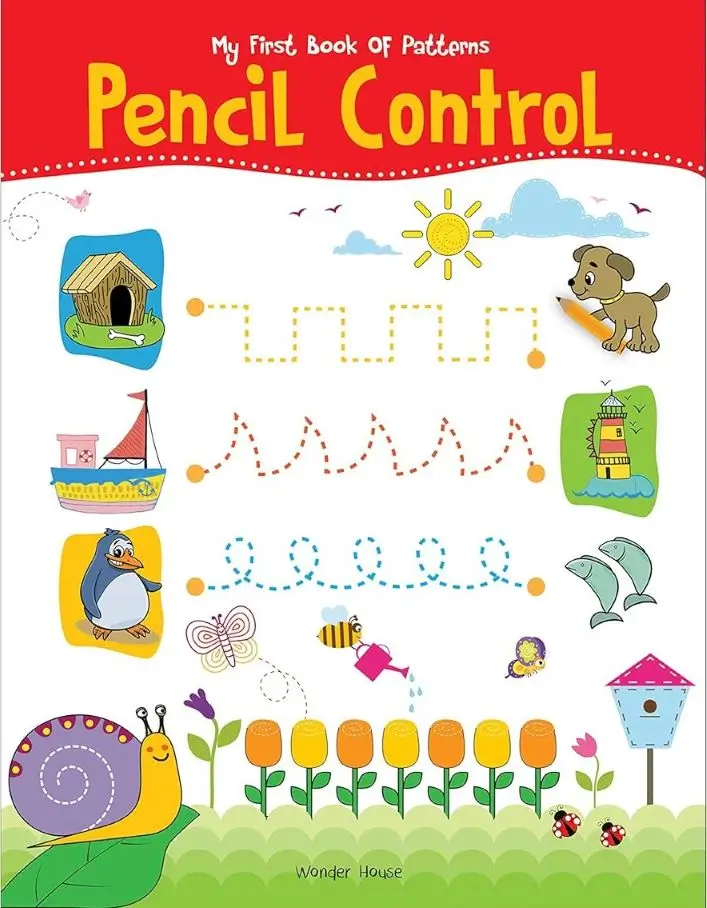
The software focuses on one clear market: early learning activity books. These books help children practice vertical lines, horizontal lines, curves, directions, geometric shapes, tracing movement, hand control, and prewriting skills.
The biggest value comes from speed and structure. You do not need to draw every tracing path manually. You choose a worksheet type, load the layout, adjust the elements, add text, clone pages, change styles, arrange the workbook, and download the finished files.
This makes the tool useful for people who want to publish more preschool activity books without spending days creating each page by hand.
The app runs in the cloud, so there is nothing to install. You log in through your browser, open your account, create pages, and download your worksheet files.
Why Pencil Control Workbooks Have Strong Business Potential
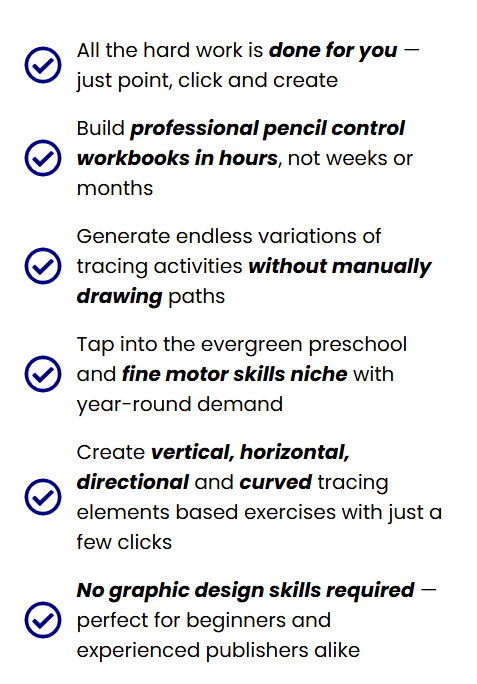
Pencil control books serve a real educational purpose. Young children need prewriting practice before they can write letters and numbers properly. Tracing lines, curves, paths, shapes, and patterns helps them improve fine motor control and hand-eye coordination.
That demand comes from several buyer groups:
- Parents want extra learning activities for home.
- Teachers need printable practice pages for class.
- Homeschool families look for structured early learning content.
- KDP buyers search for preschool workbooks, tracing books, and fine-motor-skills activity books.
- Printable buyers on Etsy also look for instant-download learning resources.
This creates an evergreen market. Children continue entering preschool every year, and new parents keep looking for simple educational tools. A well-made workbook can sell long after publication, provided the publisher handles research, cover design, keyword targeting, pricing, and quality control properly.
Pencil Control Worksheets Generator does not guarantee income. No publishing tool can promise that. It gives you a faster production system, while the business side still depends on your niche research, book presentation, listing quality, marketplace competition, and promotion.

About The Development Team

Pencil Control Worksheets Generator is by Niranjan Pradhan and BP Mishra, two creators who understand the KDP and printable publishing world through direct experience.
Niranjan Pradhan describes himself as an indie publisher on Amazon KDP and also runs a printables business on Etsy. Along with his business partner BP Mishra, he has spent the last few years creating software tools that help self-publishers solve real production problems and speed up their workflow.
That background matters because Pencil Control Worksheets Generator focuses on a very specific pain point: creating professional pencil control worksheets without spending days inside Canva, PowerPoint, Illustrator, or InDesign. The team created this app to meet the needs of small publishers who want to produce more workbook interiors, add more page variety, and grow their publishing catalogs without hiring a full design team.
From what I can see, this product does not come from random software developers with no connection to the niche. It comes from people who already work in the KDP and printable space, so the features feel practical for real publishers. The trim size selector, page cloning, margin controls, tracing styles, workbook downloads, and commercial-use focus all reflect that publishing-first mindset.
Overall, the development team lends credibility to this launch because they understand both sides of the process: creating educational worksheet content and turning it into sellable digital or print products.
Main Features Of Pencil Control Worksheets Generator
Pencil Control Worksheets Generator gives you a practical set of tools for creating preschool tracing pages, pencil control activities, and complete workbook interiors without starting from a blank canvas. The features focus on speed, page variety, printable quality, and publishing flexibility.
✅ 1-Click Worksheet Creation:
The app helps you create pencil control worksheets with a simple point-and-click process. You choose the activity type, load the worksheet layout, and start editing right inside the dashboard.
This saves a lot of time because you do not have to draw every tracing line, curve, shape, or practice path manually. For KDP publishers and printable sellers, this can turn a slow design task into a much faster content creation process.
✅ Multiple Pencil Control Activity Types:
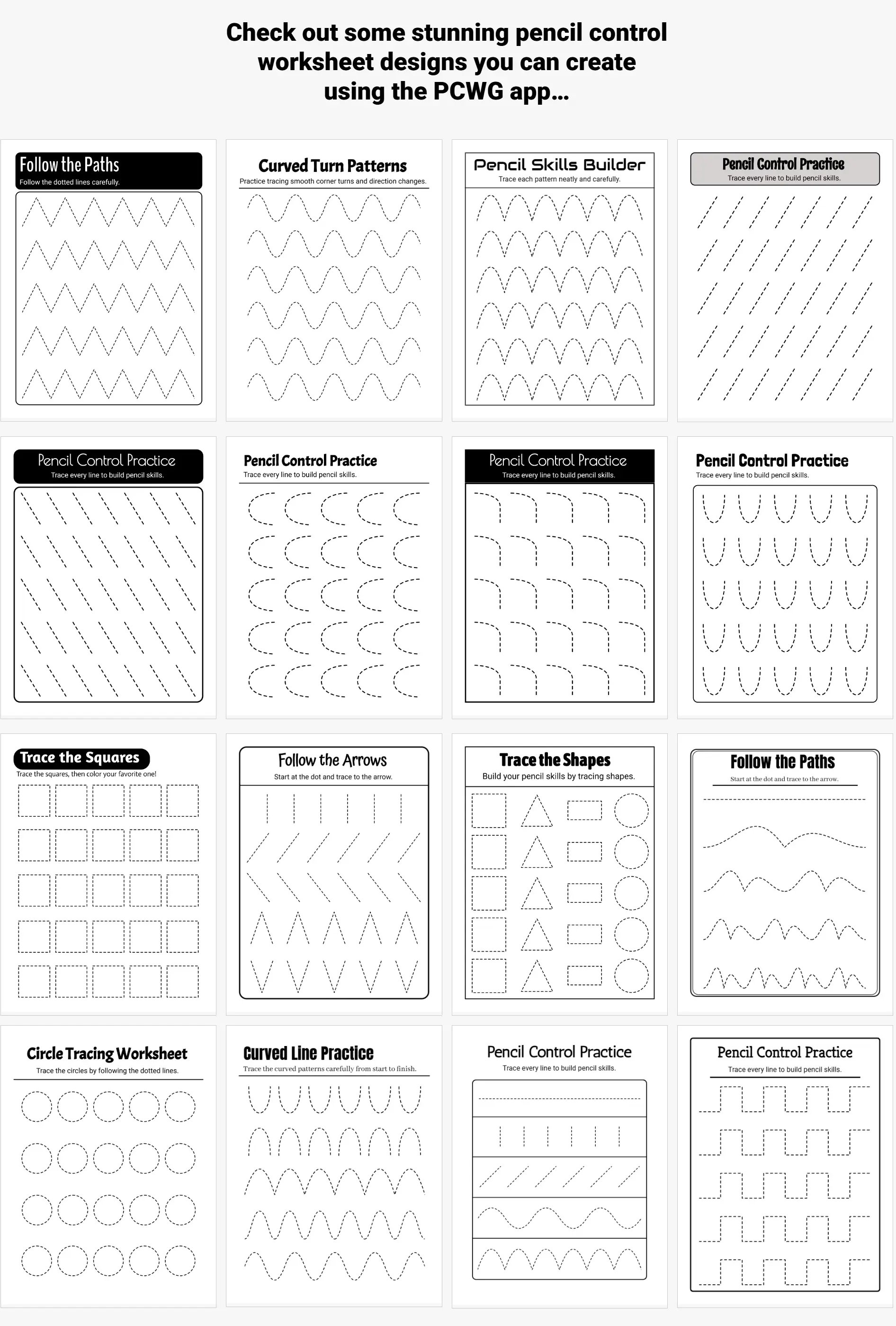
You can create various worksheet styles for early learners, including vertical, horizontal, and inclined line tracing; directional and curved tracing; continuous tracing; and geometric shape tracing.
This variety matters because a good preschool workbook needs more than one repeated activity. Children need a variety of hand movements to build pencil control, fine motor skills, and prewriting confidence. More activity types also help your workbook feel more complete and valuable to buyers.
✅ Beginner-Friendly Editing Dashboard:
The editor keeps the workflow simple. You can add text, move elements, adjust the layout, change styles, duplicate objects, and prepare workbook pages without advanced design skills.
This makes the tool beginner-friendly for those who are not comfortable using Illustrator, InDesign, or other complex graphic design software. At the same time, experienced sellers can use it to speed up page production.
✅ Dotted, Dashed, And Solid Gray Line Styles:
The software offers various tracing line options, including dotted, dashed, and solid gray lines.
These line styles help you create worksheets for different skill levels. Younger children may need bold, clear tracing guidance, while older preschoolers can practice with lighter or more challenging lines. This gives your workbook a better learning flow.
✅ KDP Trim Size Selector:
The app includes trim size selection for KDP-style publishing. This helps you create pages that match common workbook sizes before you export the final file.
A correct trim size can reduce layout problems during upload and printing. It also helps your workbook look cleaner and more professional when buyers receive the printed copy.
✅ Margin Visibility:
You can show or hide page margins while working on your worksheets.
This feature helps you keep important content away from cut lines and unsafe print areas. For workbook publishers, margins matter a lot because text, tracing paths, and page elements need enough space around the edges.
✅ Drag-And-Drop Text Component:
The text tool lets you add titles, instructions, labels, and short activity prompts anywhere on the worksheet.
Clear instructions make each page easier for parents, teachers, and children to understand. You can also use text to give every worksheet a more polished and branded look.
✅ 900+ Font Options:
Pencil Control Worksheets Generator includes more than 900 fonts, giving you plenty of style choices for workbook titles, labels, and instructions.
A clean font can make the worksheet easier to read. A playful font can make preschool pages feel more fun. This font library helps you match the style of your workbook niche and target audience.
✅ Automatic Page Numbering:
You can add page numbers automatically and choose from different numbering styles.
This helps when you create a full workbook with many pages. Manual page numbering can take time and lead to mistakes, especially after you rearrange pages. This feature keeps the process faster and cleaner.
✅ Gridlines And Snap-To-Grid:
The editor includes gridlines and snap-to-grid support. These tools help you align worksheet elements more accurately.
Neat alignment gives your workbook a more professional feel. Parents and teachers notice when pages look clean, balanced, and easy to follow. This feature helps you create that polished layout without extra effort.
✅ Copy, Paste, And Duplicate Elements:
You can copy and paste text or design elements while creating your pages.
This helps you reuse the same structure across multiple worksheets. You can maintain a consistent style, change the tracing activity, edit the instructions, and create more page variations more quickly.
✅ Page Cloning:
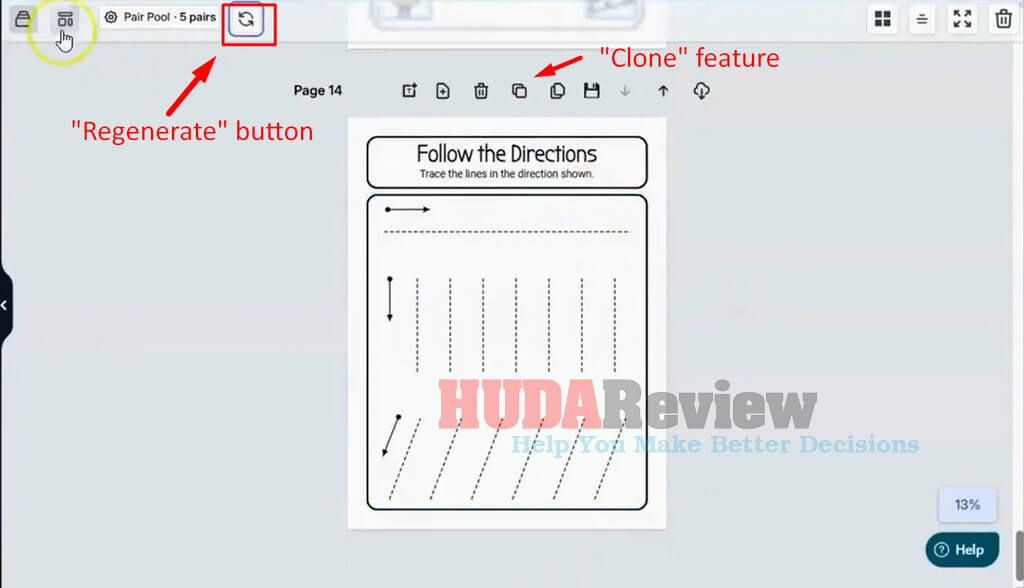
The clone page feature lets you duplicate an existing worksheet and create a new variation.
This feature can save a huge amount of time when creating a full workbook. You can create one strong layout, clone it, adjust the tracing path or activity type, and quickly grow your page count.
✅ Page Shuffle:
You can rearrange pages before downloading the final workbook.
This helps you control the learning sequence. For example, you can start with simple lines, move into curves, add shapes, and finish with more advanced tracing activities. A better page order makes the workbook feel more organized.
✅ Zoom In And Zoom Out:
The zoom controls let you review and edit your worksheet more comfortably.
You can zoom in to adjust small details and zoom out to check the full page layout. This helps you catch spacing issues before exporting the final file.
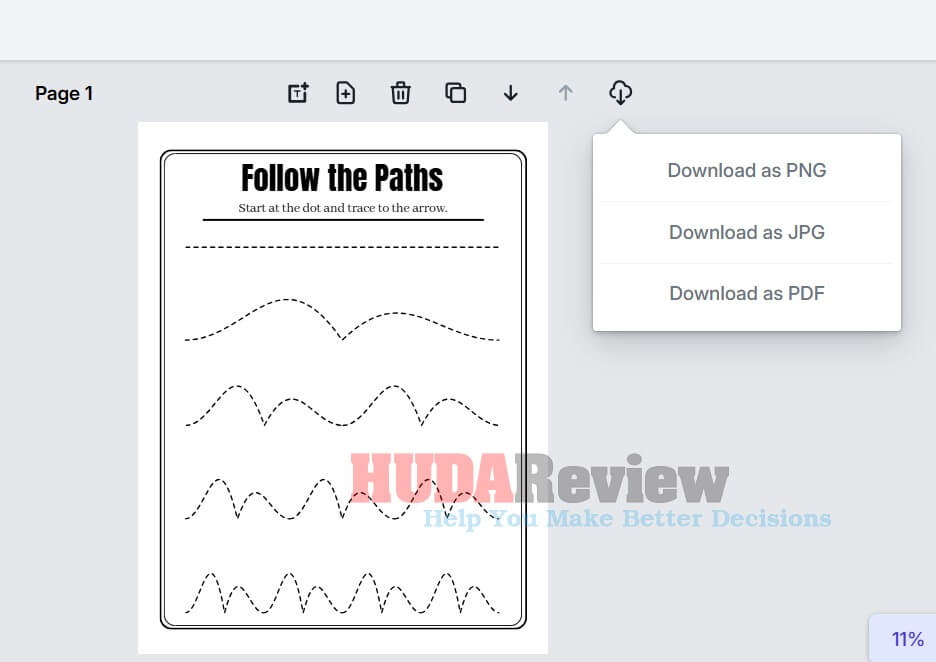
✅ PDF, PNG, And JPG Downloads:
The app lets you export your finished worksheets or workbooks as PDFs, PNGs, or JPGs.
PDF works well for KDP interiors and printable delivery. PNG and JPG formats are suitable for preview images, product listing graphics, sample pages, and promotional materials.
✅ Cloud-Based Access:
Pencil Control Worksheets Generator runs online, so you do not need to install software on your computer.
You log in through your browser, create your worksheets, and download the finished files. This keeps the process simple and convenient for users who want a lightweight creation tool.
✅ Commercial Use For Finished Products:
The license allows you to sell your finished worksheets and workbooks on Amazon KDP, Etsy, and your own websites.
This gives you several ways to turn your created pages into sellable products. You can publish paperback workbooks, sell printable worksheet packs, or offer digital learning resources through your own platform.
✅ Step-By-Step Training:
The product includes training to help users understand the dashboard and the creation process.
This helps beginners start faster and avoid confusion. You can follow the tutorials, learn how the main tools work, and create your first worksheet without guessing every step.
What Can You Create With Pencil Control Worksheets Generator?
You can create several types of early learning pages, including:
- Vertical line tracing worksheets.
- Horizontal line tracing worksheets.
- Inclined line tracing worksheets.
- Directional tracing worksheets.
- Curved tracing worksheets.
- Continuous tracing activities.
- Geometric shape tracing pages.
- Preschool fine motor skill worksheets.
- Prewriting practice pages.
- Full KDP workbook interiors.
- Printable worksheet packs.
- Etsy digital learning products.
- Activity books for your own website.
The front-end version focuses on creating English worksheets. Users who need multilingual worksheet content should keep that limit in mind before making a purchase.
How It Works In 3 Simple Steps
Creating pencil control workbooks with Pencil Control Worksheets Generator feels straightforward because the workflow guides you from worksheet selection to final export without confusion. Here’s a closer look at how the app works:
Step 1: Choose Your Worksheet Type
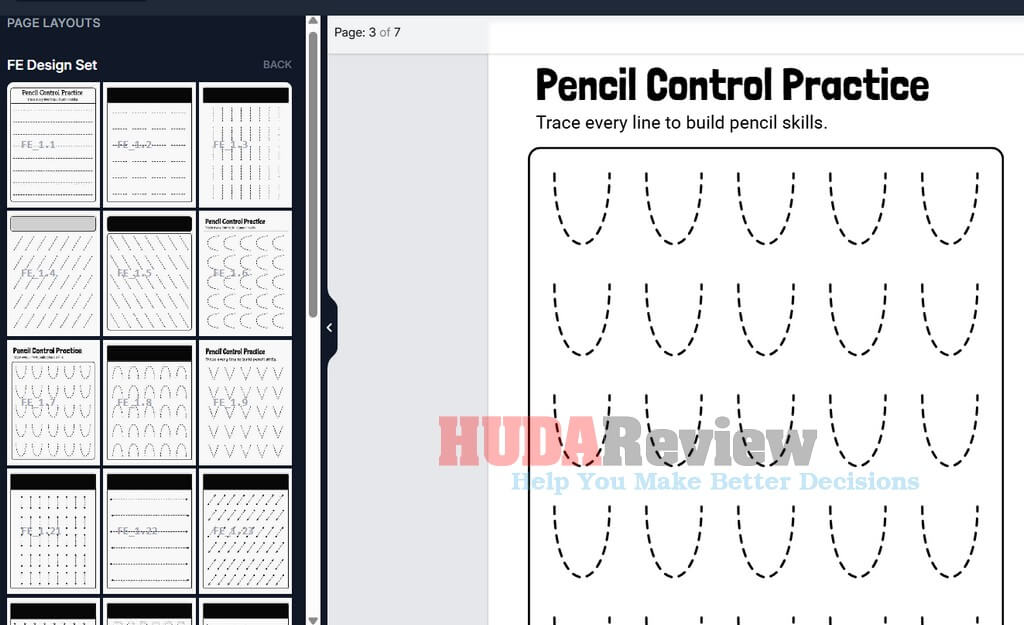
Start by logging in to your cloud-based account using any device with an internet connection. After that, choose the pencil control activity you want to create, such as vertical tracing, horizontal tracing, curved lines, directional tracing, or another supported worksheet style.
After you pick a worksheet type, Pencil Control Worksheets Generator instantly opens a ready-to-edit page on the canvas. This gives you a clean starting layout, so you can begin customizing the worksheet right away without having to build everything from scratch.
Step 2: Customize Your Worksheet.
Next, customize the worksheet to match your workbook plan. You can change the tracing style, edit page elements, add your own text, adjust the layout, and set the page format so the final result fits your activity book idea.
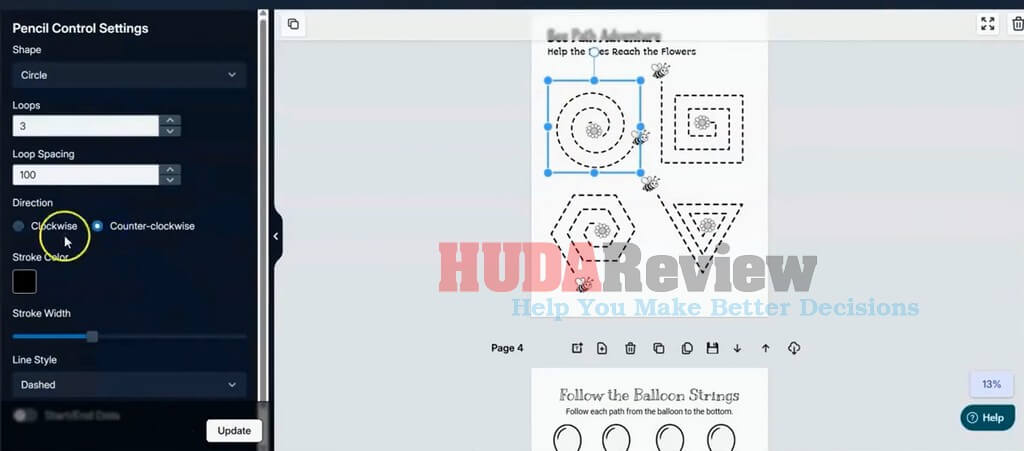
For example, after choosing the Circle shape, you can fine-tune its settings through the Loops and Loop Settings options. These controls help you shape the tracing activity more precisely and create a page that fits the skill level you want.
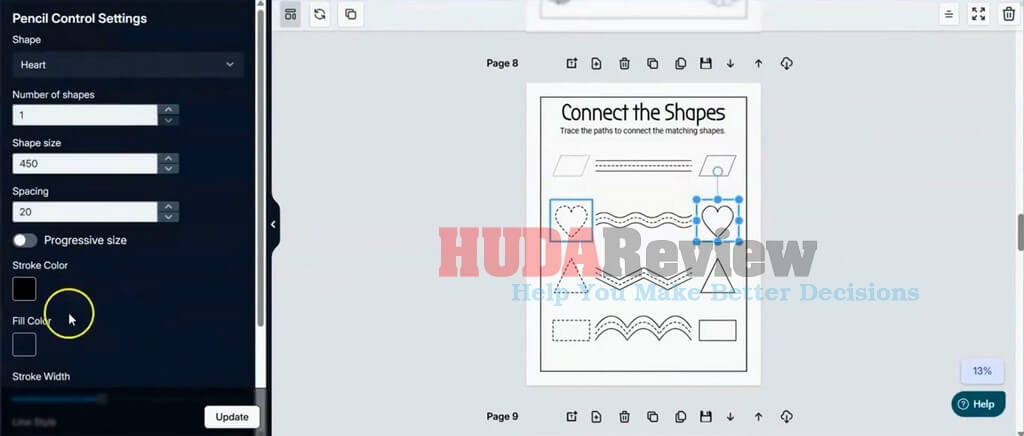
You can also add shapes like Heart or Square, then customize them by adjusting the total number of shapes, shape size, and spacing. These settings give you more control over the worksheet layout and help you create different activity levels for your preschool workbook.
Decide the stroke and line style:
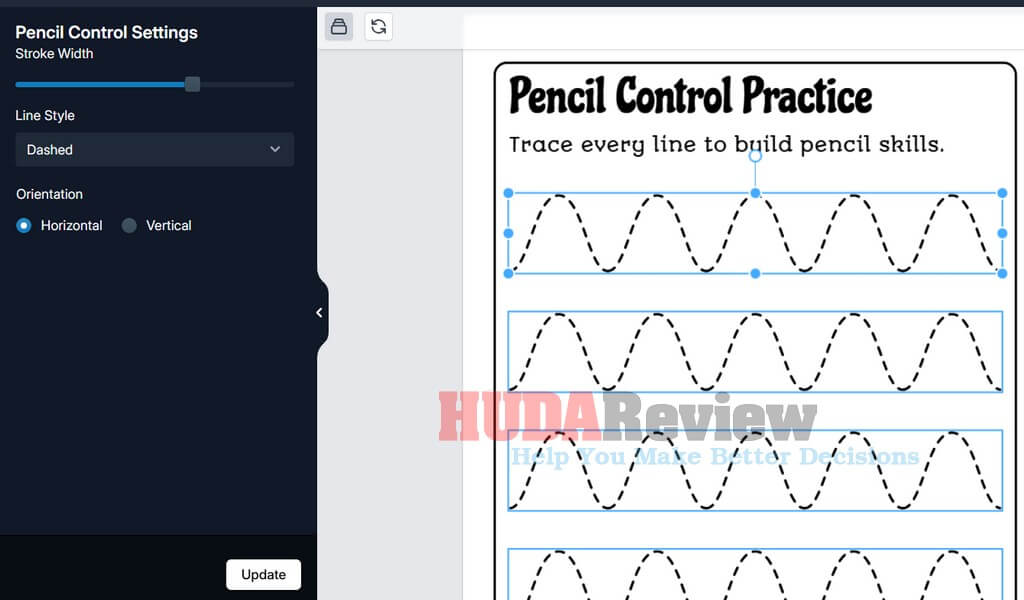
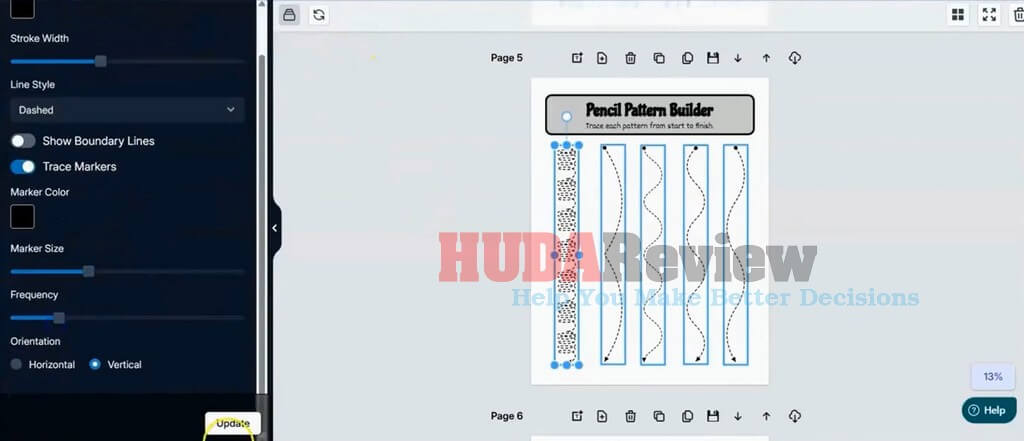
The 1-click clone feature also makes page creation much faster. After finishing one worksheet, you can duplicate it, adjust a few details, and create new variations for your workbook in less time. This helps a lot when you want to build a complete pencil control book with many practice pages without repeating the same setup.
Step 3: Download Your Worksheets Or Full Workbook.
After completing your pages, you can download them in the format that fits your project. Pencil Control Worksheets Generator lets you export individual worksheets or combine multiple pages into a complete workbook.
From there, you can use the finished files for printables, classroom resources, digital products, or Amazon KDP publishing. With just a few clicks, your pencil control worksheet idea can become ready-to-use workbook pages.
Quick Demo Video:

Pricing Policy and OTOs
The front-end product (FE)
Pencil Control Worksheets Generator is available for $47 as a one-time payment during the early-bird launch period. This gives you access to the cloud-based worksheet creator without monthly fees, making the offer attractive to KDP publishers, Etsy printable sellers, and preschool workbook creators who want a faster way to produce pencil control pages.
The launch period ends at midnight EST on June 29, 2026. After that, the price will increase to $147, so the current $47 deal offers a much lower entry point. Considering the worksheet creation tools, tracing page options, workbook export features, and commercial-use potential, this early-bird price offers strong value for anyone planning to create and sell preschool learning products.
Since the price increase happens soon, grabbing Pencil Control Worksheets Generator during the launch window makes the most sense. You get the same core app at a lower one-time cost before the offer approaches its regular price.
Commercial License And Usage Rules:
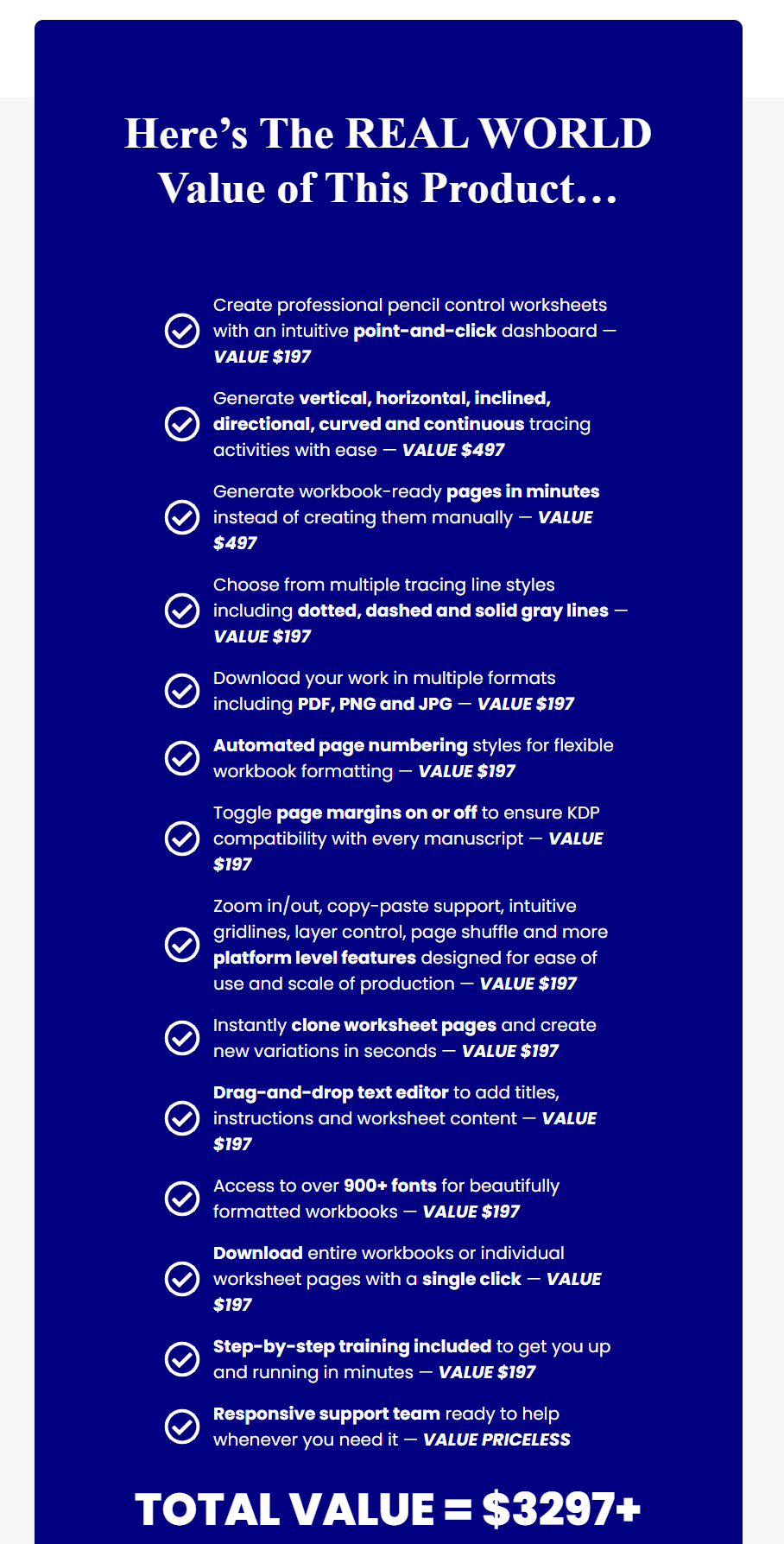
The front-end purchase allows you to sell finished worksheets, workbooks, and related products on:
- ✅ Amazon KDP.
- ✅ Etsy.
- ✅ Your own websites.
You can keep 100% of the profits from those finished products.
However, the license has clear restrictions.
- You cannot sell the files or products on stock-style marketplaces such as Fiverr, Creative Fabrica, Design Cuts, or similar platforms.
- You also cannot sell PLR rights, resell rights, redistribution rights, or commercial-use rights to third parties.
- You cannot use the software to create freebies for distribution.
- You also cannot use the creators’ names or brand names in the products you sell.
This license works for direct-to-consumer publishing. It does not work for PLR sellers, rights sellers, stock marketplace sellers, or freebie-based list-building workflows.

Pencil Control Worksheets Generator Review – The Upgrades
The front-end software works without buying upgrades. The product page mentions two optional upgrades after purchase.
Please note: Purchase the Front-end/main product through my website before purchasing these OTOs to qualify for our bonuses at the end of this Pencil Control Worksheets Generator review.
Here they are:
Upgrade 01: Pencil Control Worksheets Generator PRO ($67)
Price after the special launch ends: $197
Salespage: https://pencilcontrolworksheets.com/oto1d8j4h/
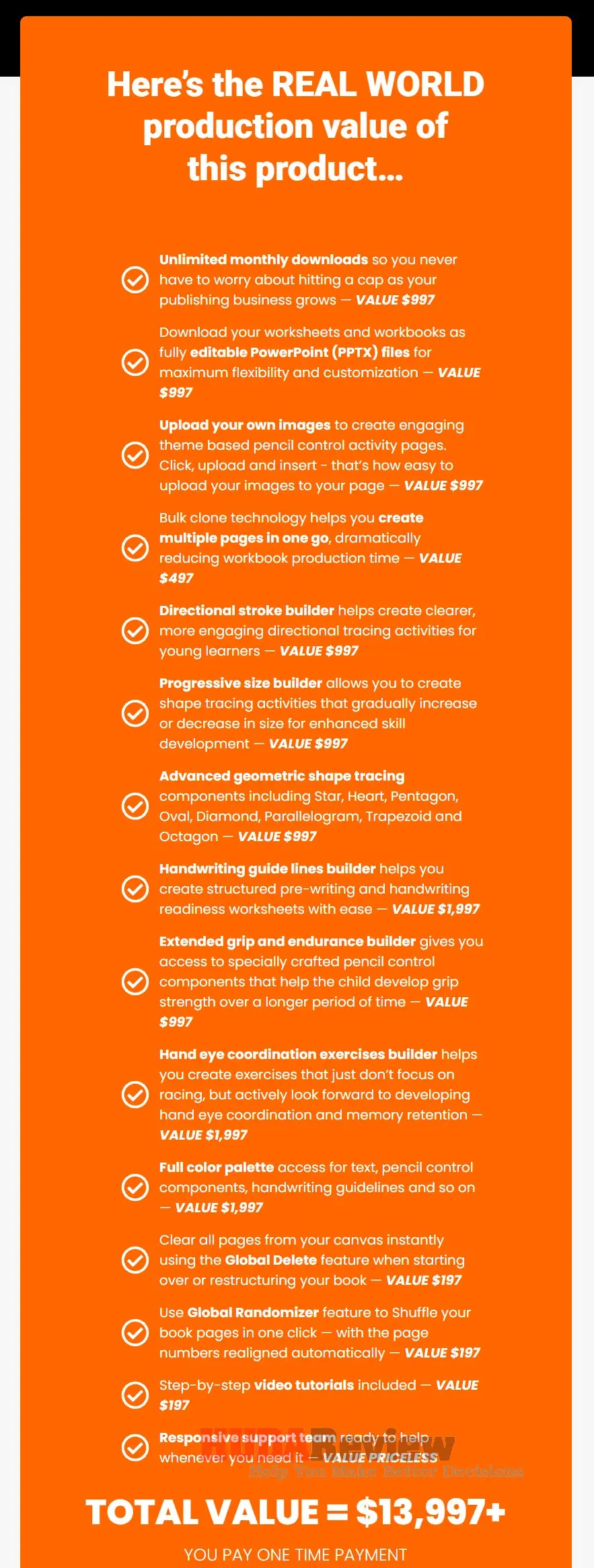
Pencil Control Worksheets Generator PRO is the best upgrade for users who want to create more workbook pages, scale faster, and remove the front-end download limit.
While the main version gives you a solid way to create pencil control worksheets, this PRO upgrade unlocks unlimited monthly downloads, PPTX exports, custom image uploads, bulk page cloning, advanced tracing modules, handwriting guideline tools, progressive size builders, and more creative control for serious KDP and printable sellers.
This upgrade makes the most sense for publishers who want to build a larger catalog without spending extra hours on repetitive page creation. You can create richer tracing workbooks, add more worksheet variety, personalize your pages with your own graphics, and download editable PowerPoint files for deeper customization.
At the one-time launch price of $67, it offers strong value because the price can increase after the launch period ($197), and it helps you produce more sellable pencil control workbooks with less manual effort.
Upgrade 02: Pencil Control Worksheets Generator Premium ($197)
Price after the special launch ends: $697
Salespage: https://pencilcontrolworksheets.com/oto1d8j4h/
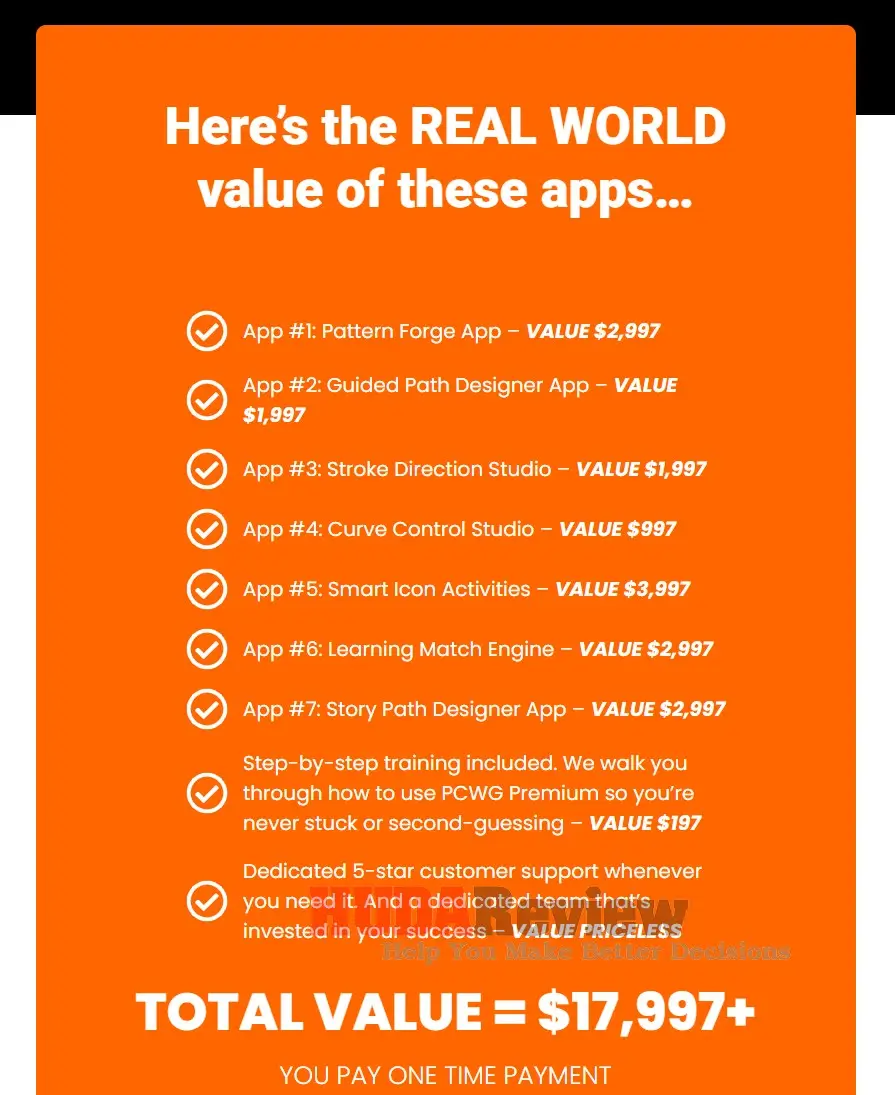
Pencil Control Worksheets Generator Premium is the ideal upgrade for users who want to create higher-quality pencil control books that look more professional, engaging, and different from basic tracing worksheets.
This 7-in-1 advanced app bundle gives you access to tools like Pattern Forge, Guided Path Designer, Stroke Direction Studio, Curve Control Studio, Smart Icon Activities, Learning Match Engine, and Story Path Designer, so you can build custom tracing paths, guided activities, visual matching pages, story-based worksheets, and premium fine motor activity books faster.
This upgrade makes a lot of sense for serious KDP publishers, Etsy printable sellers, homeschool resource creators, and preschool workbook makers who want more creative control and stronger product differentiation.
At the launch price of $197 one-time, it gives you a powerful way to create richer, more unique worksheet pages without hiring designers or spending weeks building everything manually. Since the price can increase after the launch period ($697), grabbing this upgrade early helps you lock in the best deal and scale your workbook business with more confidence.
Pros And Cons Of Pencil Control Worksheets Generator
Pros:
- Saves a serious amount of creation time: Creating pencil control worksheets manually can take hours, especially when you need a full workbook. This tool helps you move from idea to finished pages much faster.
- Great fit for the preschool learning niche: Pencil control, tracing, and fine motor skill activities have strong demand among parents, teachers, homeschoolers, and early learning buyers.
- Helps beginners enter the KDP workbook market faster: You do not need years of design experience to start creating simple preschool activity books. The workflow keeps things easier for new publishers.
- Makes workbook production more repeatable: After creating one page style, you can create more variations without starting the entire process again. That helps you build a larger catalog with less stress.
- Useful for both KDP and printable sellers: You can use the finished worksheets for Amazon KDP, Etsy printable packs, or your own website, giving you multiple monetization paths.
- Reduces the need to hire designers: Many new publishers spend money on freelancers for workbook interiors. This software helps you create multiple pages yourself and maintain greater control over the final result.
- Gives your products a more organized structure: A workbook needs a proper learning flow, not random pages. The app helps you arrange activities in a cleaner order, from simple tracing to more advanced practice.
- Helps you test more product ideas: Speed matters when you want to test different niches, covers, keywords, and workbook styles. Faster page creation gives you more room to experiment.
- One-time price keeps the entry cost low: The early-bird $47 price makes it easier to start without taking on another monthly subscription.
- Practical tool from creators who know publishing: The development team understands KDP and printables, so the tool feels focused on real publishing needs rather than random design features.
Cons:
- No refund policy: All sales are final, so you should review the offer carefully before buying.
- The front-end has a monthly download limit: The main offer includes 100 downloads per month. Heavy users may want to check the upgrades.
- English-only worksheet creation: Creators who need multilingual worksheets may find this limiting.
- Chrome works best: The app runs best in Chrome, so users who prefer another browser may need to adjust.
- Not for PLR or rights sellers: The license allows you to sell finished products, but it does not allow PLR, resell rights, or redistribution rights.
- You still need research and marketing: The software helps you create pages faster, but your sales still depend on niche research, keywords, cover design, listing quality, and promotion.
Who Should Use the Pencil Control Worksheets Generator?
Pencil Control Worksheets Generator makes the most sense for:
- ✅ KDP publishers creating preschool workbooks.
- ✅ Etsy sellers creating printable learning pages.
- ✅ Activity book creators who want faster production.
- ✅ Homeschool resource sellers.
- ✅ Preschool worksheet creators.
- ✅ Beginners who do not want to use advanced design software.
- ✅ Publishers who want to test the pencil control niche.
- ✅ Sellers who need more page variation without hiring designers.
- ✅ Creators who plan to sell finished products directly to buyers.
This tool fits people who understand that software can speed up production, while sales still depend on product quality, keyword research, cover design, listing copy, pricing, and marketing.
Who Should Not Use It?
This product may not suit:
- ❌ Users who need a refund option.
- ❌ PLR sellers.
- ❌ People who want to sell rights to others.
- ❌ Sellers focused on Creative Fabrica, Fiverr, Design Cuts, or similar platforms.
- ❌ Users who need non-English worksheet creation.
- ❌ Buyers who want unlimited front-end downloads.
- ❌ People who do not plan to create KDP or printable products.
- ❌ Users who expect guaranteed income from software alone.
- ❌ Creators who need a mobile-first app.
- ❌ Anyone unwilling to use Chrome or manage extension conflicts.
The app gives you a production advantage, but it does not replace product research or marketplace strategy.
Pros And Cons
Pros:
- Cloud-based app with no installation.
- Beginner-friendly point-and-click workflow
- Creates pencil control worksheets faster.
- Supports multiple tracing activity types.
- Includes dotted, dashed, and solid gray line styles.
- Helps create full workbook interiors.
- Includes KDP-friendly trim size support.
- Margin view helps with planning printable layouts.
- Page cloning speeds up workbook creation.
- Page shuffle helps organize the final book.
- Drag-and-drop text editor adds flexibility.
- 900+ fonts provide more styling options.
- Exports in PDF, PNG, and JPG.
- Commercial use allowed for KDP, Etsy, and own websites.
- Step-by-step training included.
Cons:
- No refund policy.
- Front-end includes 100 downloads per month.
- English worksheet creation only.
- Chrome works best.
- Some Chrome extensions may create conflicts.
- Not suitable for PLR or rights sellers.
- Stock marketplace selling is not allowed.
- Freebie distribution is not allowed.
- Success still depends on research, quality, and marketing.
Pencil Control Worksheets Generator Vs Manual Worksheet Creation
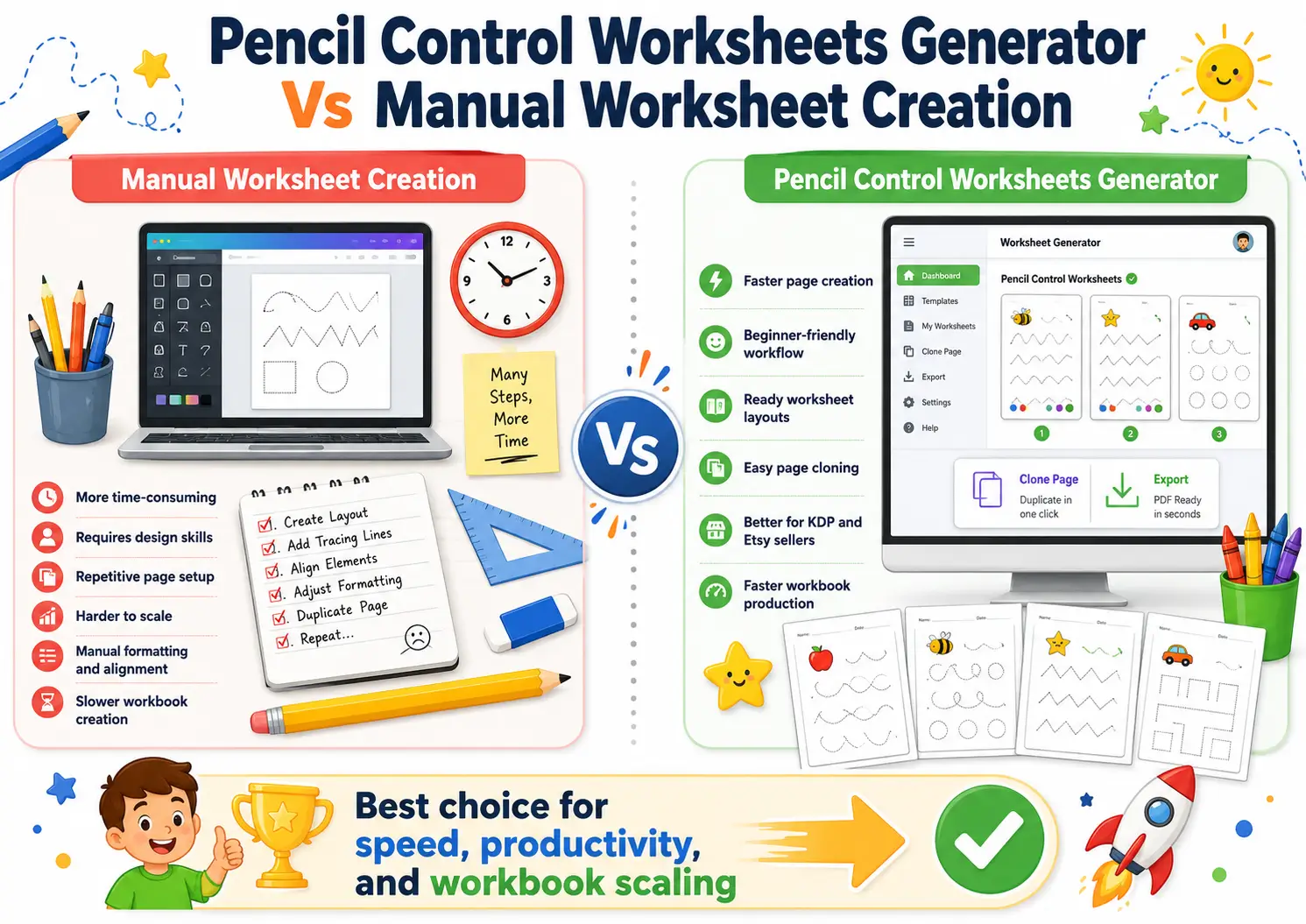
Creating pencil control worksheets manually can take a lot more time than most beginners expect. You need to draw tracing lines, adjust spacing, add start points, build paths, arrange shapes, check margins, create page variations, and repeat the same process for dozens of pages. A single worksheet may feel simple, but a complete preschool workbook can quickly become a long and tiring design project.
The Pencil Control Worksheets Generator streamlines the process by providing ready-made tools to create pencil control pages. You can choose the worksheet type, customize the layout, add text, clone pages, rearrange the workbook, and export the finished file without having to handle every design element from scratch.
Manual creation gives you full creative freedom, but it also demands more design skill and patience. You may need Canva, PowerPoint, Illustrator, InDesign, or other design tools. On top of that, you still need to keep the pages aligned, clean, printable, and suitable for young learners.
With Pencil Control Worksheets Generator, the workflow feels more direct. The app already focuses on tracing worksheets, fine motor skill practice, and preschool workbook interiors, so you can spend more time creating product variations and less time fixing basic layout issues.
This becomes especially useful for KDP publishers and Etsy printable sellers who want to build multiple products. A publisher can create one worksheet style, clone it, change the path or activity type, and grow a full workbook faster. That kind of speed can help you test more niches, create more printable packs, and publish new learning resources more often.
So, manual worksheet creation may work for users who only need a few custom pages. Pencil Control Worksheets Generator makes more sense for creators who want a faster, cleaner, and more repeatable way to create preschool pencil control worksheets for KDP, Etsy, or their own website.
Can You Make Money With Pencil Control Worksheets Generator?
Yes, the software can help you create products you sell, but it does not guarantee income.
You can use the finished worksheets and workbooks for Amazon KDP, Etsy, and your own websites under the allowed license. This gives you several ways to monetize the content.
A good publishing plan should include:
- Niche research
- Keyword research
- Buyer intent analysis
- Strong cover design
- Clear workbook structure
- Quality interior pages
- Competitive pricing
- Good listing images
- SEO-friendly descriptions
- Ongoing testing and improvement
Amazon KDP calculates royalties based on factors such as list price, royalty rate, printing cost, page count, ink type, trim size, and marketplace. That means your profit depends on more than the worksheet creation tool.
Pencil Control Worksheets Generator helps with production. You still need to handle the business side carefully.
My Honest Thoughts
Pencil Control Worksheets Generator offers a practical solution for a specific type of creator. The app targets a proven content category, helps users create workbook pages faster, and gives enough customization options to create different products from the same dashboard.
The strongest use case sits with KDP publishers and printable sellers who already understand the value of preschool learning content. These users can use the app to create more pages, test more workbook ideas, and reduce design time.
The front-end offer provides solid value at $47, especially for users who plan to create multiple pencil-control products. The no-refund rule and the 100-monthly-download limit may prompt some buyers to think carefully before ordering.
My recommendation is simple: Pencil Control Worksheets Generator makes sense for creators who want to publish or sell preschool tracing workbooks and need a faster production system. It does not make sense for people who want PLR rights, stock marketplace selling, multilingual creation, or guaranteed income.
Final Verdict
Pencil Control Worksheets Generator is a useful cloud app for creating pencil control worksheets, tracing pages, and preschool workbook interiors faster.
It helps with the part of the business that usually takes the most time: page creation. You can choose worksheet types, customize layouts, clone pages, organize a workbook, and export files in common formats.
The app has a clear market, practical features, and commercial-use potential for KDP, Etsy, and personal websites. At the same time, buyers must understand the no-refund policy, download limit, English-only note, Chrome recommendation, and license restrictions.
For KDP publishers and printable sellers who want to enter the preschool pencil control niche, this tool can save time and help create more professional workbook pages with less manual effort.
Top Questions & Answers About Pencil Control Worksheets Generator
Before making your final decision, these common questions will help you better understand the pricing, licensing, usage limits, commercial rights, and real value of Pencil Control Worksheets Generator.
Q/ How much does Pencil Control Worksheets Generator cost?
Pencil Control Worksheets Generator costs $47 as a one-time payment during the early-bird launch period. The launch deal ends at midnight EST on June 29, 2026, and the price may increase to $147 thereafter. For KDP publishers and printable sellers, this early-bird price offers a low-cost way to start creating pencil-control worksheets and preschool workbook interiors.
Q/ Can I use Pencil Control Worksheets Generator for Amazon KDP?
Yes. You can use the worksheets and workbook interiors you create with Pencil Control Worksheets Generator for Amazon KDP publishing. The app includes useful options such as trim size selection, margin visibility, page organization, PDF export, and worksheet customization, which help you prepare cleaner interiors for preschool tracing books and pencil control workbooks.
Q/ Can I sell the worksheets on Etsy?
Yes. The commercial license allows you to sell finished worksheets and printable learning products on Etsy. You can create pencil control worksheet packs, preschool tracing printables, fine motor skill activities, and prewriting practice pages for digital download buyers.
Q/ Do I need design experience to use it?
No. Pencil Control Worksheets Generator uses a beginner-friendly dashboard, so you do not need advanced design skills. You can choose an activity type, edit the worksheet, add text, adjust layout elements, clone pages, and download the finished file without using complicated tools like Illustrator or InDesign.
Q/ What types of worksheets can I create?
You can create several pencil control activity types, including vertical line tracing, horizontal line tracing, inclined line tracing, directional tracing, curved tracing, continuous tracing, and geometric shape tracing. This variety helps you create more complete preschool workbooks rather than repeating the same worksheet style on every page.
Q/ Which file formats can I download?
Pencil Control Worksheets Generator lets you export your finished worksheets or workbooks as PDF, PNG, and JPG files. PDF works well for KDP interiors and printable delivery, while PNG and JPG are best for preview images, sample pages, product mockups, and promotional graphics.
Q/ How many downloads do I get each month?
The front-end version includes 100 downloads per month. This limit should work well for many beginners and part-time sellers. High-volume publishers planning to create many workbook variations may want to review the optional upgrades for greater flexibility.
Q/ Does Pencil Control Worksheets Generator offer a refund?
No. The product comes with a strict no-refund policy, and all sales are final. Buyers should review the features, pricing, license terms, browser notes, language support, and download limits carefully before purchasing.
Q/ Can I sell PLR or resell rights with the worksheets?
No. The license does not allow PLR, resell rights, commercial use rights, redistribution rights, or rights to transfer to other buyers. You can sell finished worksheets and workbooks directly to customers, but you cannot sell the rights for others to reuse, resell, or redistribute them.
Q/ Is Pencil Control Worksheets Generator worth buying?
Pencil Control Worksheets Generator is worth buying for KDP publishers, Etsy printable sellers, homeschool resource creators, and preschool workbook makers who want to create pencil control worksheets faster. The one-time $47 launch price makes it a strong deal, especially for creators who plan to build multiple tracing workbooks or printable learning products.


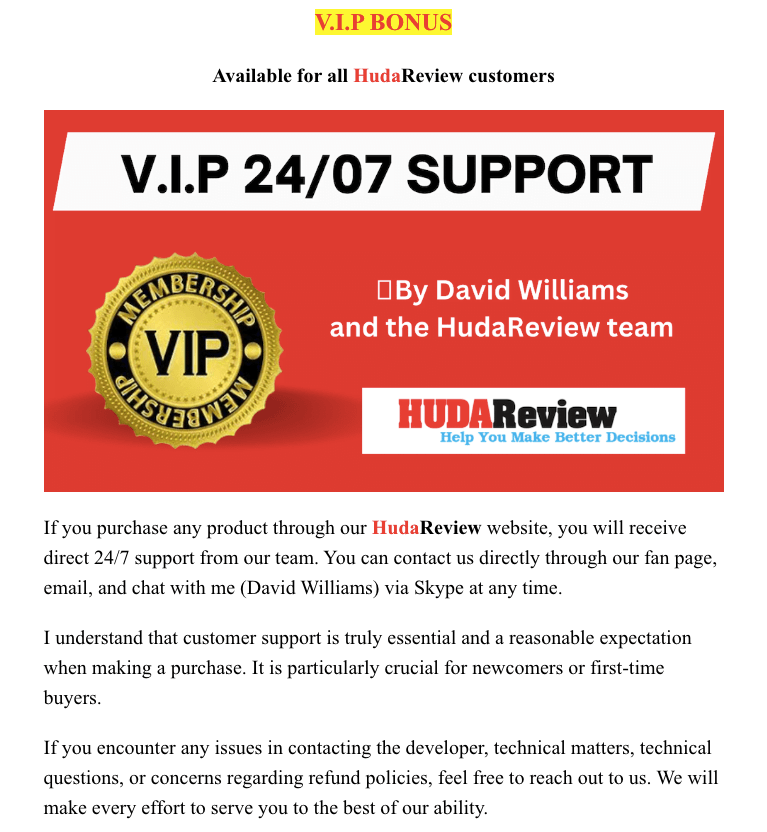
The Training & Resources To Start Working In KDP Publishing
Part 1:

Part 2:


The Ultimate Collection of High-Quality PLR Packages For Your Online Business

01st Mega Pack:
10 Beautiful Themes For Different Business Types

02nd Mega Pack:
Graphics Elements For Versatile Usage

03rd Mega Pack:
The Video Tools

04th Mega Pack:
The Social Media Marketing Suite

05th Mega Pack:
The Social Traffic Apps

06th Mega Pack:
The Health, Diet, and Lifestyle Ebooks With PLR

07th Mega Pack:
The PLR Products With Personal Development Content
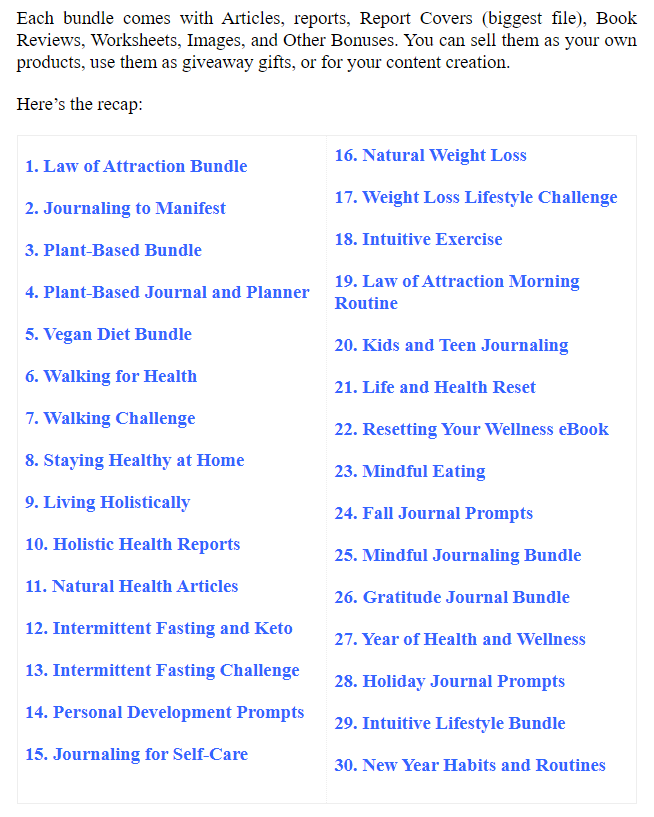
Moreover, if you purchase at least 1 Pencil Control Worksheets Generator OTO/Upsell, you will get all the bonus packages below:
New Bonus Package #5:
Amazing WordPress Plugins With PLR
New Bonus Package #4:
Materials To Grow Your Online Business
New Bonus Package #3:
New Bonus Package #2:
New Bonus Package #1:
***3 STEPS TO CLAIM THESE BONUSES***
Step 1: Buy the Pencil Control Worksheets Generator on my website:

(The price will increase to $147 after the launch ends.)
Step 2: After completing the transaction, forward the receipt to my email at hudareviewbonus@gmail.com
Final step: You will receive the bonuses within 24 hours.
Thank you again for reading my review of the Pencil Control Worksheets Generator. Send my best wishes to you and your family.




Leave a Reply