StudioCut Review: From Raw Idea to Cinematic Video in Minutes

StudioCut Review

Automate Most of Your Video Production From Planning to Publishing
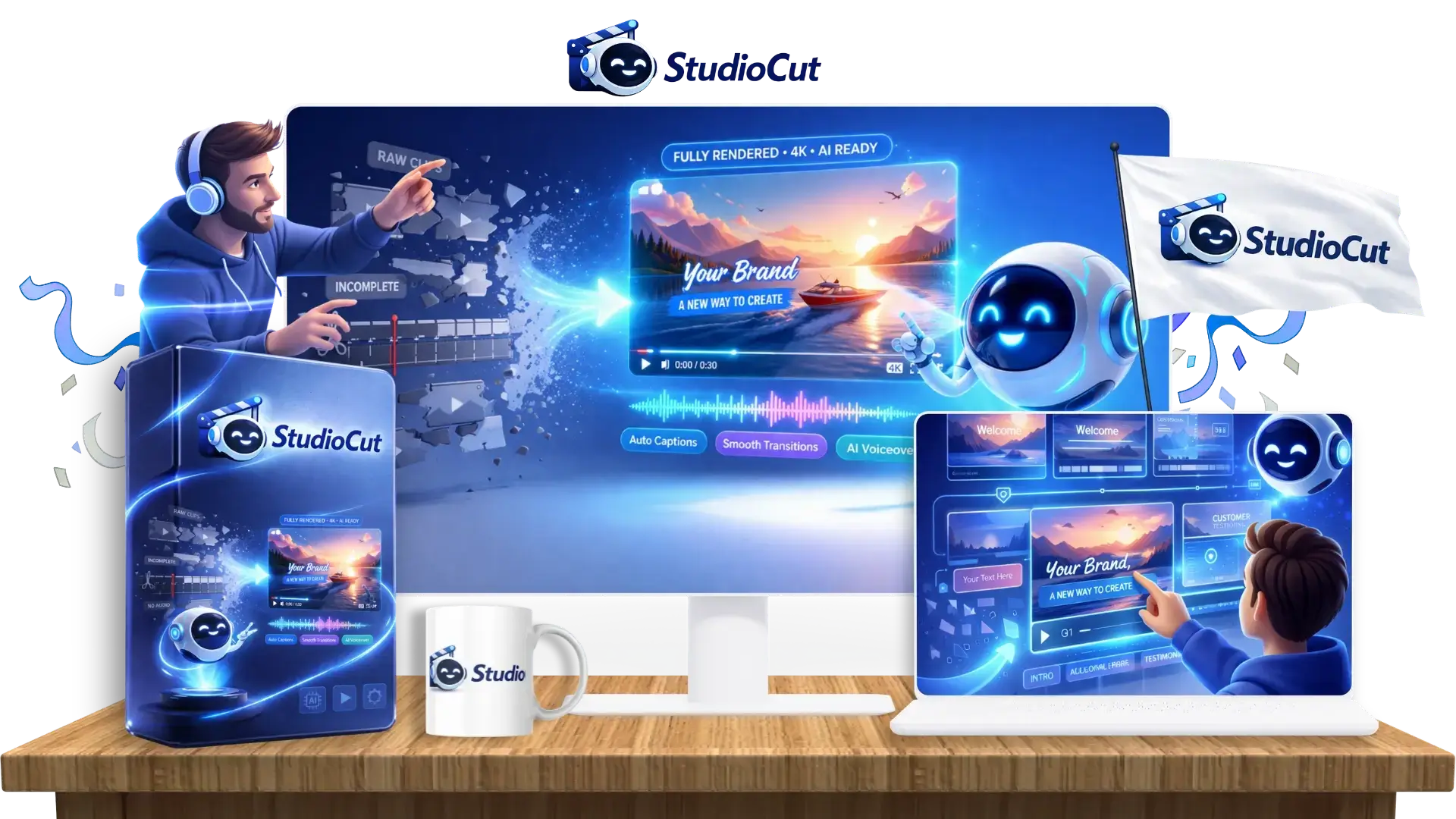
StudioCut-Review-Box

Coming up with video ideas used to be one of the hardest parts of content creation. Today, powerful AI tools can generate topics, hooks, scripts, and fresh angles in seconds. The creative spark has become much easier to find.

The bigger challenge now begins after the idea is ready.

Creators still have to gather visuals, arrange scenes, record or generate voiceovers, add captions, music, transitions, animations, polish the pacing, resize content for different platforms, and somehow turn all those separate pieces into a video people actually want to watch. Producing content consistently can quickly become time-consuming, especially for solo creators, marketers, and small teams.

StudioCut enters this space with an ambitious goal: reduce much more of that production workload and help turn ideas or existing content into polished videos without forcing users through the traditional editing process.

That immediately caught my attention, because solving the production side of video creation could be far more valuable than simply generating another script or AI clip. In this StudioCut review, I’ll take a closer look at how the platform works, what it can actually do, its strengths and limitations, pricing, and who may get the most value from it.

Table of Contents

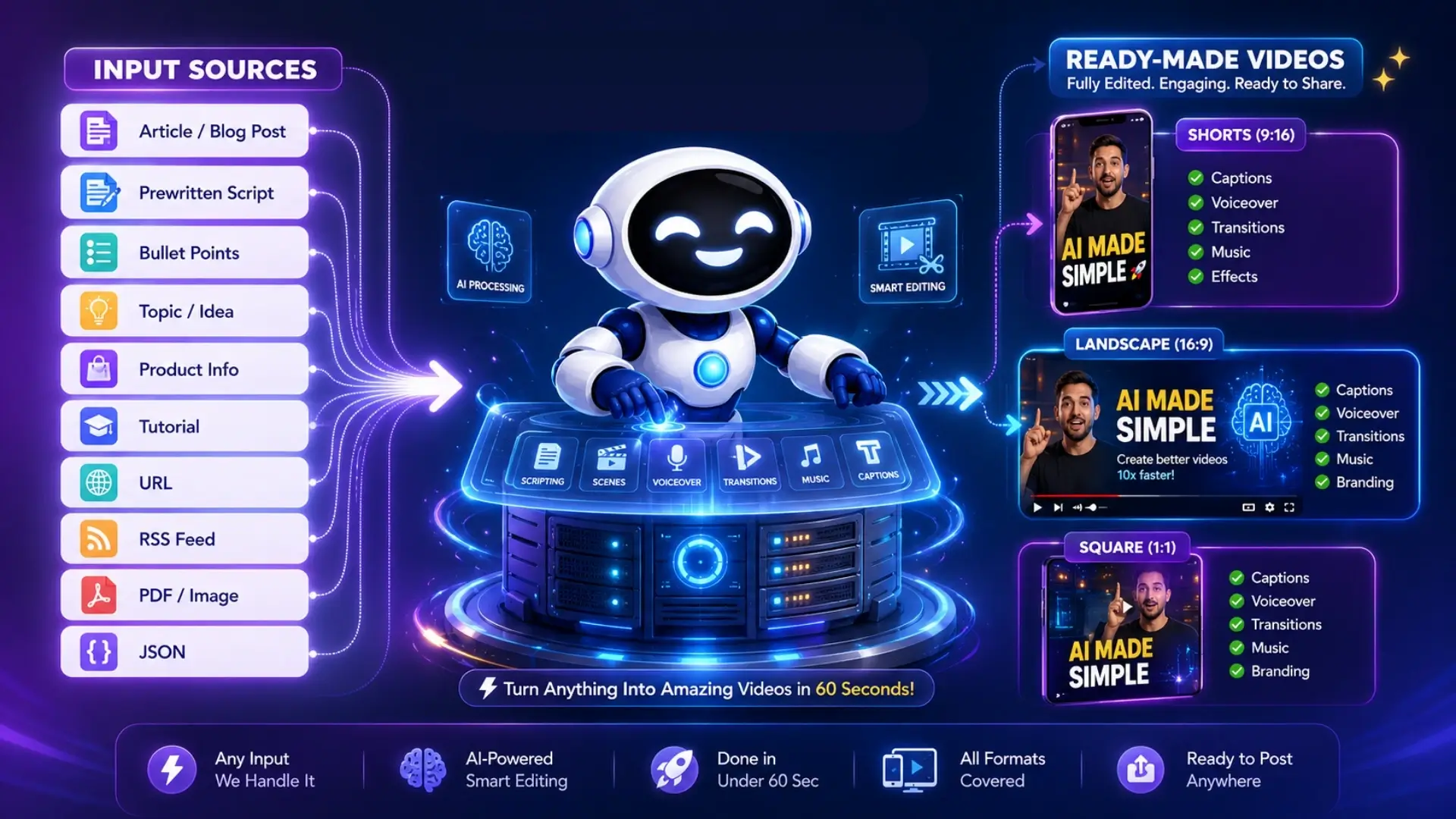
StudioCut is a complete AI video production platform developed to take content from the idea stage to a finished video. It combines AI content generation with automated editing, allowing users to create polished videos without manually assembling scenes, audio, text, and other production elements.

A project can begin with only a brief concept, or users can provide more detailed material such as a script, a webpage, a blog post, a product URL, or their own media. StudioCut then turns that source material into a structured video by deciding what should appear on screen, how the story should progress, and how the different parts should work together.

The platform revolves around its AI Director and AIEdit™ technology. Together, they manage the creative direction and video assembly process so each project comes out as a unified production rather than a series of unrelated generated assets.

The overall concept is simple: StudioCut acts like an AI-powered production team that helps users plan, create, edit, and prepare video content from one place.
StudioCut-What-2

You can create ready-to-post videos with StudioCut in 3 simple steps:

Step 1: Add Your Content.

Enter an idea, script, blog post, product URL, notes, or upload your own media.
StudioCut-Step-1-Add

Step 2: Let StudioCut Create The Video.

StudioCut plans the scenes, generates the visuals and voice, then edits everything into a complete cinematic video.
StudioCut-Step-2-AI

Step 3: Customize Or Publish.

Make scene-by-scene changes when needed, or download and publish the finished video right away.
StudioCut-Step-3-Hit

refund1

Creator Harshal Jadhav et al.
Product StudioCut Platform
The official page >>Click here to access
Front-end price $37 (one-time payment)
All-in-one StudioCut Bundle YES. Click Here To Access This Bundle Deal
The Bundle’s price $247 (one-time payment) – After adding my $50 off code.
Discount code for the Bundle Add my code cut to get $50 off the StudioCut Bundle.
Category AI Video Creation & Editing
Monthly Software Fee No mandatory monthly subscription during the launch offer
Commercial License Included
Skill Level Beginner-friendly
Bonus Yes, Huge Bonus
Guarantee 30-day money-back guarantee!
Support Vendor Support Desk: https://studiocut.video/contact.html

HudaReview Support Email: [email protected]

The Main Idea Behind StudioCut

The AI video market already has plenty of tools capable of producing visually impressive footage.

The harder part comes after generation.

A usable marketing or social video normally needs a clear sequence:

Idea → Script → Storyboard → Scenes → Visuals → Voice → Music → Captions → Transitions → Final Render → Publishing Assets.

StudioCut puts those stages into one production workflow.

Its AIEdit™ technology handles the creative and technical stages that usually sit between an initial prompt and the finished export. The software plans the video, creates its scene structure, generates assets, assembles those elements, and prepares the final piece for publishing.

That makes StudioCut particularly interesting to marketers and business owners. Many of them care far more about producing usable content quickly than learning professional video-editing software.

Meet The Creator Behind StudioCut

Harshal-Jadhav

Harshal Jadhav is an experienced digital entrepreneur, marketer, and software creator who has been active in the online marketing industry for many years.

He is known for developing software that helps marketers handle tasks such as video creation, content production, audience engagement, and promotional campaigns. His previous products include VidScratch, QuizTarget, VidViral, SpyStream, and NicheFlicks AI, among several other releases.

Much of his work has focused on making creative and marketing tasks easier through software, so StudioCut fits well with the direction of his previous products. This time, the focus moves deeper into AI video production, with the platform handling much more of the creation and editing process automatically.

button-1

The Automation Features Inside

StudioCut-Why

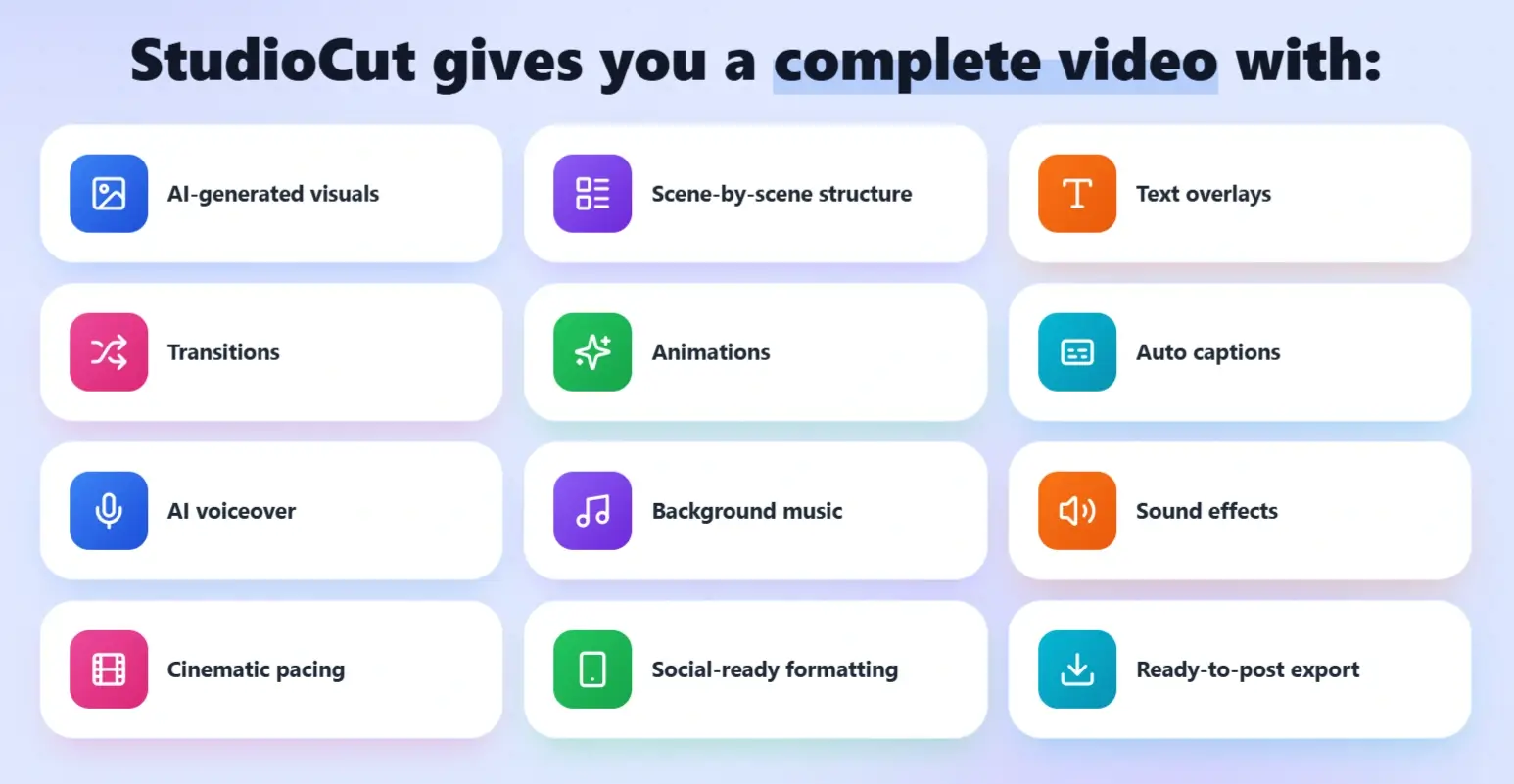
StudioCut covers the full video creation process, giving users the tools to plan, create, refine, and publish polished videos from one place.

World’s First AIEdit™ Technology.

StudioCut goes beyond generating individual clips by turning them into a complete video with text, transitions, animations, sound, and voiceover already included.

StudioCut-Feature-1-Technology

5-Phase AI Production Pipeline.

The platform manages the entire journey through planning, asset creation, scene development, rendering, and final publishing preparation.
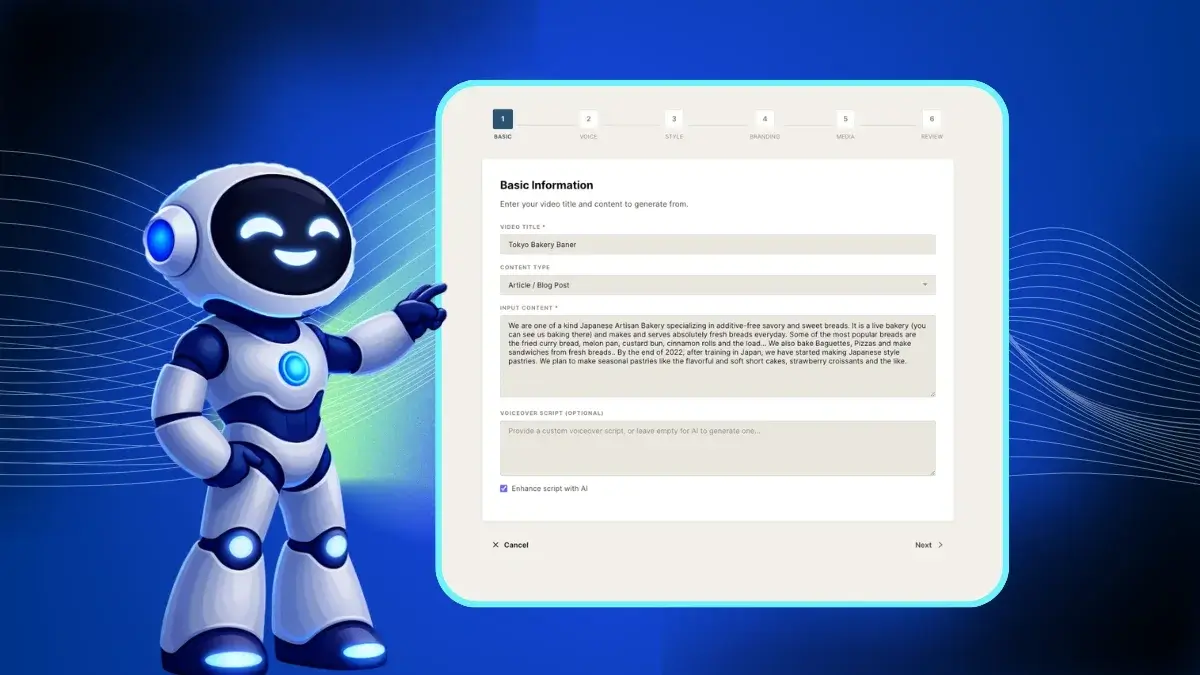
StudioCut-Feature-2-Phase

AI Video Planning Engine.

StudioCut can shape the story, break it into scenes, prepare the script, and decide the visual direction, helping users move quickly from an idea to a clear video structure.
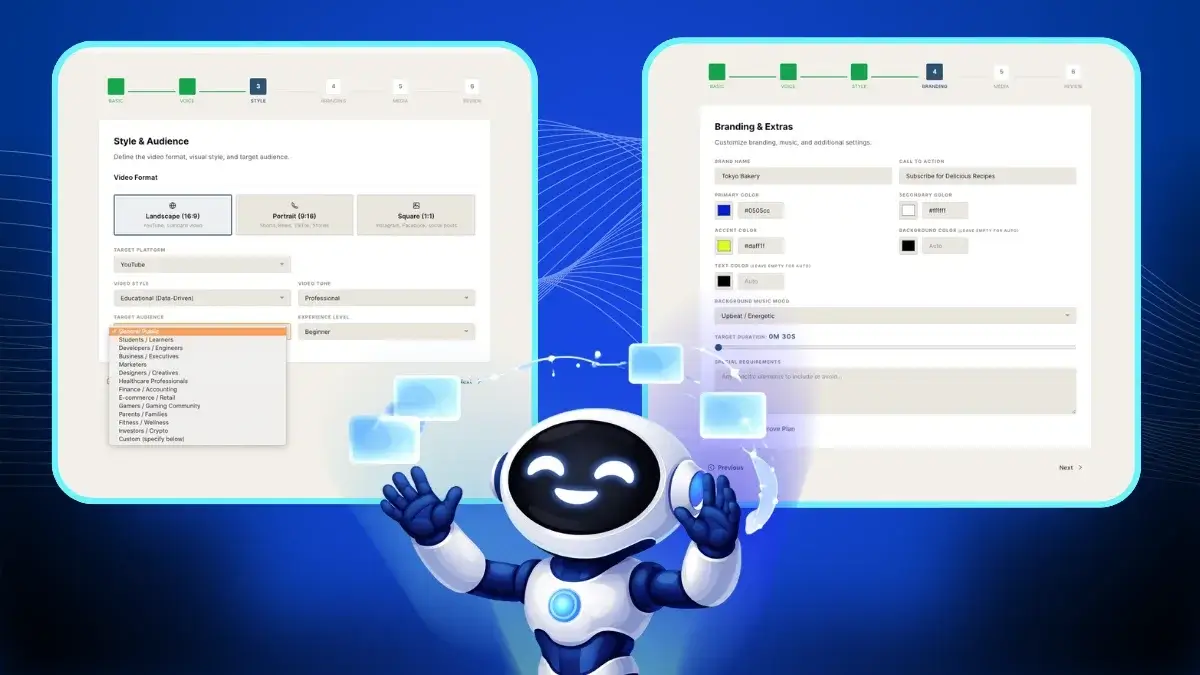
StudioCut-Feature-3-Engine

Scene-Level Editing Controls.

Each scene can be adjusted individually, including its script, visuals, timing, and animations, giving users more creative control without dealing with a complicated editing timeline.
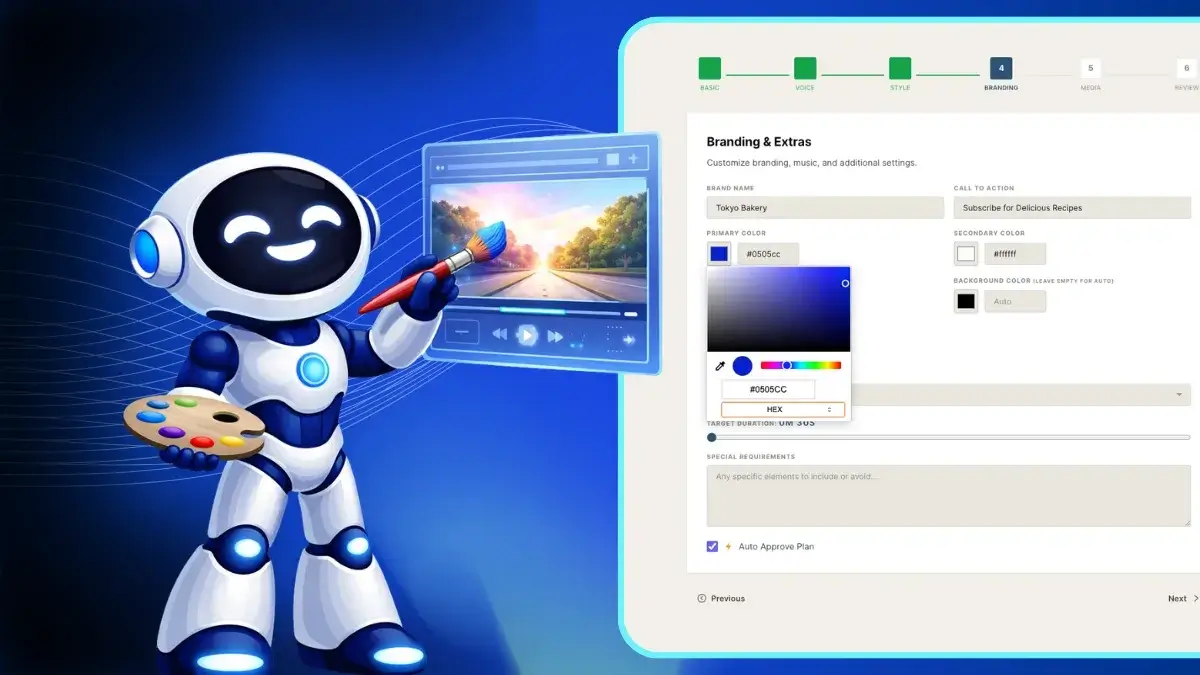
StudioCut-Feature-4-Scene

Automated Asset Generation.

StudioCut can create the visuals, voiceovers, music, and video clips needed for each scene, reducing the need for separate creative tools.
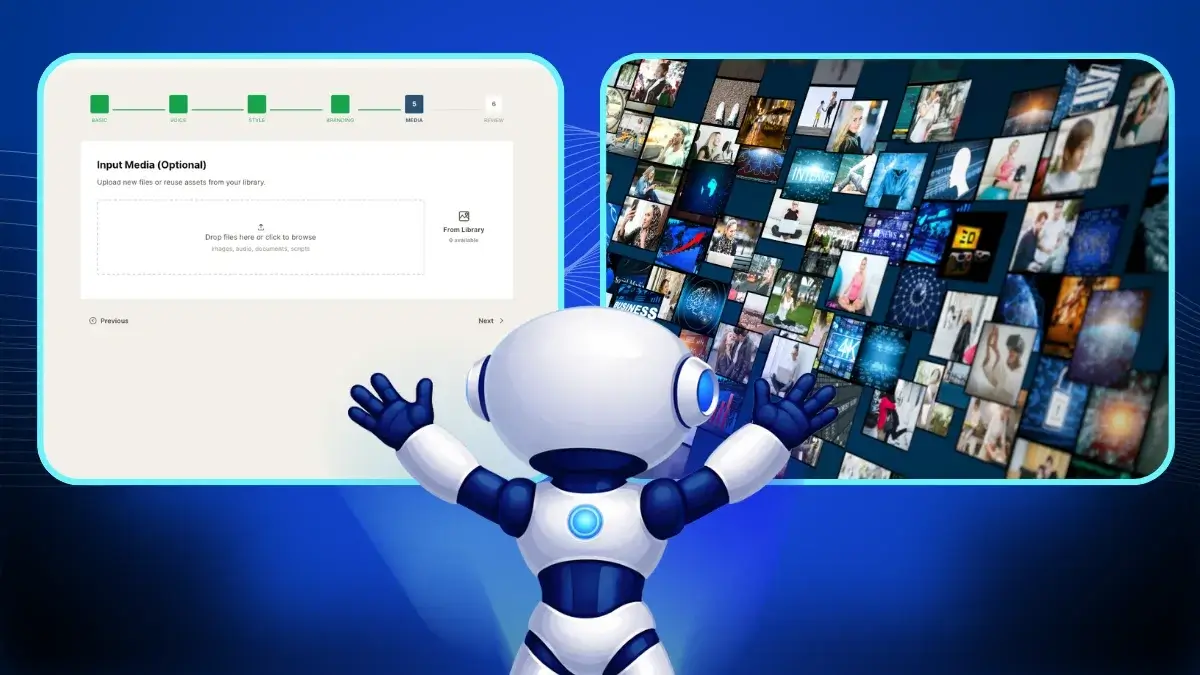
StudioCut-Feature-5-Asset

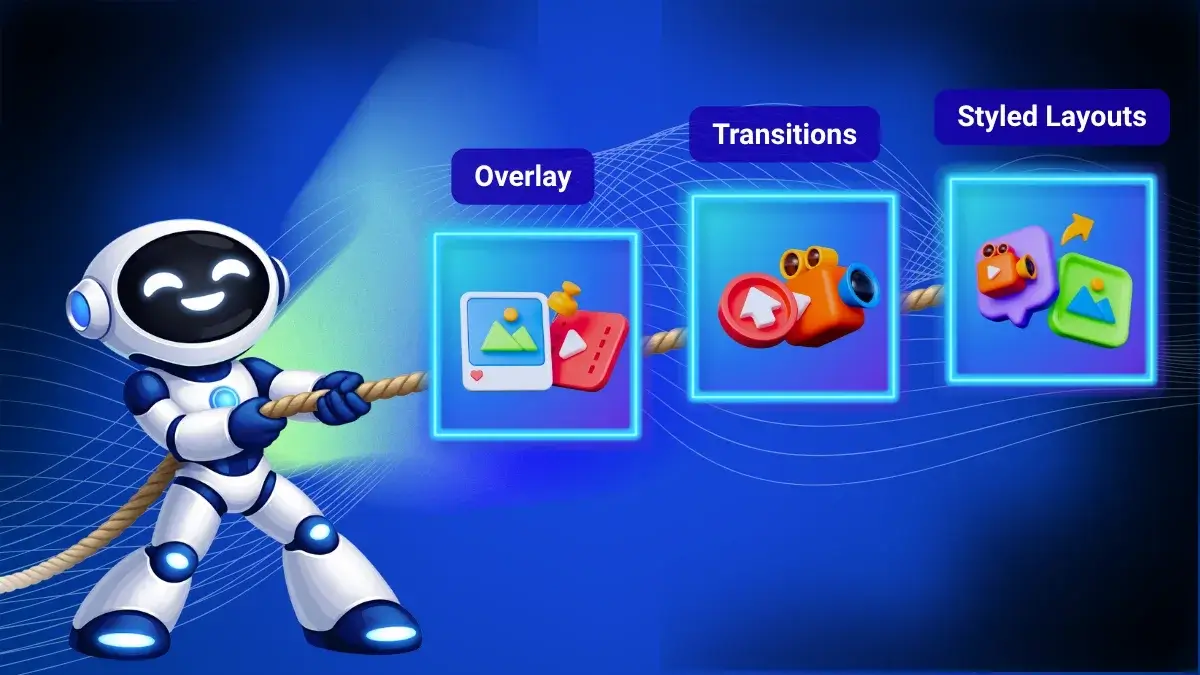
Scene-Based Visual Composer.

The system brings scenes together with layouts, overlays, transitions, and visual styling so the finished video feels cohesive and professionally assembled.
StudioCut-Feature-6-Visual

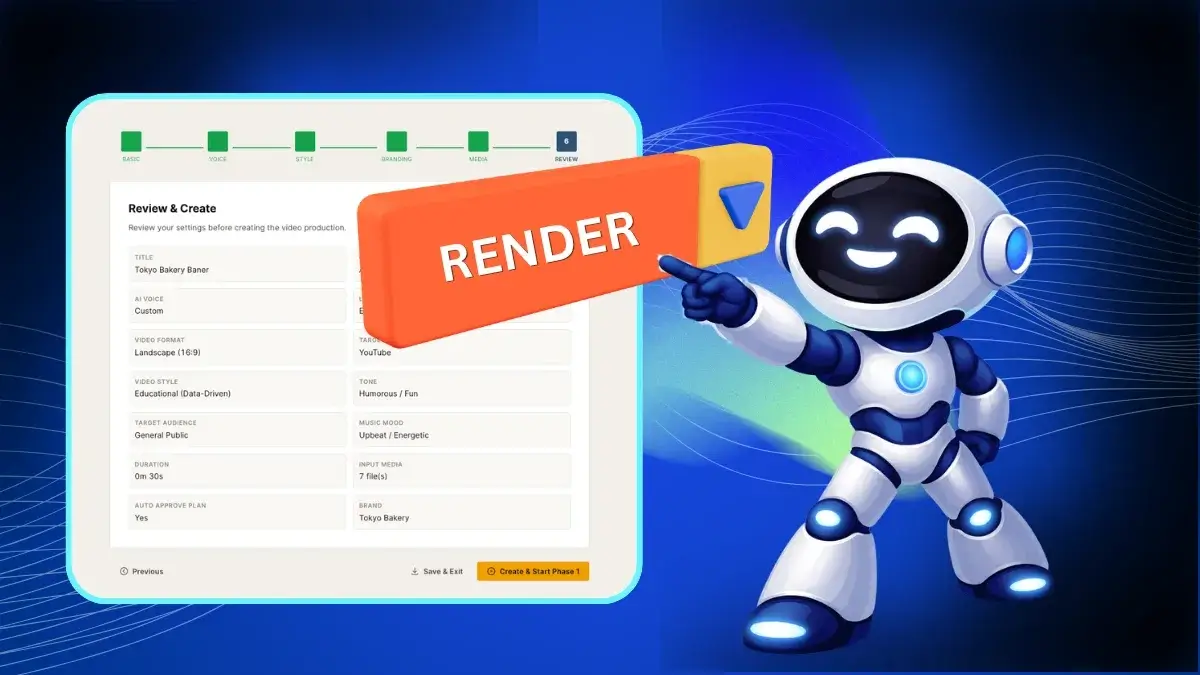
One-Click Video Rendering.

Once everything is ready, StudioCut combines and synchronizes the scenes into one finished video with a single render process.
StudioCut-Feature-7-Rendering

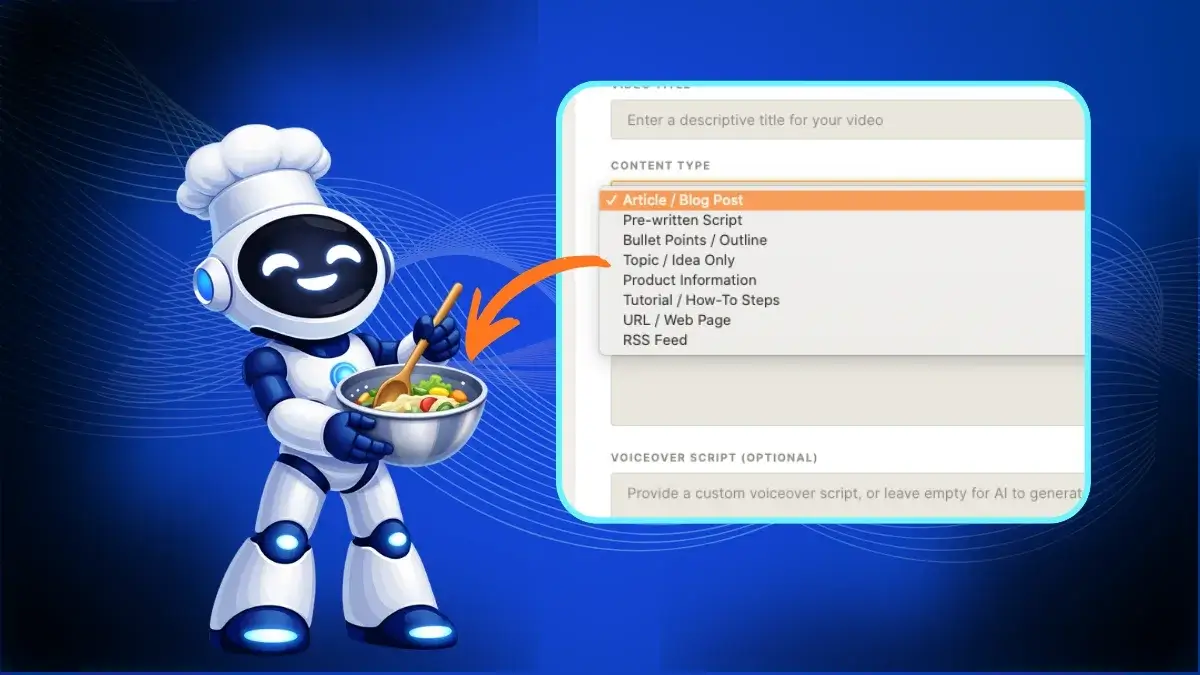
Multi-Input Video Creation.

Users can create videos from prompts, blog posts, scripts, bullet points, product information, URLs, tutorials, or uploaded media, making it easy to work with content they already have.
StudioCut-Feature-8-Input

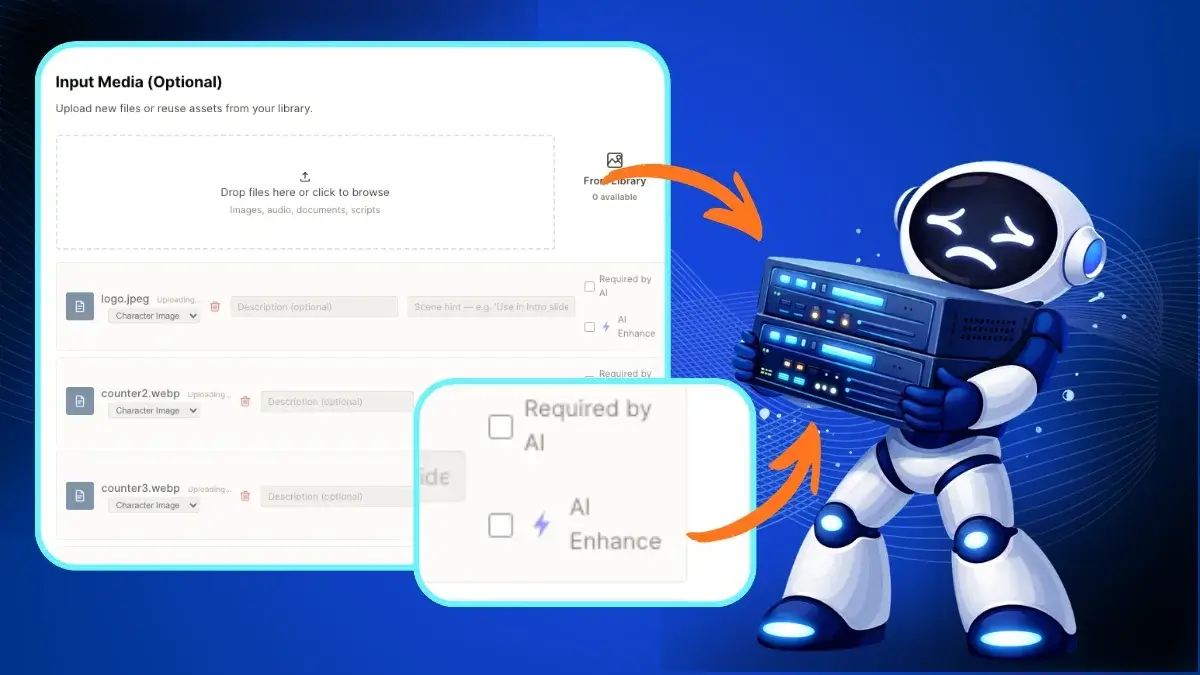
Media Upload + AI Enhancement.

Images, videos, and audio files can be uploaded directly into a project, while AI enhancement helps improve and personalize the final output.
StudioCut-Feature-9-Media

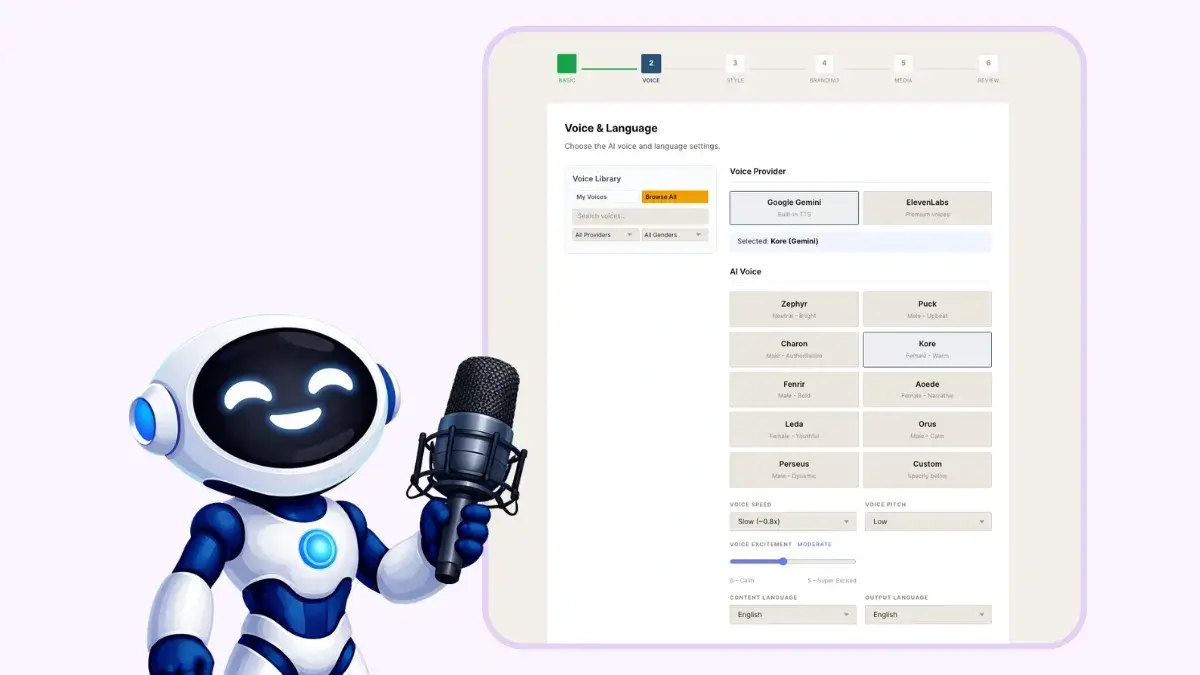
AI Voice Engine.

Users can choose and customize AI voices by adjusting elements such as pitch, speed, and emotion to better suit the style of each video.
StudioCut-Feature-10-Voice

Multilingual Video Creation.

StudioCut supports video creation across multiple languages, including translation and localization for reaching audiences in different markets.

StudioCut-Feature-11-Multilingual

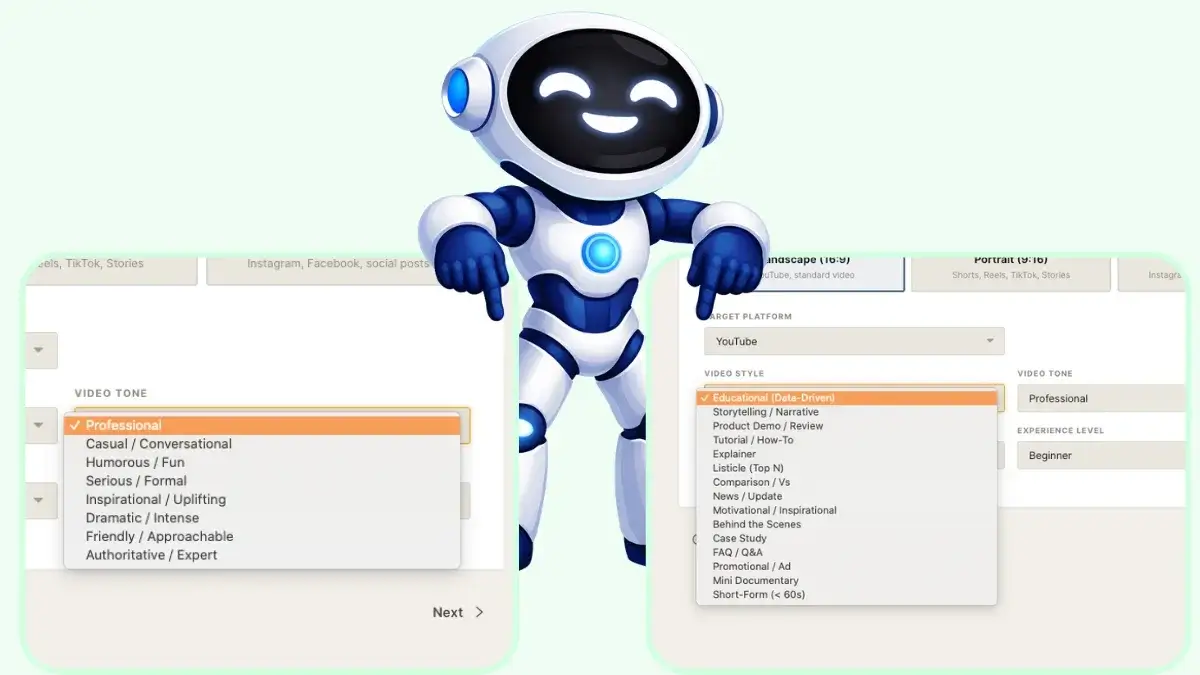
Creative Style + Tone Selection.

Different creative styles and tone options help users shape the overall look and feel of a video around their brand, topic, or target audience.
StudioCut-Feature-12-Creative

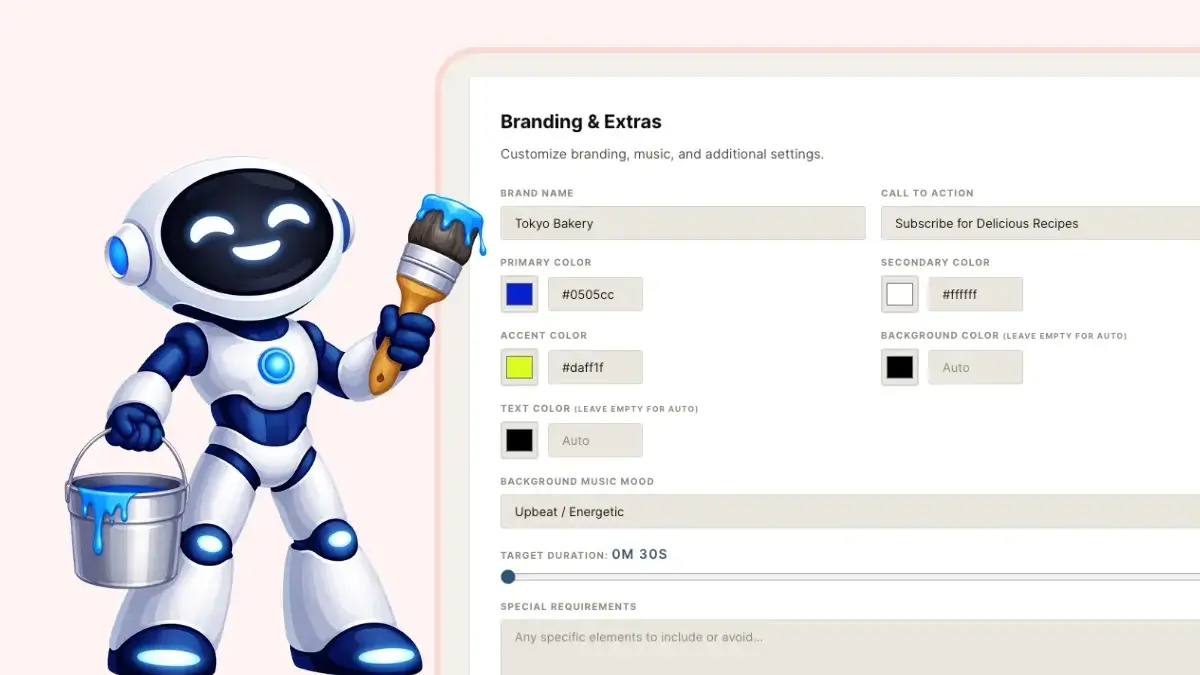
Brand Kit Integration.

Logos, brand colors, music, and other identity elements can be applied across videos to maintain a recognizable and professional appearance.
StudioCut-Feature-13-Brand

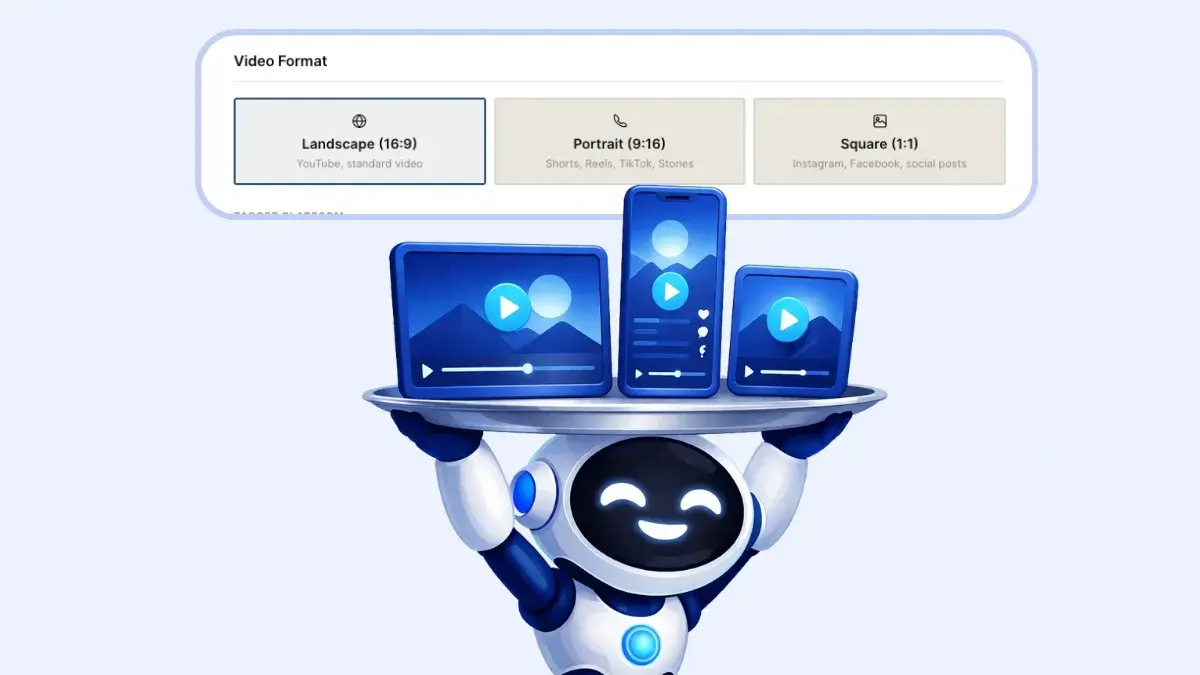
Multi-Format + Multi-Platform Output.

StudioCut can prepare content for platforms such as YouTube, YouTube Shorts, Instagram Reels, TikTok, and other popular video channels.
StudioCut-Feature-14-Format

Platform-Specific Optimization.

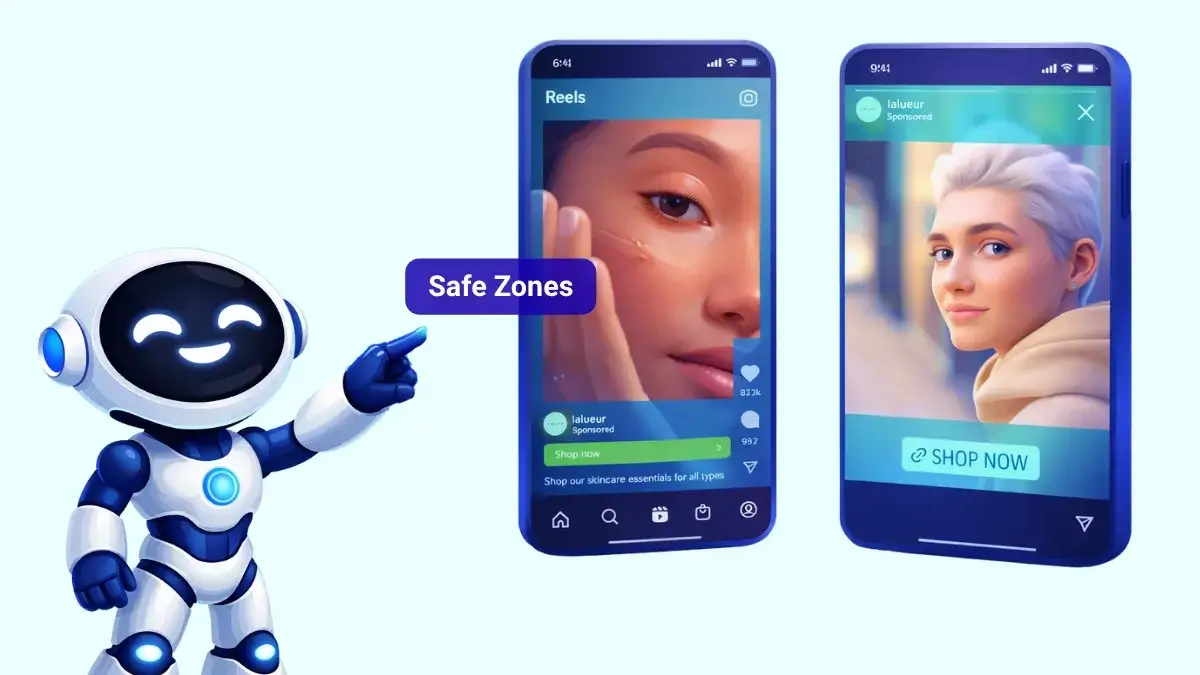
StudioCut adjusts factors such as layout, timing, and safe zones to better match the requirements of each publishing platform.
StudioCut-Feature-15-Optimization

Publishing Metadata Generator.

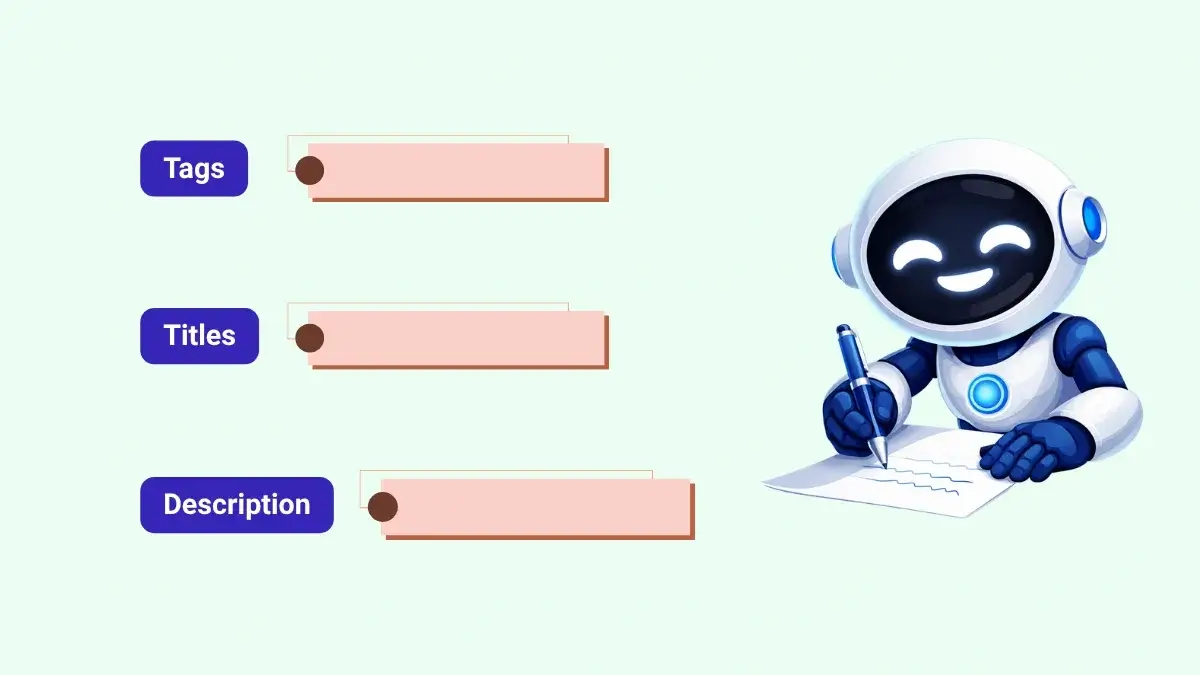
StudioCut can also prepare supporting content such as video titles, descriptions, tags, and thumbnails to speed up the publishing process.
StudioCut-Feature-16-Publishing

Content Repurposing Engine.

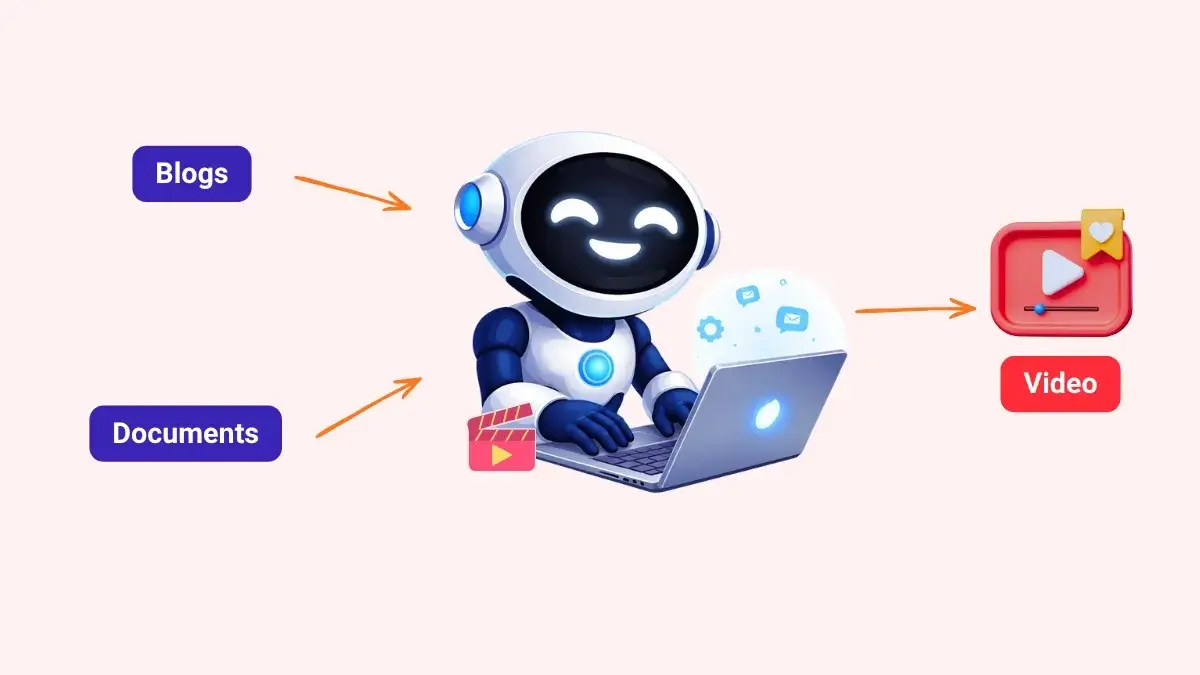
Existing blogs, documents, and other written content can be transformed into video, helping users get more value from material they have already created.
StudioCut-Feature-17-Content

Product Video Automation:

StudioCut can turn product information into polished demo and explainer videos, giving marketers and sellers a quick way to create promotional content at scale.

Tutorial Video Builder:

Written instructions can become clear, step-by-step tutorial videos, making it easier to produce training, educational, or how-to content.

Background Music Automation:

StudioCut automatically adds and balances background music so the soundtrack supports the video without requiring manual audio editing.

Real-Time Production Dashboard:

Users can follow the progress of their projects visually and see how each video moves through the production process.

Production Monitoring Timeline:

The timeline shows each stage of video creation clearly, helping users review progress and manage projects more easily.

Auto-Approve Mode:

StudioCut can run the production workflow automatically from beginning to end, helping users create videos faster with less hands-on involvement.

Error Detection & Auto-Recovery:

The system can detect production issues and correct them automatically, reducing interruptions and the need to constantly monitor every project.

SEO Optimization Engine:

StudioCut helps optimize video metadata for stronger search visibility, giving users a better chance to attract organic traffic.

Direct Publishing Integration:

Finished videos can move directly from creation to publishing, making it easier to post content across supported platforms without adding unnecessary extra steps.

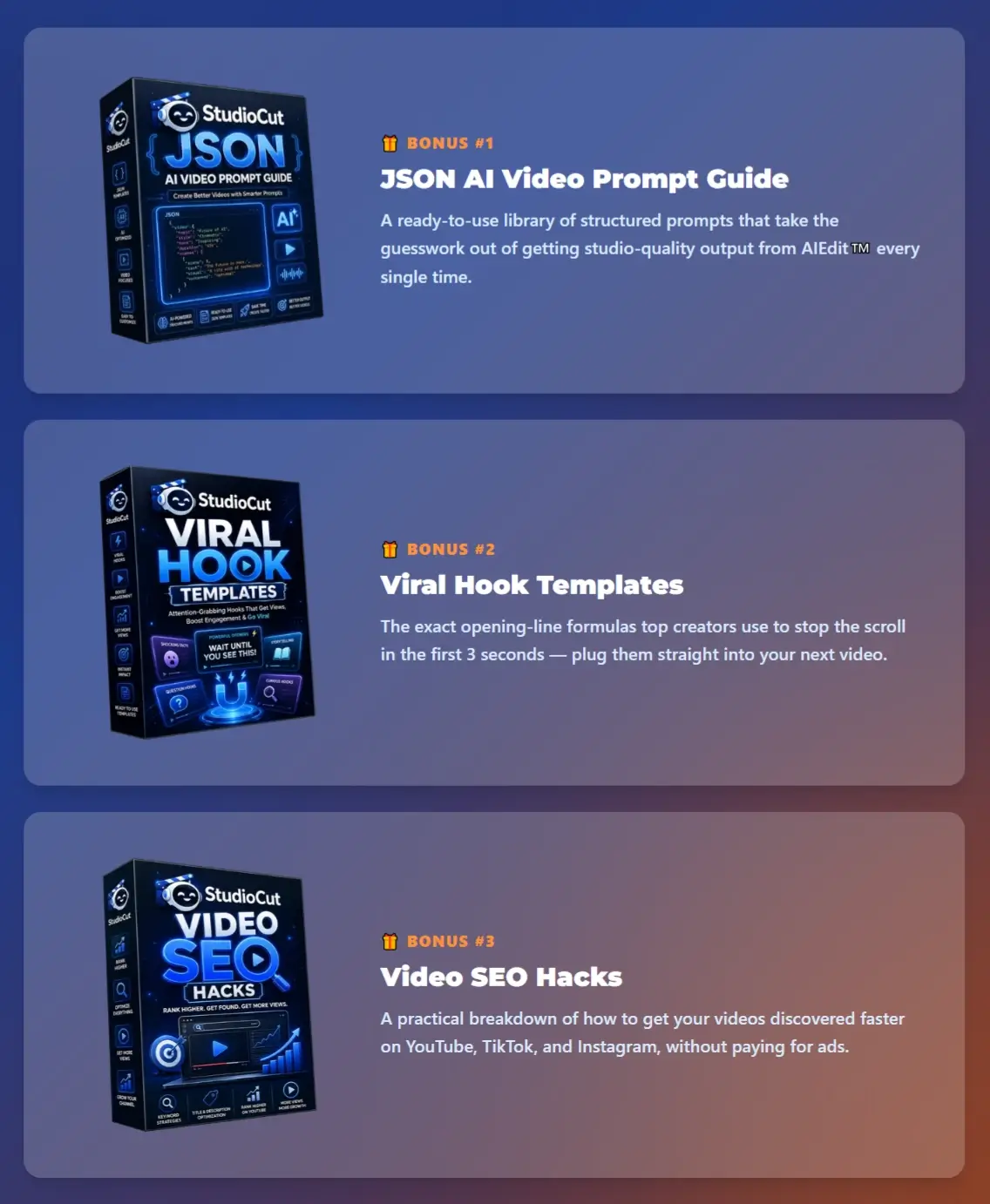
Take action today so that you will receive this amazing bonus package for free, only offered for early buyers:

StudioCut-Bonuses

31 Cinematic Styles Give You Plenty Of Creative Directions

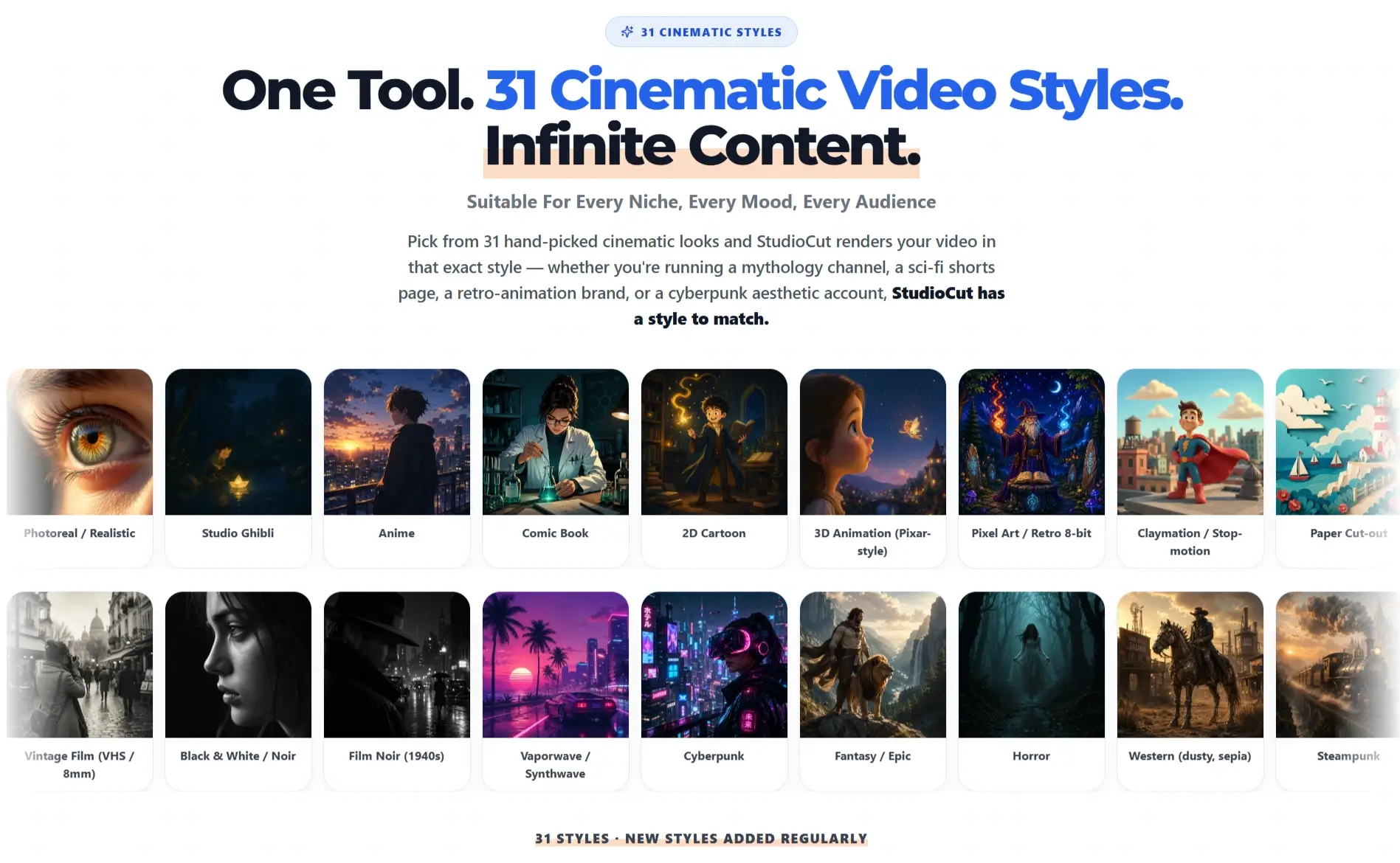
StudioCut currently promotes 31 cinematic styles, with new styles scheduled to join the library over time.

StudioCut-Styles

Examples displayed on the current page include:

  • Photoreal / Realistic
  • Studio Ghibli
  • Anime
  • Comic Book
  • 2D Cartoon
  • 3D Animation
  • Pixel Art / Retro 8-bit
  • Claymation / Stop-motion
  • Paper Cut-out
  • Watercolor / Painterly
  • Sketch / Hand-drawn
  • Illustration & Hand-Drawn
  • Low Poly
  • Vintage Film / VHS / 8mm
  • Black & White / Noir
  • 1940s Film Noir
  • Vaporwave / Synthwave
  • Cyberpunk
  • Fantasy / Epic
  • Horror
  • Western
  • Steampunk
  • Art Deco
  • Pop Art
  • Video Game / Cinematic CGI.

The live page advertises 31 total styles, although the visible text names fewer unique styles than that advertised total.

From a practical standpoint, the variety matters more than the headline number.

An affiliate review channel may prefer a realistic visual treatment. A storytelling channel could lean toward anime, watercolor, noir, horror, fantasy, or comic-book imagery. A retro content page might choose pixel art, VHS, or Art Deco.

Being able to change visual direction inside the same platform also makes StudioCut useful across several niches.

What Kind Of Videos Can You Make With StudioCut?

StudioCut supports a wide collection of marketing, social, educational, and commercial video formats.

Current examples include:

  • Product demonstrations
  • Promotional videos
  • Social media ads
  • YouTube videos
  • YouTube Shorts
  • Instagram Reels
  • TikTok content
  • Explainer videos
  • Tutorial videos
  • Training content
  • Affiliate reviews
  • Comparison videos
  • Marketing campaigns
  • Educational content
  • Client videos
  • Product showcases
  • SaaS demonstrations
  • Brand storytelling

The product page also displays example niches covering fitness, lawn care, beauty, cleaning, pizza, dental services, pet grooming, and HVAC.

So this is not tied to one content genre.

StudioCut Tutorial: How To Create a Ready-To-Post Video From Idea To Final Export

Want to see what creating a video with StudioCut actually looks like?

The following tutorial takes you through the process step by step with screenshots from the platform.

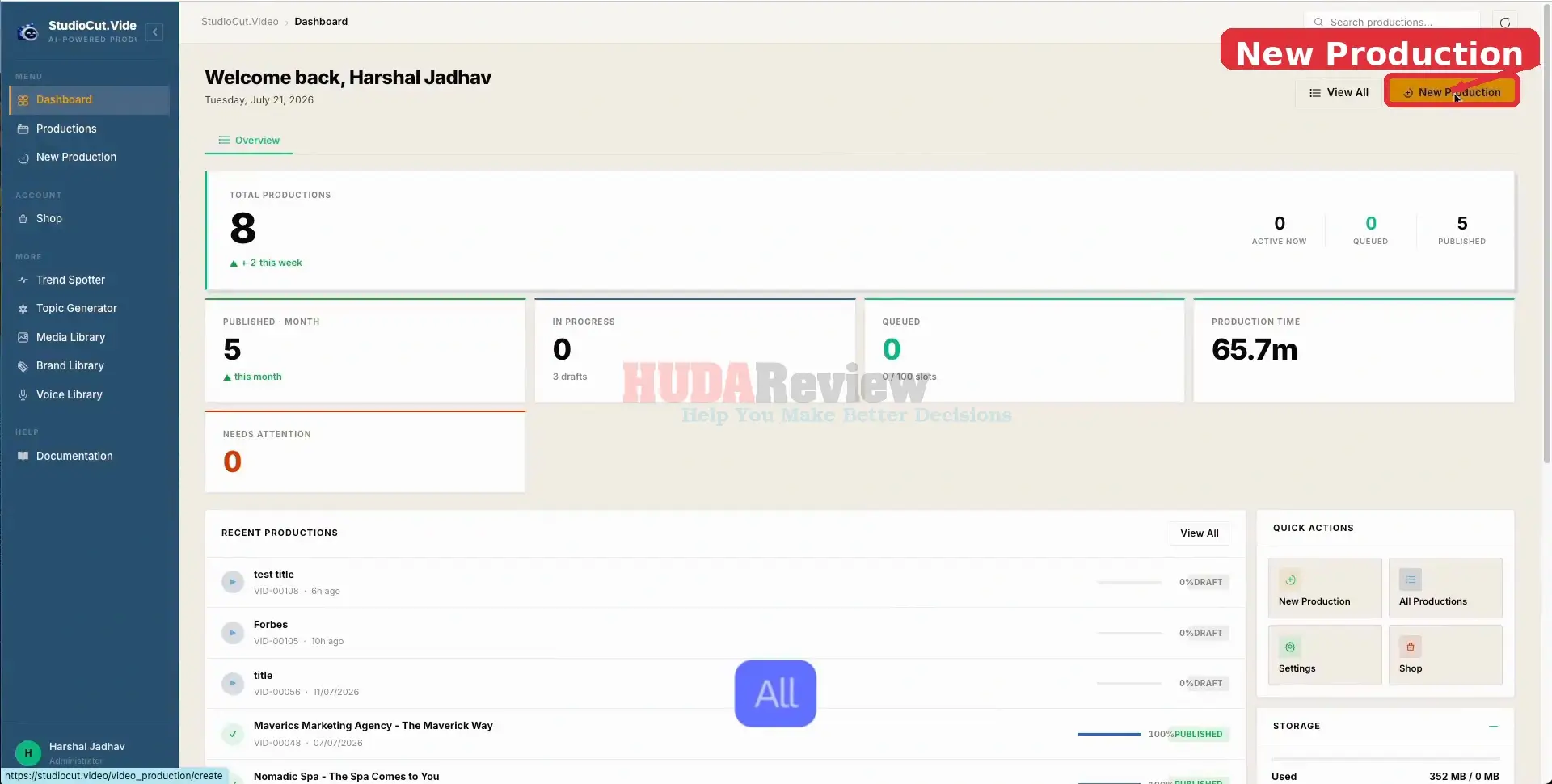
[+] Start a New Production:

Open the StudioCut dashboard and click New Production. This launches the guided setup where you define the content, voice, branding, and final review settings for your video.

StudioCut-Demo-1-new

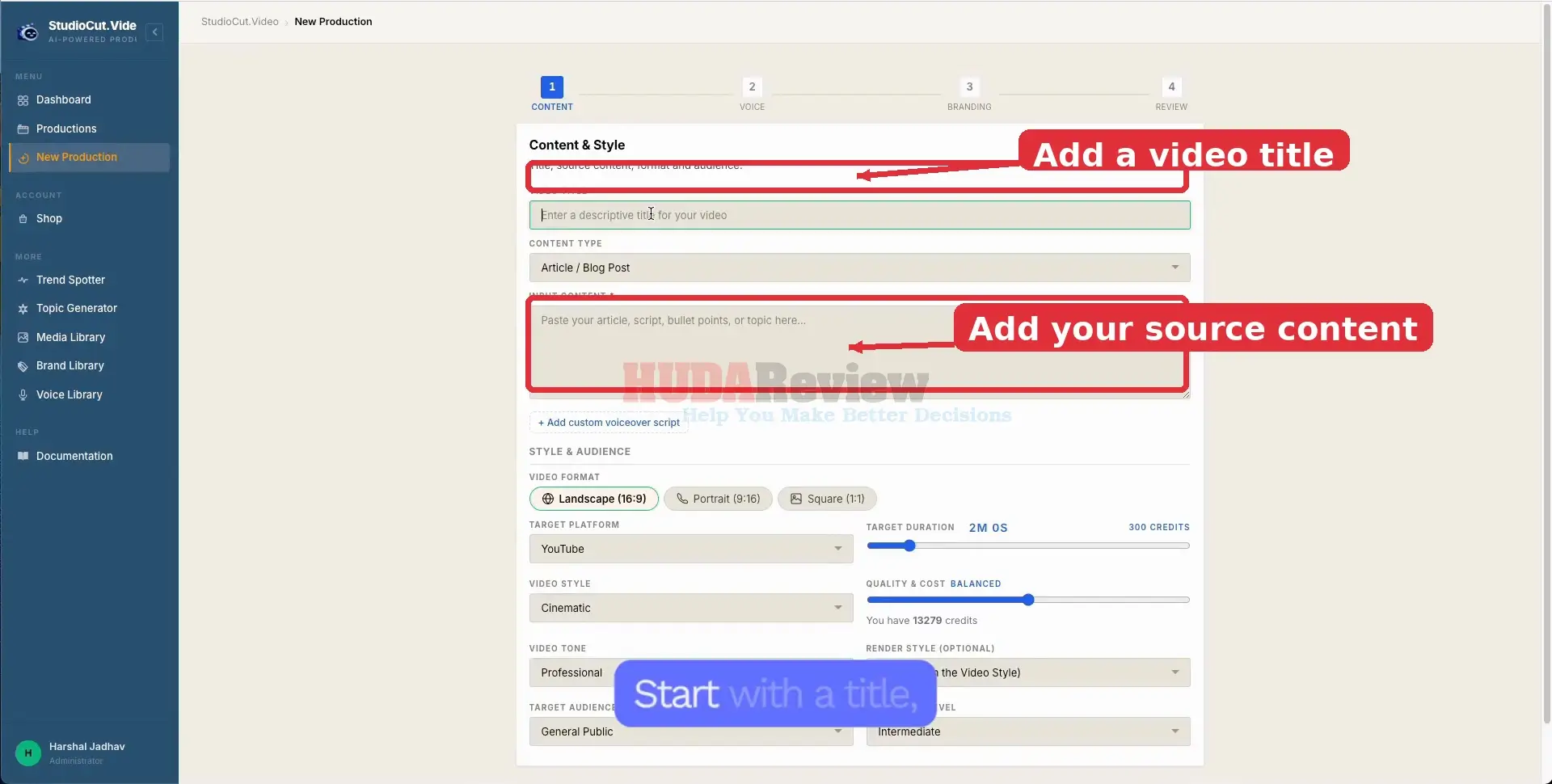
[+] Add Your Title and Source Content:

Give the project a clear title, choose the source format, then paste or enter the material you want StudioCut to work from. You can also add a custom voiceover script when you already have narration prepared.

StudioCut-Demo-2-add

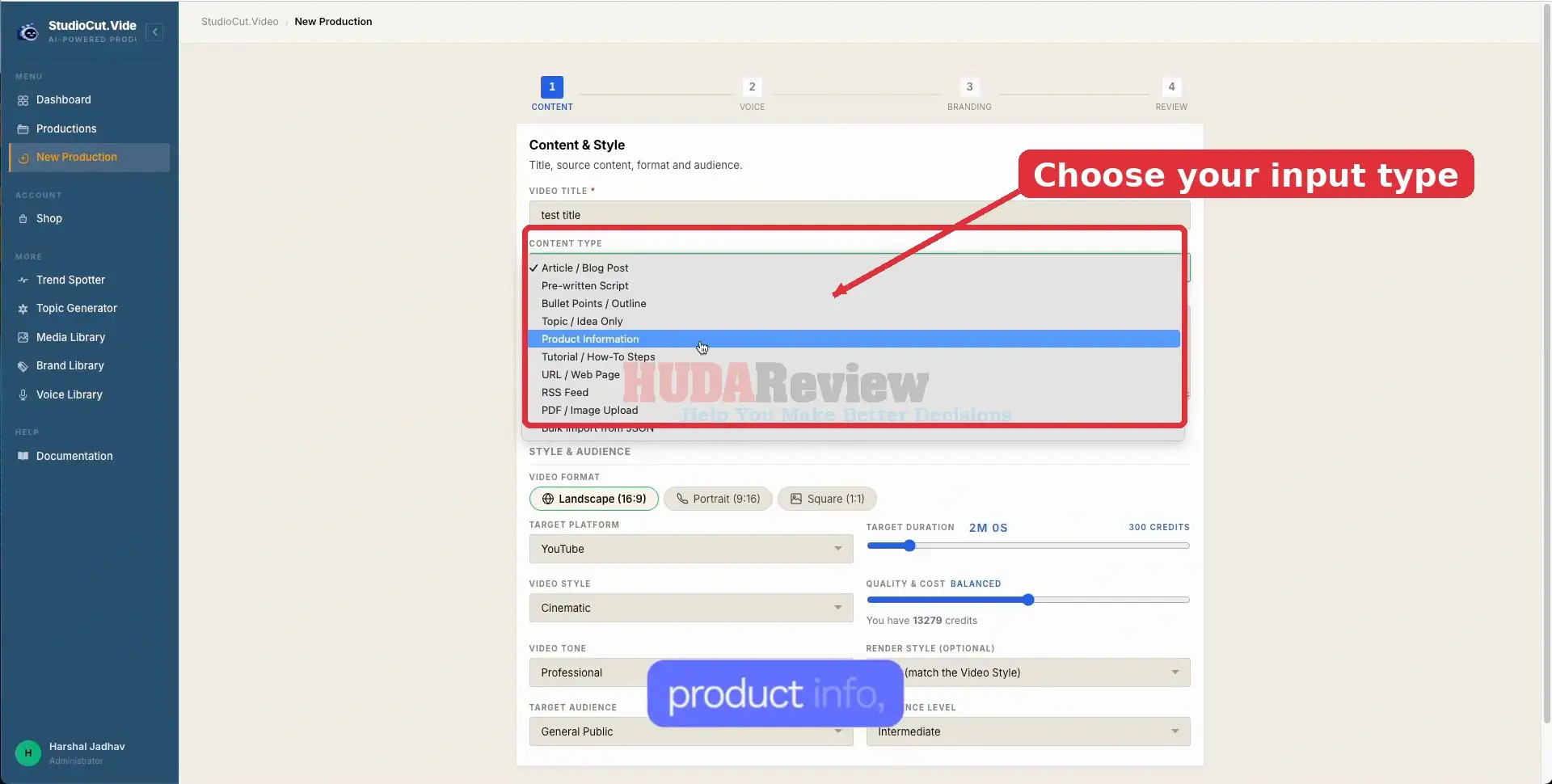
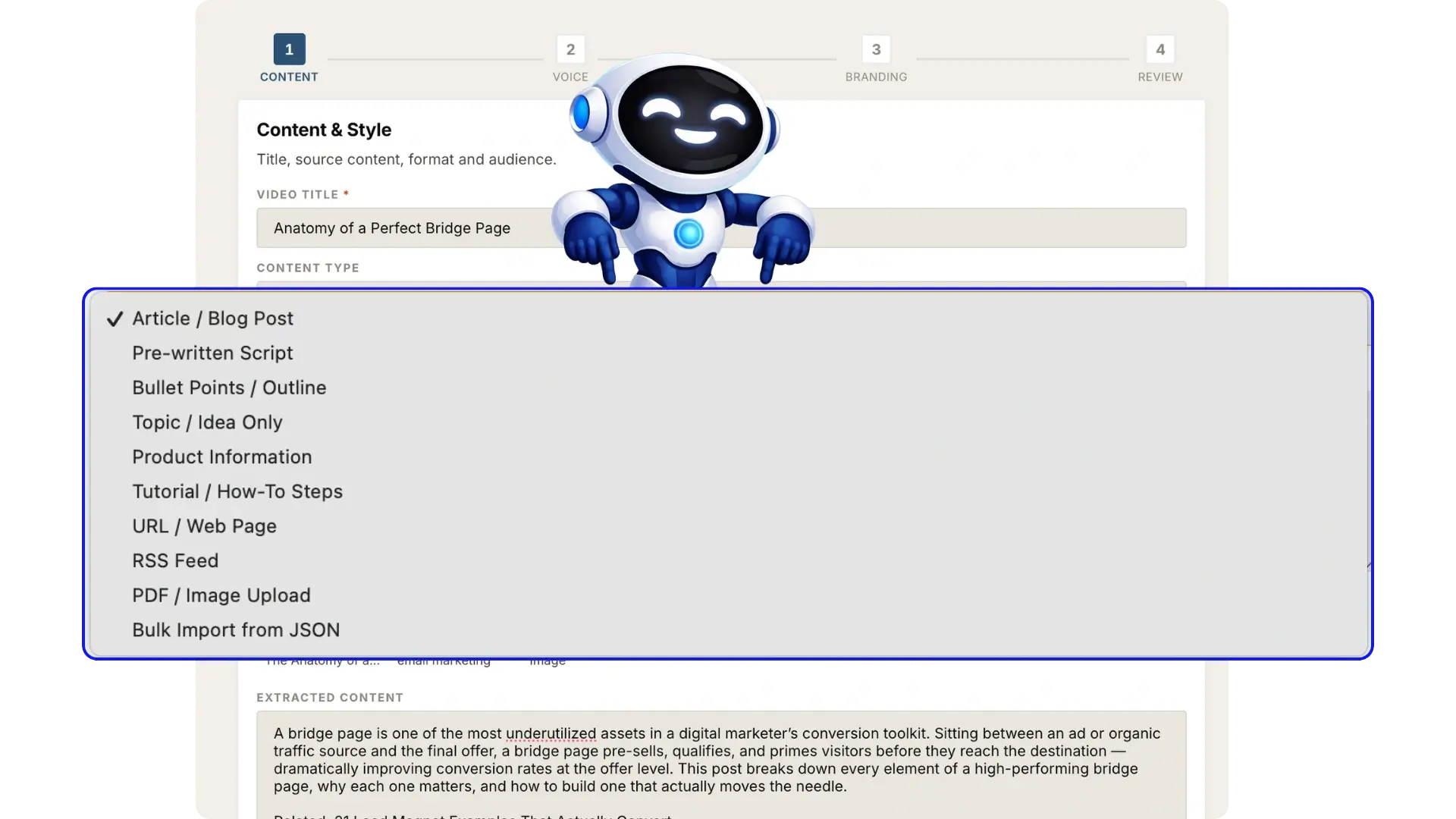
[+] Choose the Right Content Type:

Select the input type that best matches your material. StudioCut can work from articles, scripts, outlines, ideas, product information, tutorials, webpages, feeds, uploaded files, and structured JSON.

StudioCut-Demo-3-right

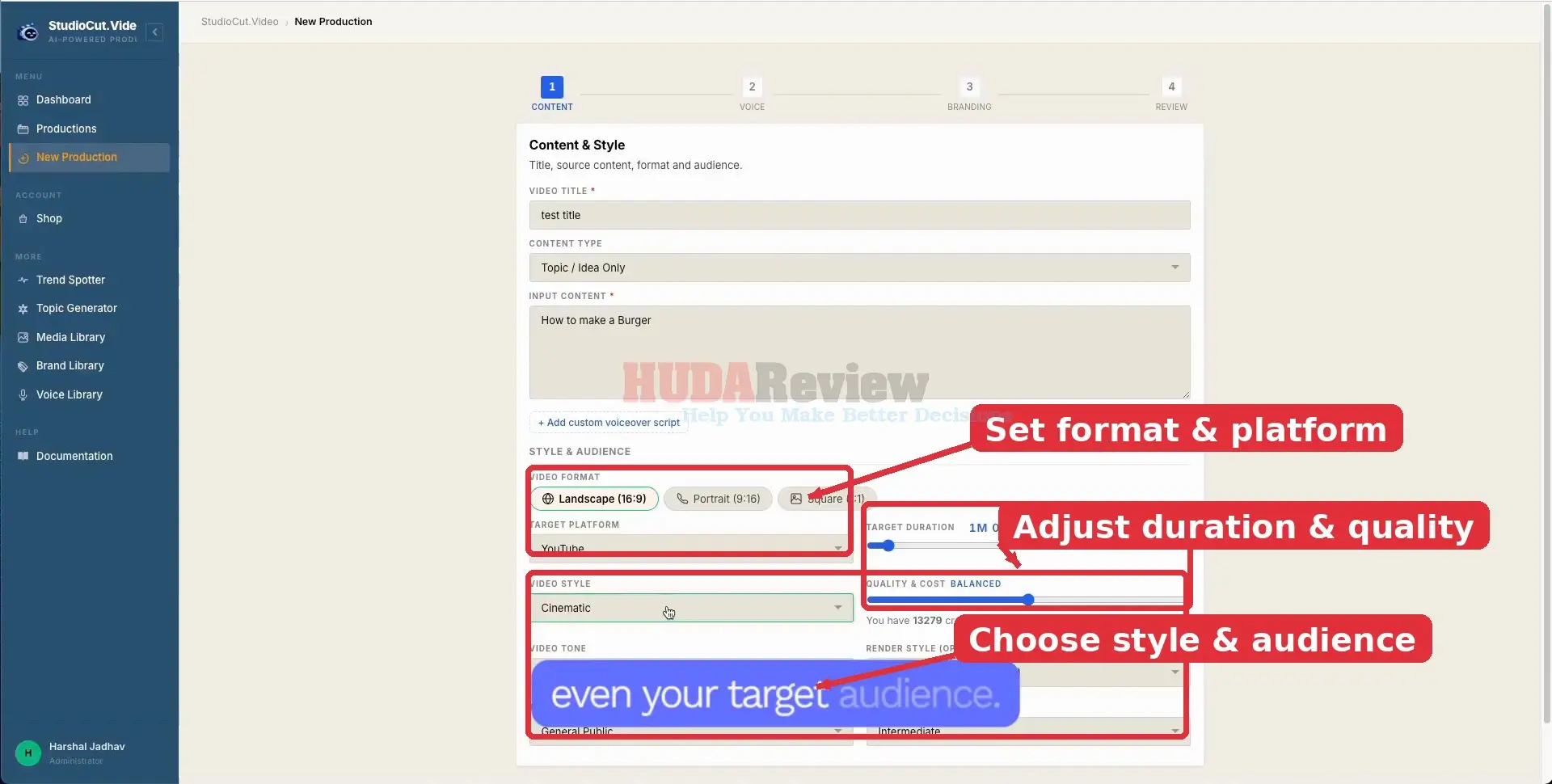
[+] Set the Video Format and Creative Direction:

Choose the aspect ratio, target platform, duration, quality level, visual style, tone, audience, and experience level. These choices guide how StudioCut plans the presentation before production starts.

StudioCut-Demo-4-set

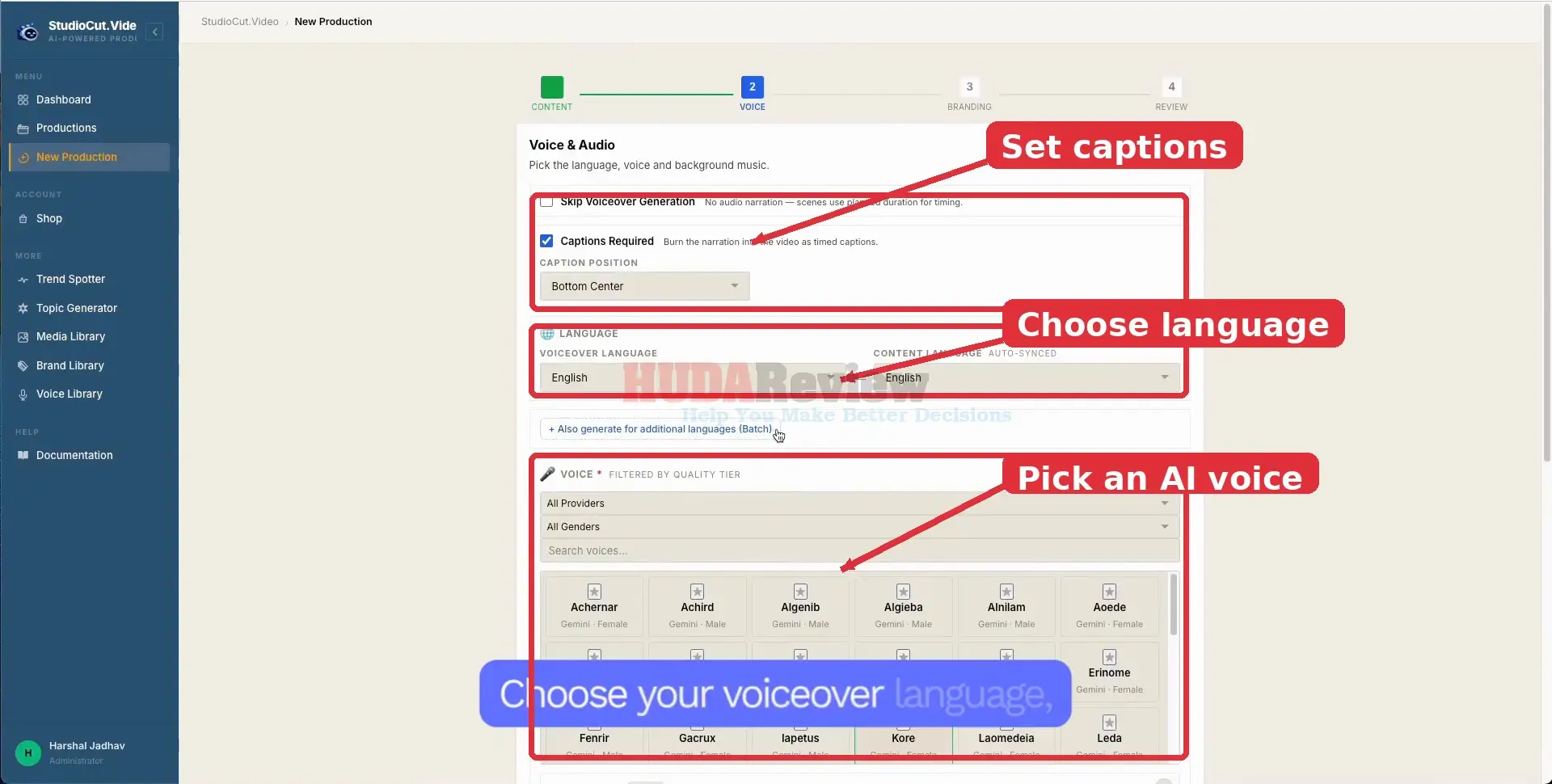
[+] Configure Captions, Language, and Voice:

Decide whether you want captions, set the voiceover and content languages, then select an AI voice. StudioCut can also prepare additional language versions when your plan supports multilingual creation.

StudioCut-Demo-5-Configure

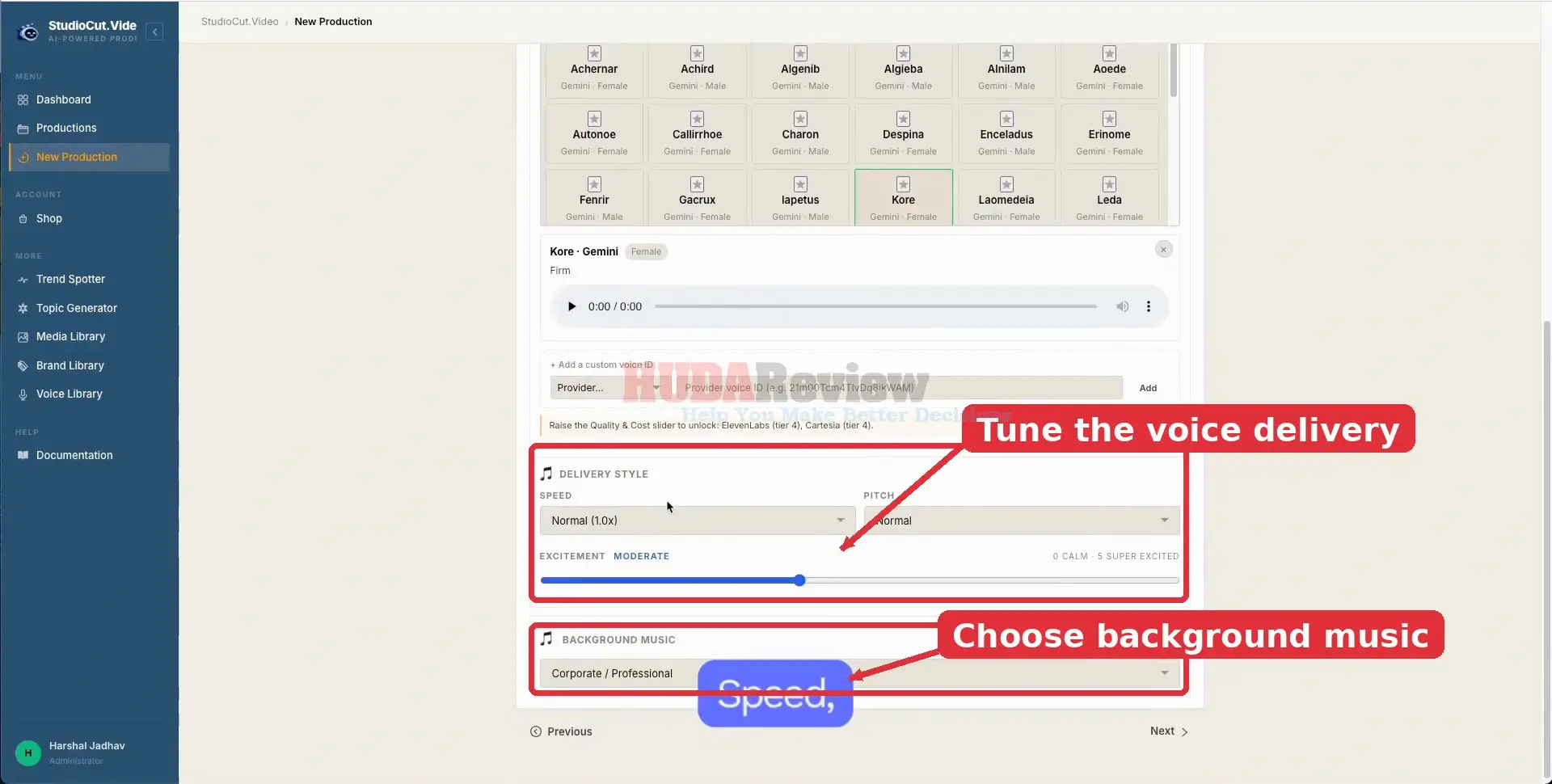
[+] Fine-Tune Voice Delivery and Music:

Preview the selected voice, then adjust speed, pitch, and excitement to match the message. Choose a background-music mood so the soundtrack supports the style of the finished video.

StudioCut-Demo-6-Fine

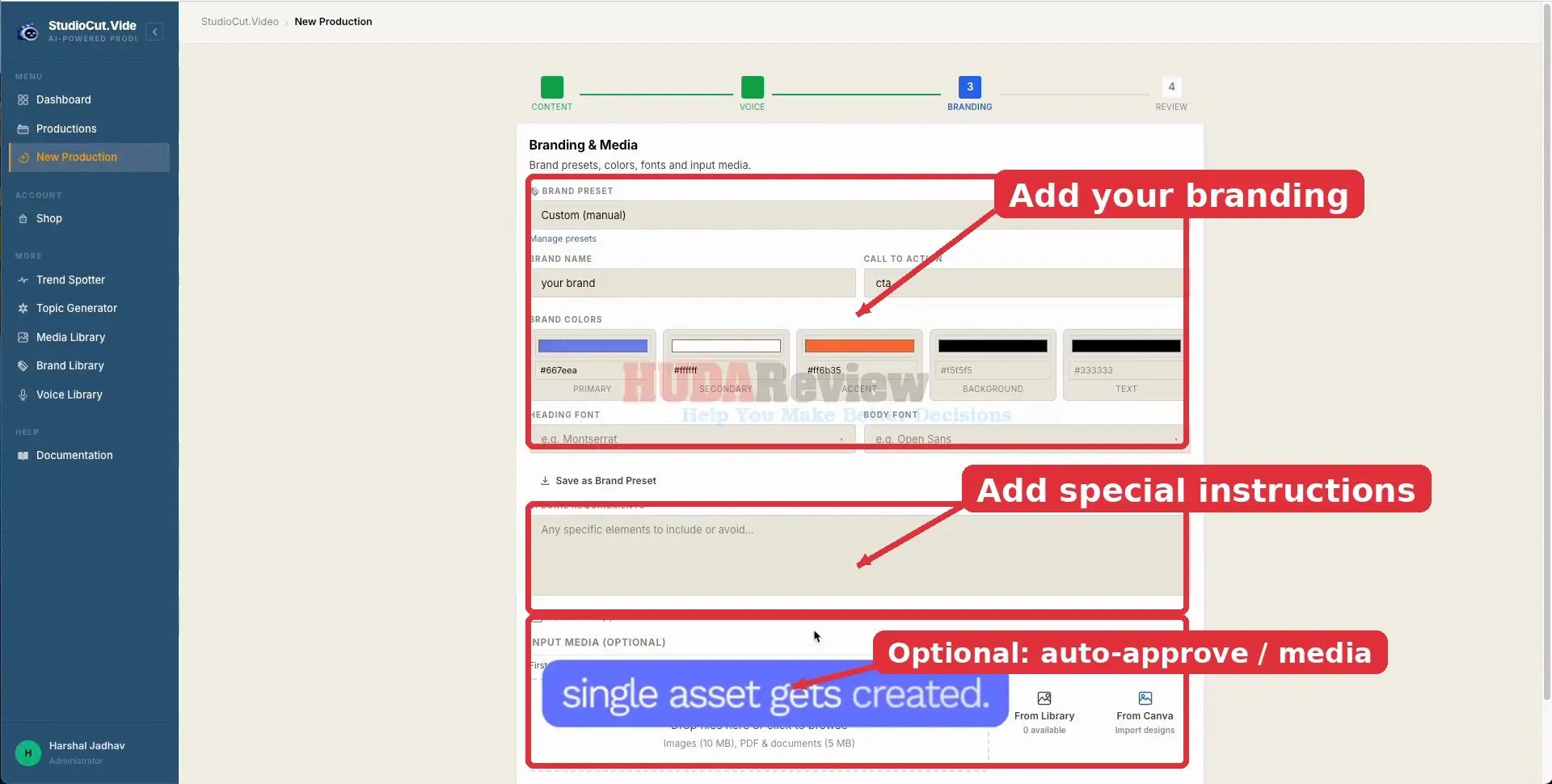
[+] Apply Branding and Optional Media:

Set your brand name, call to action, colors, fonts, and any special creative requirements. You can save the setup as a preset, enable Auto Approve Plan, and add your own media when the video should use specific assets.

StudioCut-Demo-7-Apply

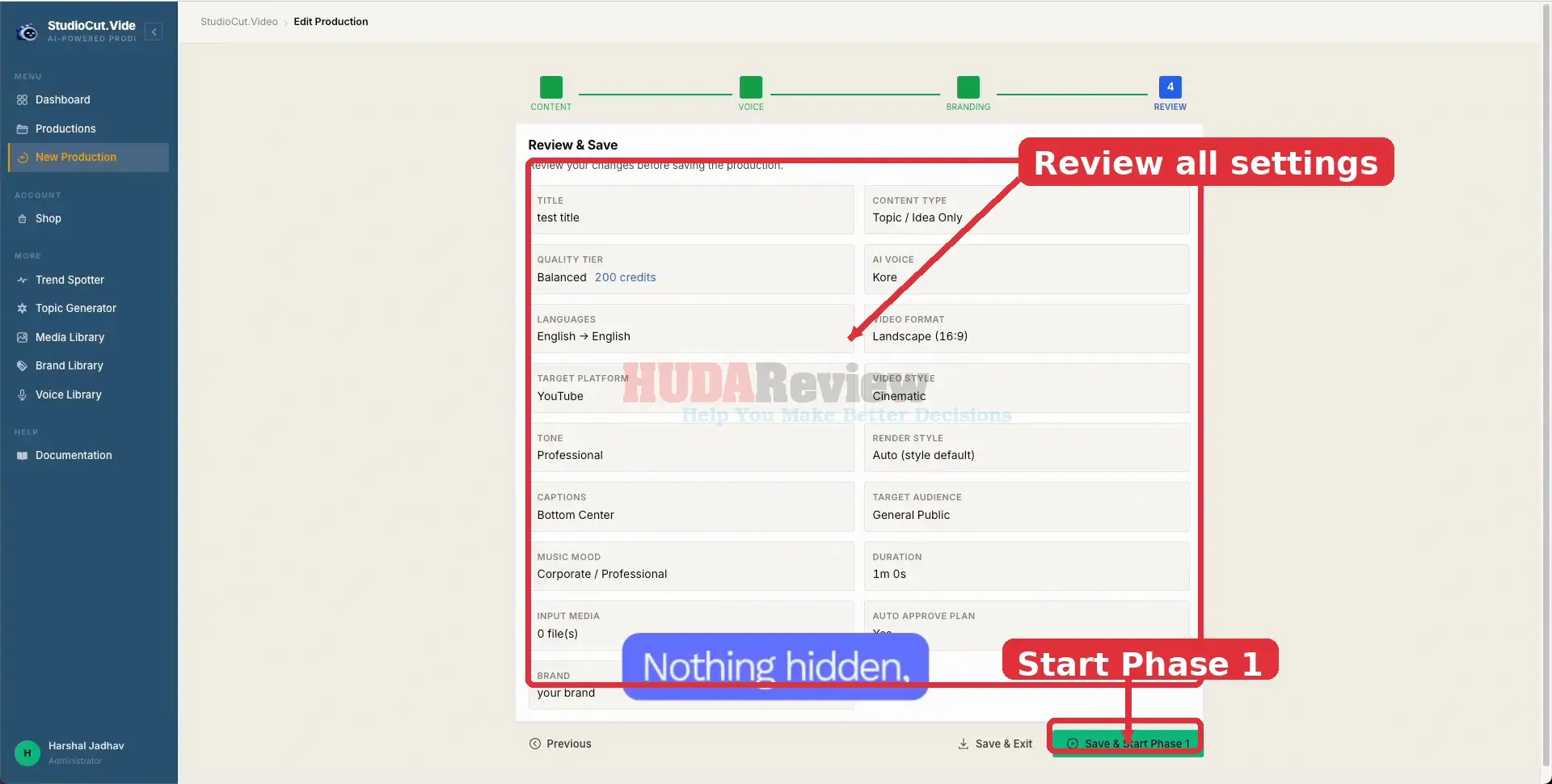
[+] Review the Setup and Start Production:

Check the summary before committing credits to production. Confirm the format, voice, language, style, captions, duration, branding, and other choices, then click Save & Start Phase 1 to begin.

StudioCut-Demo-8-setup

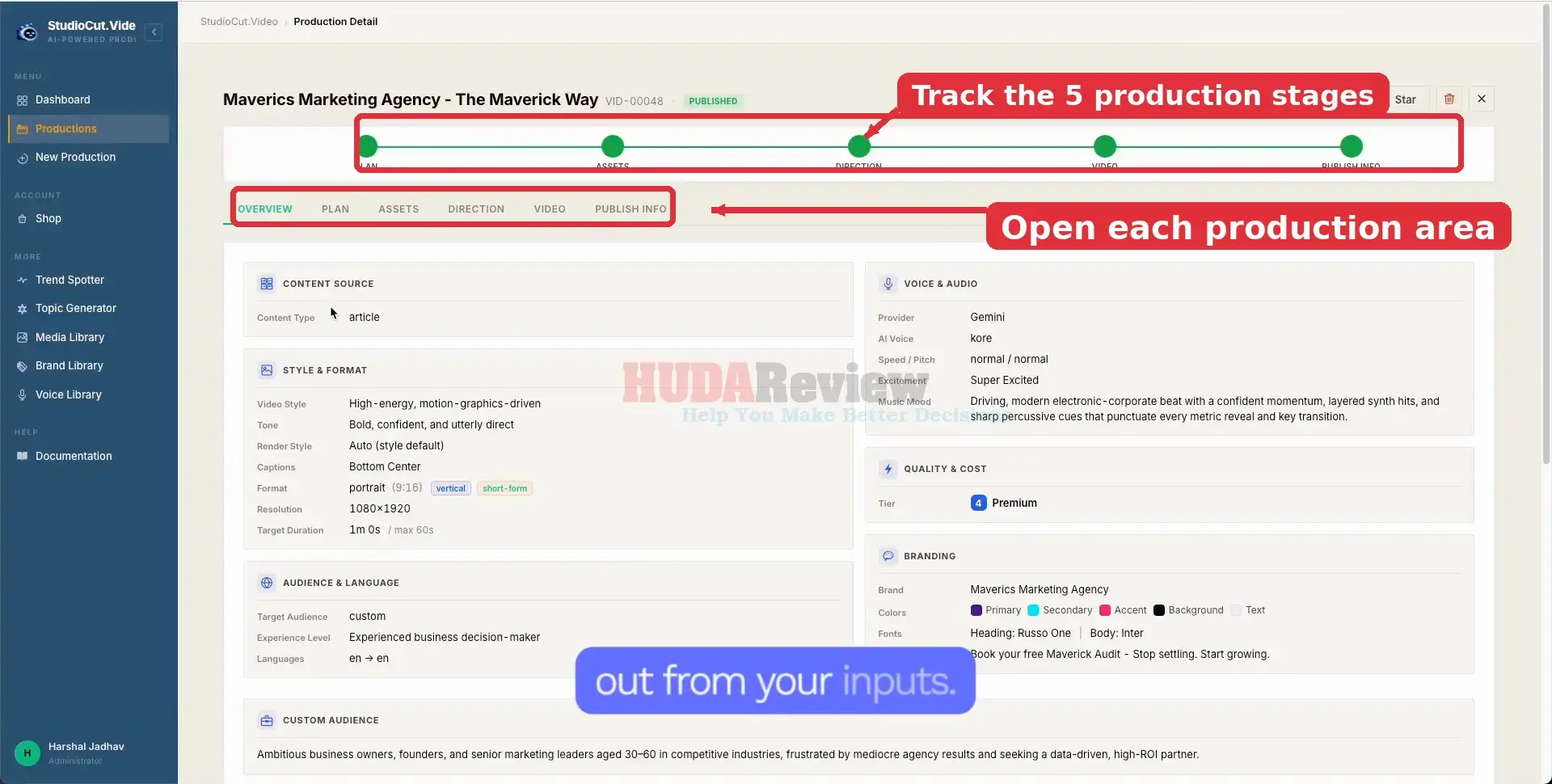
[+] Follow the Production Stages:

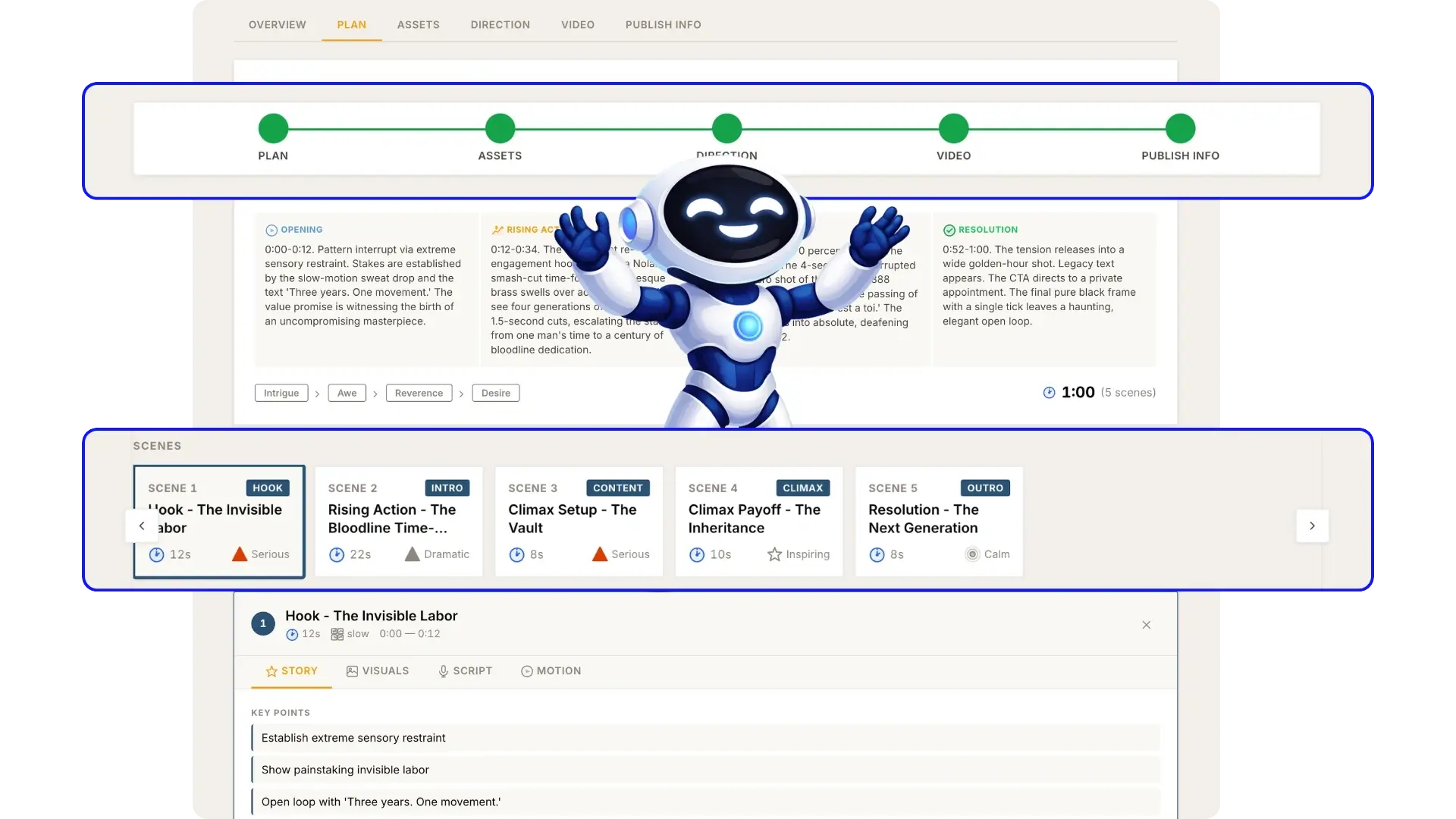
The Production Detail screen organizes the workflow into Plan, Assets, Direction, Video, and Publish Info. Use the tabs to move through each stage and review what StudioCut creates from your original inputs.

StudioCut-Demo-9-Production

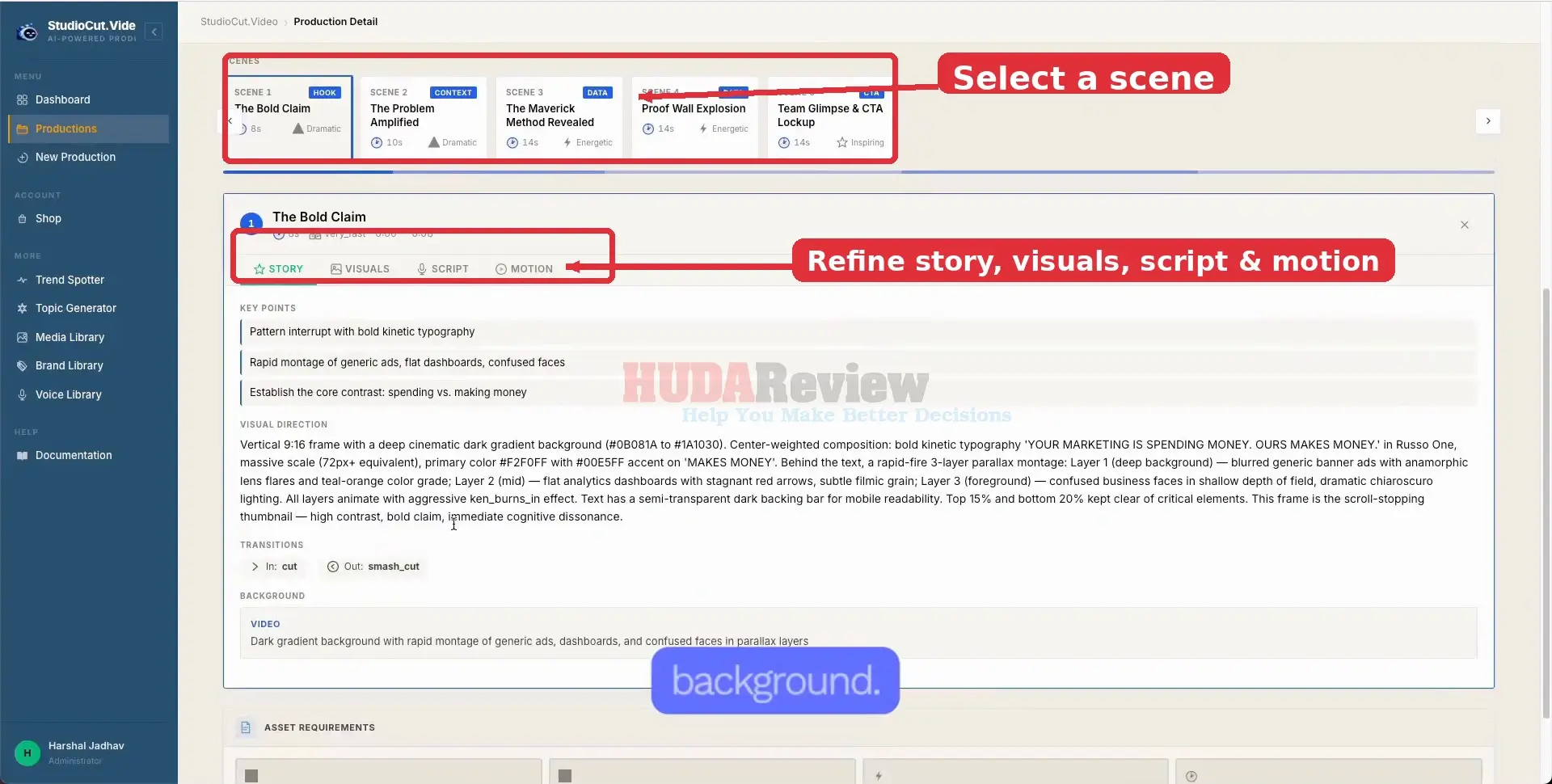
[+] Review and Refine Individual Scenes:

Select any scene to inspect its story direction and timing. The scene workspace lets you move between Story, Visuals, Script, and Motion, giving you a practical place to add the human touch before final rendering.

StudioCut-Demo-10-Refine

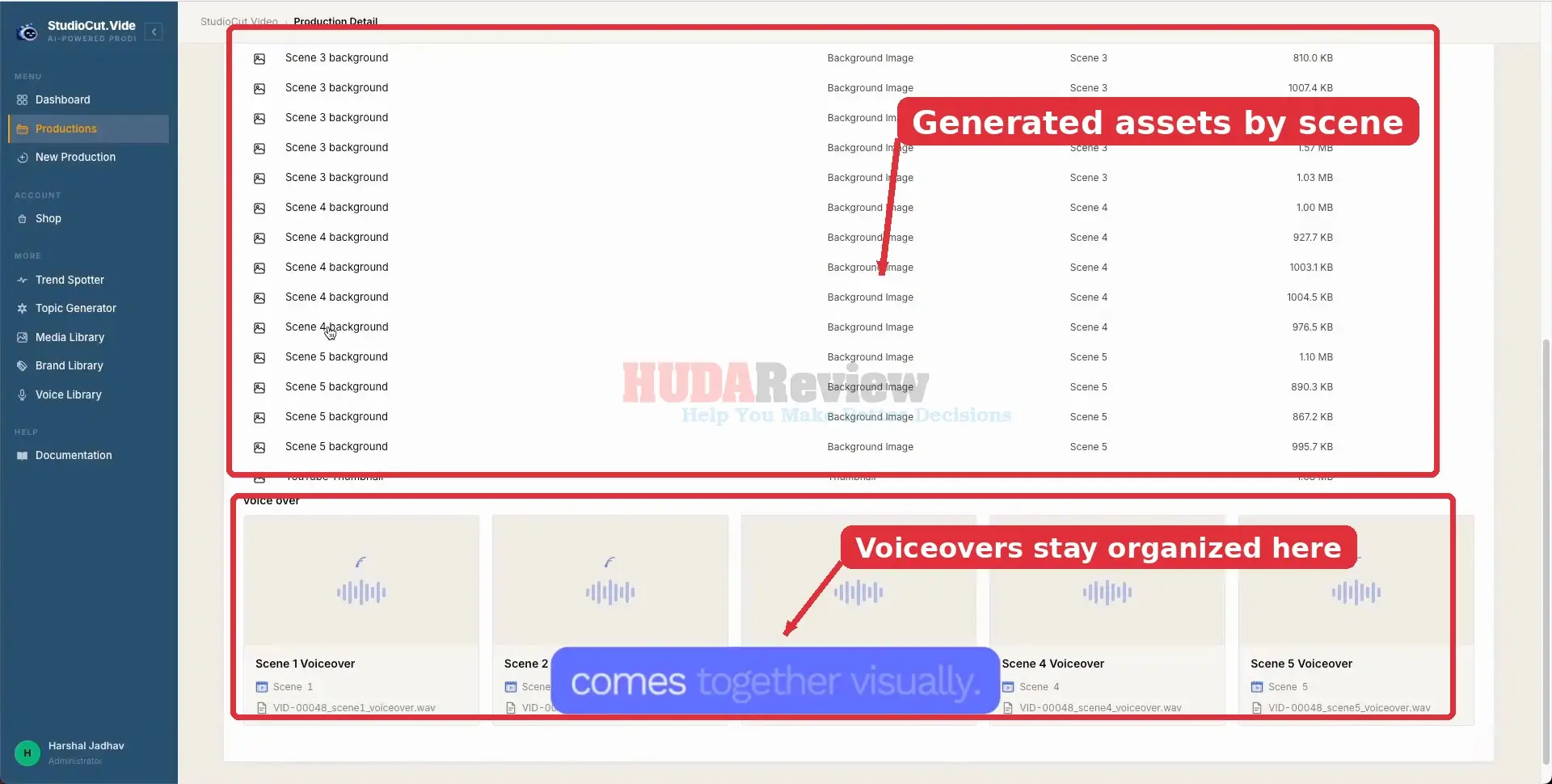
[+] Inspect the Generated Assets:

Open the Assets area to see the media StudioCut produced for the project. Background images, voiceovers, thumbnails, and other scene resources stay organized so you can confirm that everything needed for the video is present.

StudioCut-Demo-11-Inspect

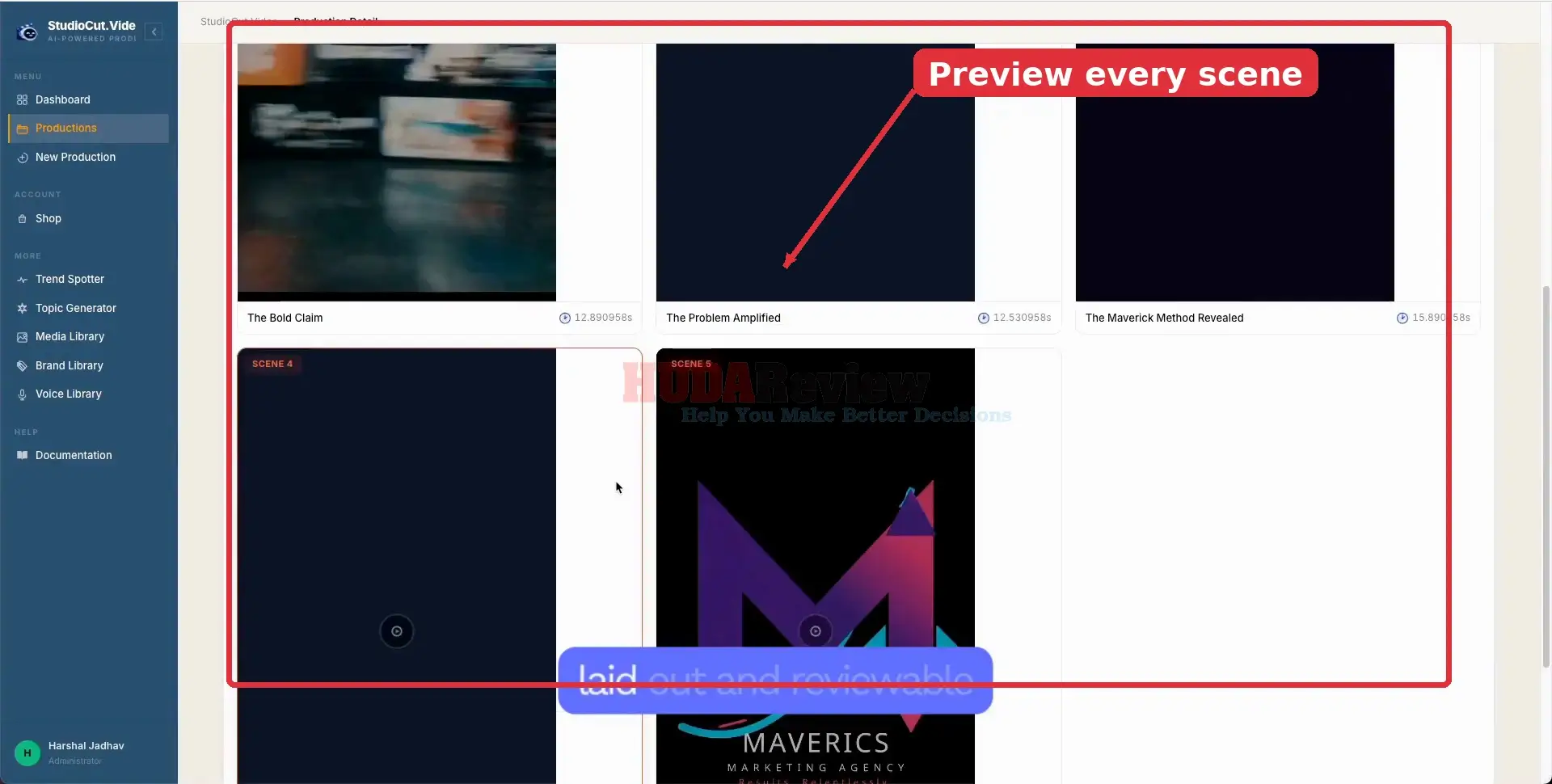
[+] Check the Scene Visuals:

Review the visual output scene by scene before the final render. This view makes it easy to spot a scene that needs another look and confirm that the overall visual sequence matches the planned story.

StudioCut-Demo-12-Scene

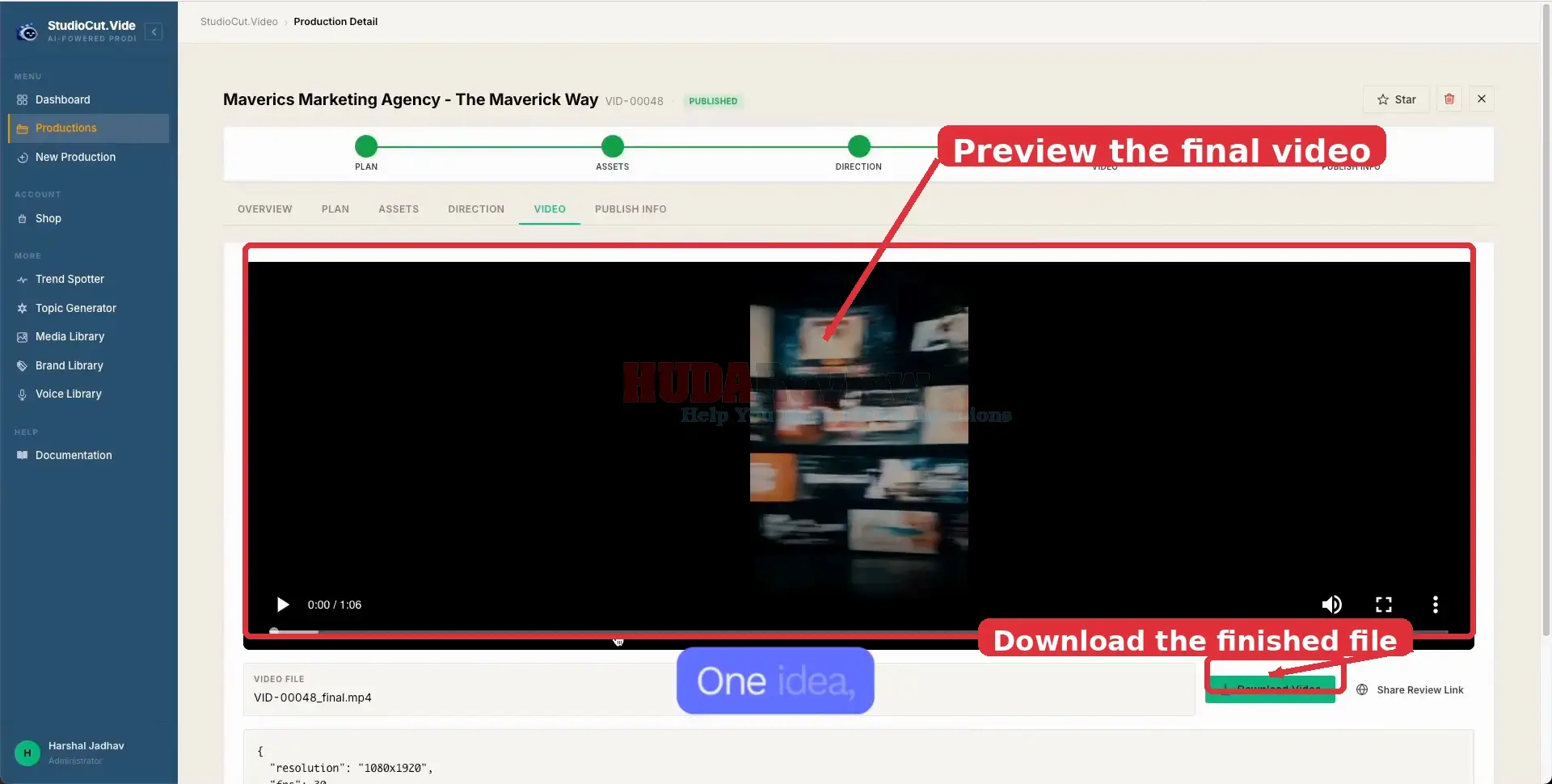
[+] Preview and Download the Finished Video:

Open the Video tab to watch the completed production from start to finish. Once you are happy with the result, use Download Video to save the final file or share the review link when you want feedback first.

StudioCut-Demo-13-Preview

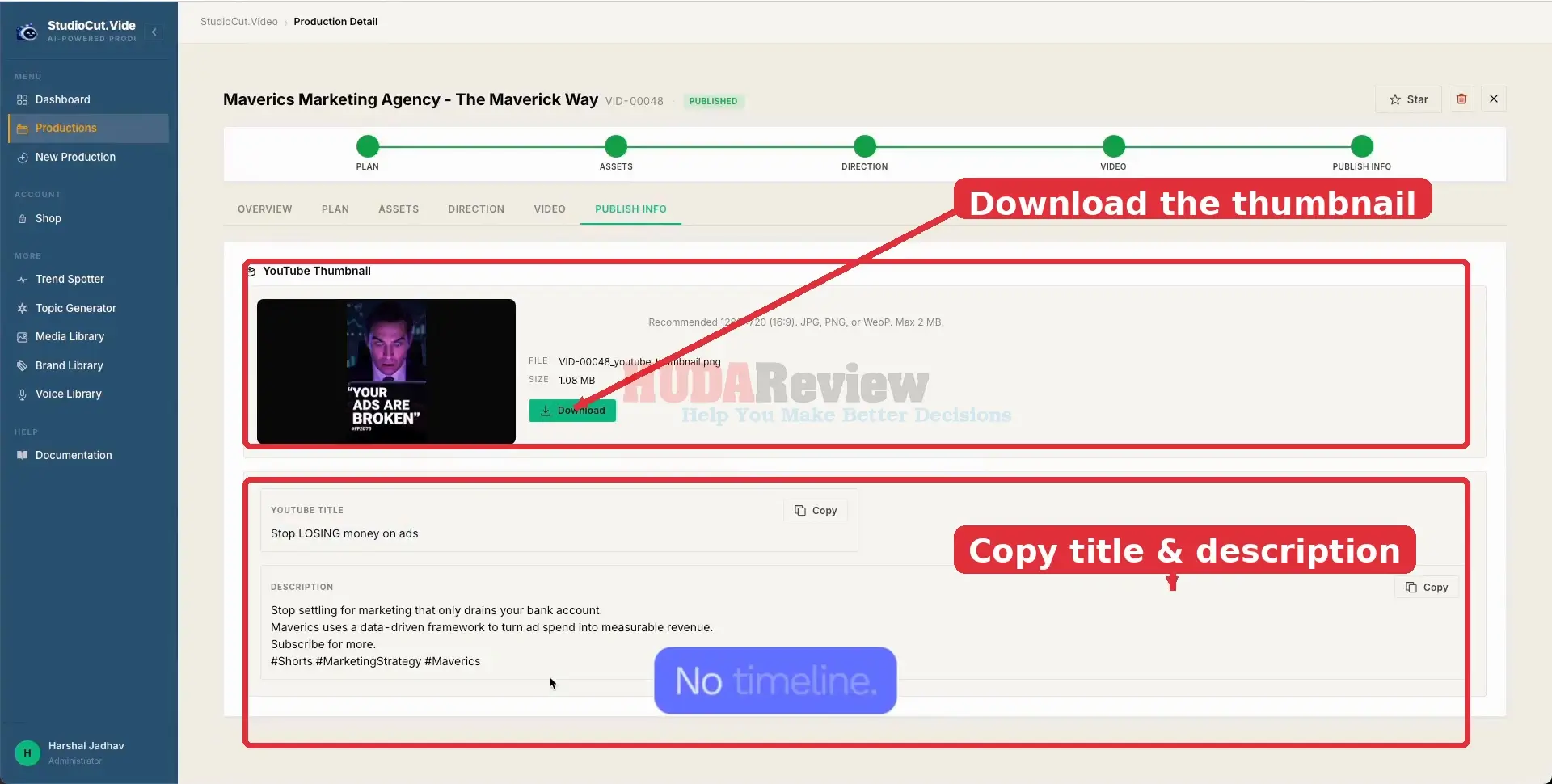
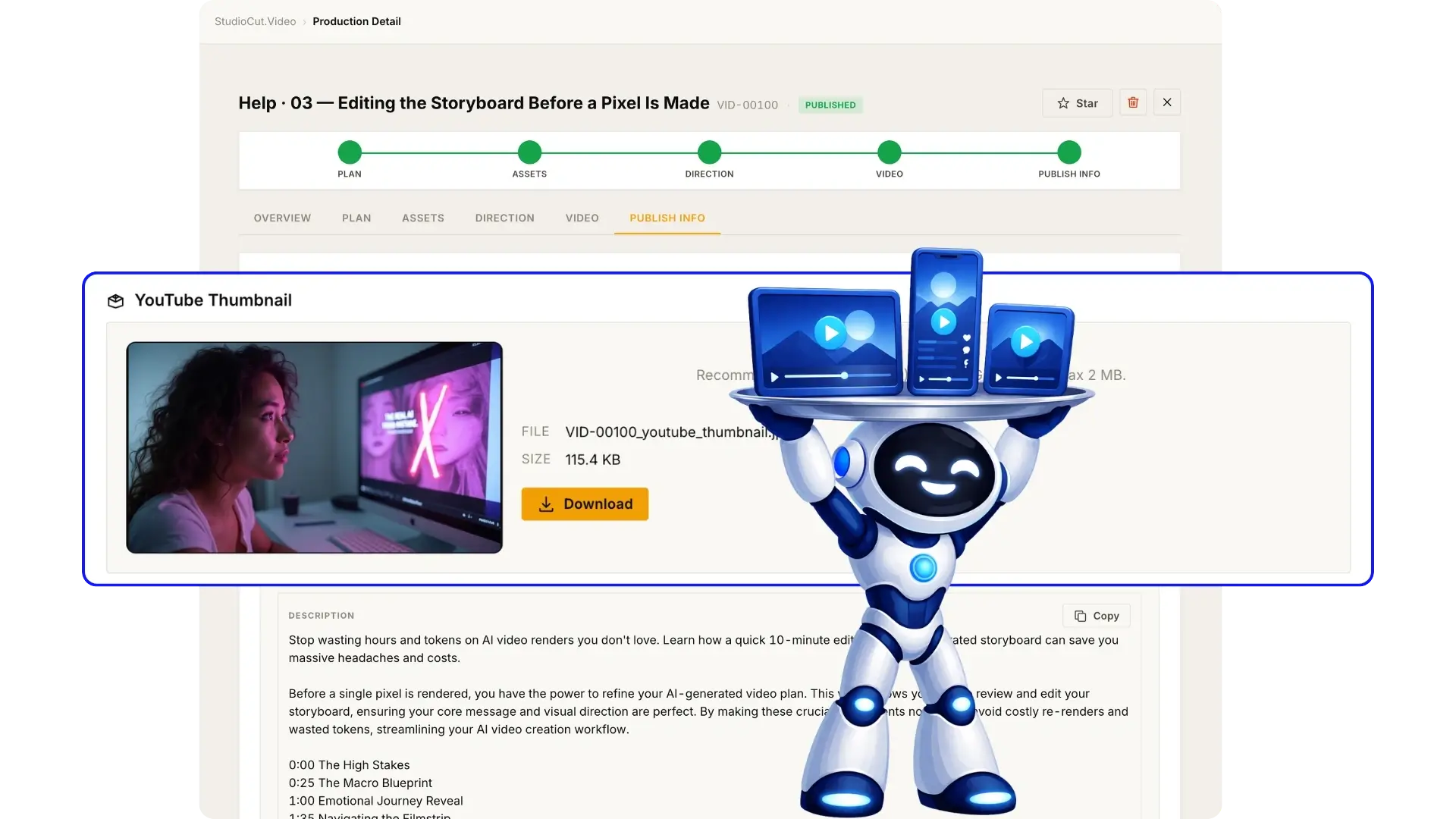
[+] Use the Publishing Assets:

Finish in Publish Info, where StudioCut provides the thumbnail and supporting metadata prepared for publishing. Download the thumbnail, then copy the generated title and description into your publishing workflow.

StudioCut-Demo-14-Publishing

Now that you’ve seen how StudioCut works, here are a few sample videos so you can judge the actual output quality for yourself:

For more details, please watch the demo video below:

StudioCut Platform Demo Video:

Click-To-Play-Video

Why StudioCut Feels Closer To An AI Production Team

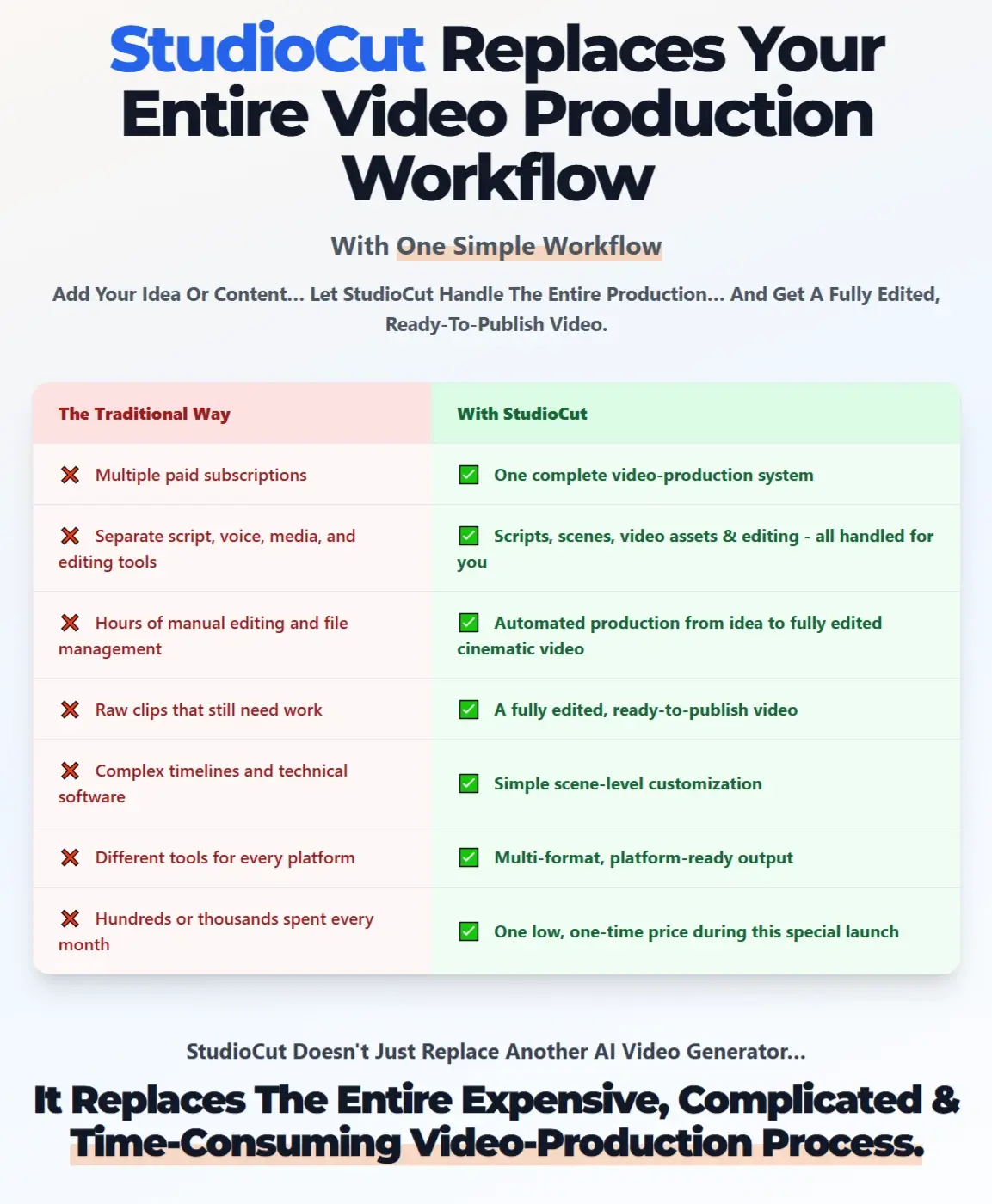
The best way I can describe StudioCut is as an AI-powered production environment that covers most of the journey from an initial concept to a finished, publish-ready video.

It goes far beyond generating a few clips by helping with planning, content development, visuals, voice, scene assembly, editing, rendering, and publishing preparation inside one workflow.

For creators, that can remove a huge amount of production work that would normally require several tools, stock libraries, voice software, and manual editing.

♥︎ The Opportunity To Produce Much More Content.

StudioCut becomes especially valuable for people who publish regularly. Product videos, tutorials, explainers, educational content, promotions, social clips, and long-form videos can quickly become overwhelming for a solo creator or small team.

StudioCut can make higher-volume production far more realistic. One product page could become a promotional video, one article could become an explainer, and the same content could later support shorter versions for social platforms. That means creators can get much more value from every idea they produce.

♥︎ One Platform Can Support Multiple Video Strategies.

The versatility also gives users room to expand. Affiliate marketers can create reviews, demos, tutorials, comparisons, and promotional videos.


Businesses can produce explainers, training content, product presentations, and social campaigns. Creators can move between YouTube videos, Shorts, Reels, TikToks, and other formats without changing their entire production workflow.

That opens more ways to attract viewers, test content angles, and grow across different channels.

♥︎ Multilingual Creation Opens Global Opportunities.

StudioCut‘s multilingual capabilities can also help creators move beyond a single market. Content can be translated and localized with AI voices, making it easier to create versions for audiences in different countries.

A successful English tutorial, for example, could also reach Spanish, French, German, or other audiences without requiring a completely separate production process. For marketers and affiliates, this can open access to less competitive markets and much larger potential audiences.

♥︎ Content Repurposing Adds Even More Value.

Many creators already have blogs, guides, product pages, tutorials, documents, and older content sitting unused. StudioCut can turn those materials into fresh video assets.

An article can become an explainer. Product information can become a demo. Written instructions can become a tutorial. A longer idea can also become short-form content for several platforms.

That gives existing content a second life while reducing the constant pressure to create new ideas from zero.

♥︎ AI Handles Production, Human Judgment Adds The Final Polish.

I would still keep human input around the parts that matter most: accuracy, storytelling, hooks, branding, emotional impact, and final quality control.

StudioCut can handle much of the repetitive production work, leaving creators more time for strategy, originality, and the creative decisions that give a video personality.

For me, that is the real value here: StudioCut can help creators publish more often, repurpose more content, reach more platforms and languages, and maintain a polished output without turning every video into a major production project.

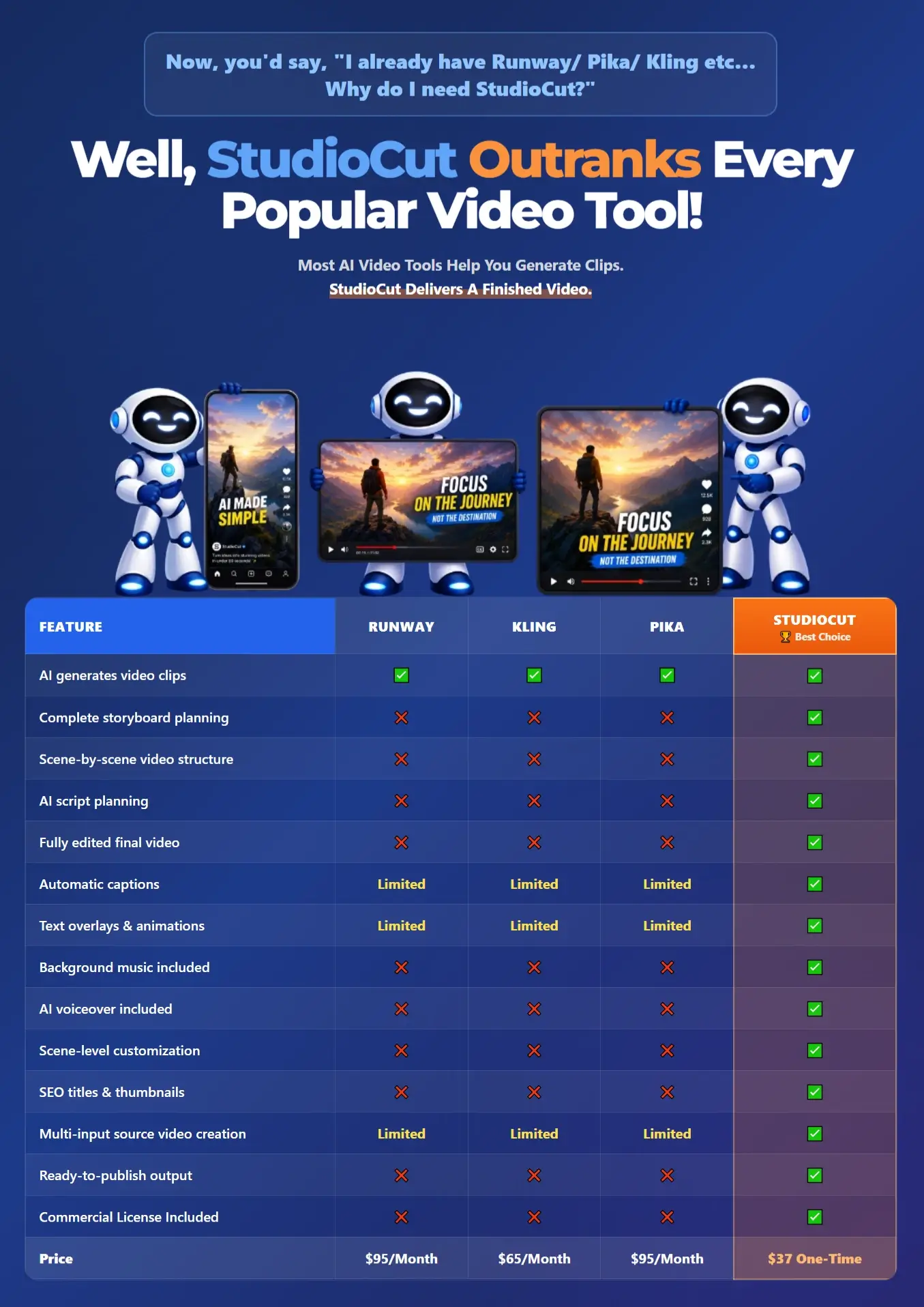
StudioCut-Comparison

How Much Does StudioCut Cost?

The Front-end (FE) Product

Right now, you can get StudioCut for only $37 one time.

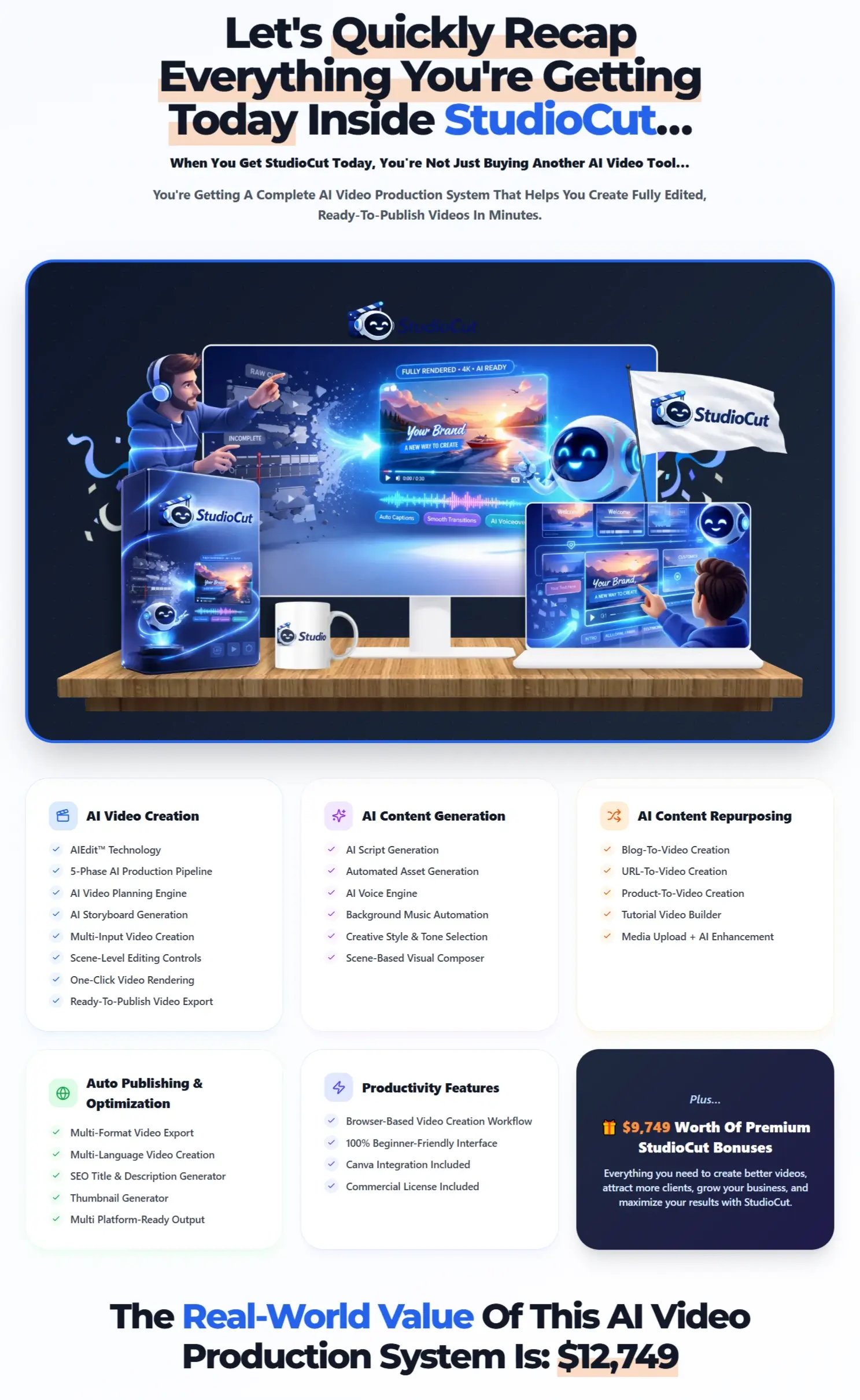
StudioCut-Recap

There are no recurring monthly payments attached to the current front-end offer, which makes the deal especially appealing considering how much video production work StudioCut can handle from one dashboard.

Think about the costs normally involved in video creation: editing software, AI voices, visual generation, music, stock assets, captioning, and other production tools can easily add up. StudioCut puts a large portion of that process into one AI-powered platform for a relatively small upfront investment.

The important part is that $37 is an early-bird price. It will not remain at this level permanently, and the cost is expected to rise during or after the launch period. So waiting could simply mean paying more for the same access later.

Your purchase is also covered by a 30-day money-back guarantee, giving you a reasonable period to explore the platform and decide whether it fits your video creation needs.

StudioCut-Guarantee

At the current price, video content creators have a low-cost opportunity to add a much more complete AI video production system to their workflow before the early-bird deal disappears.

Click the button below to access the main sales page:

big-order-button

Get More From StudioCut With The Complete Bundle Deal

Planning to use StudioCut seriously for content creation, client work, or your own video business? The StudioCut Bundle gives you a much stronger package than purchasing the upgrades separately.

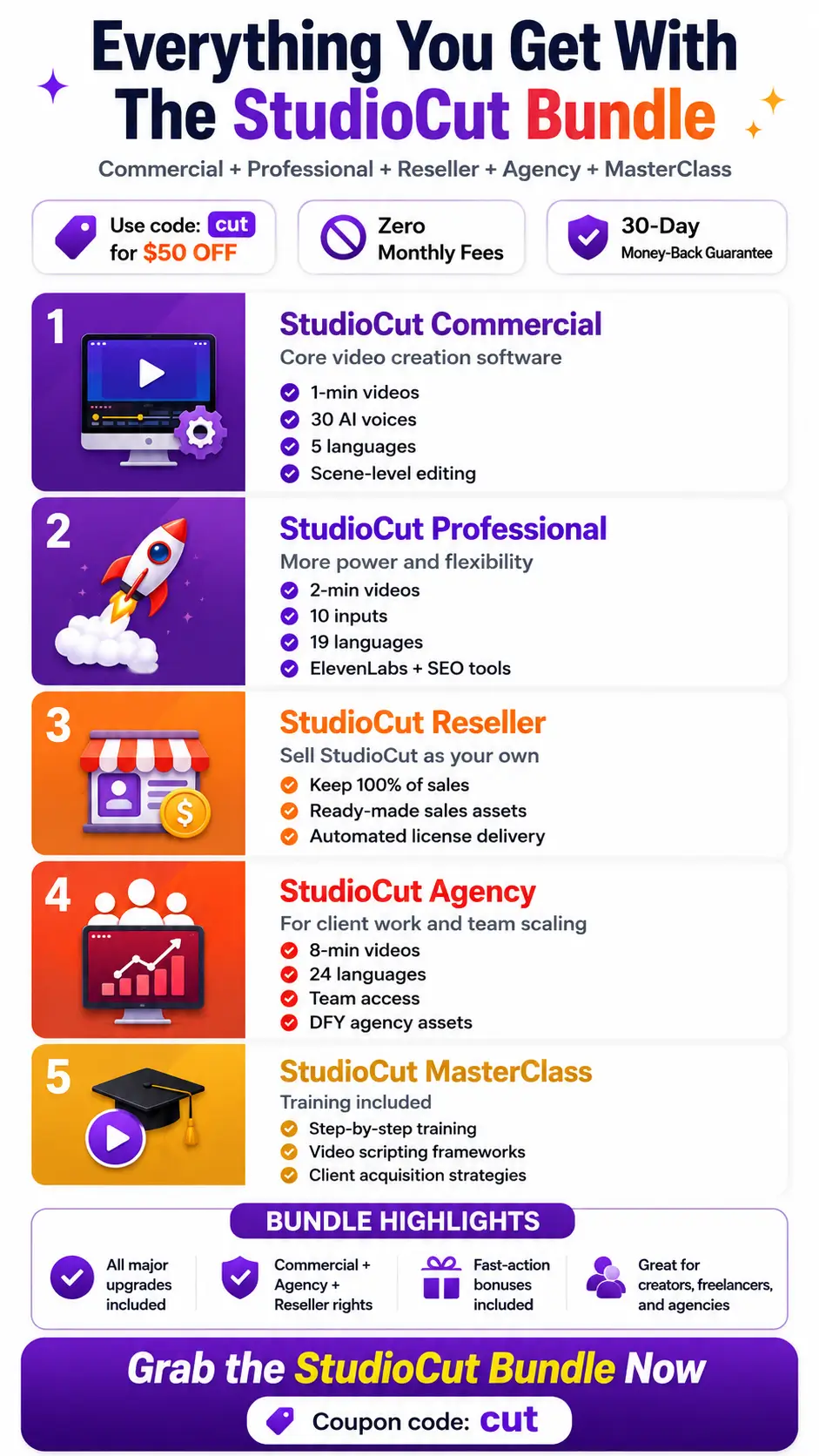
You get StudioCut Commercial, Professional, Agency, Reseller, and MasterClass in one limited-time deal, unlocking longer videos, more languages, ElevenLabs voices, advanced SEO tools, brand controls, team access, agency assets, reseller rights, client-acquisition resources, and a large collection of exclusive bonuses.

The bundle currently offers up to 55% savings, plus you can enter coupon code cut” to save an additional $50 today. With zero monthly fees and a 30-day money-back guarantee, this is the most attractive option for buyers who already know they want access to StudioCut ’s expanded capabilities.

Bundle-Recap

Grab the StudioCut Bundle Deal before the launch discount disappears.

StudioCut-Bundle-B

Add my code CUT to get $50 off the StudioCut Bundle.

StudioCut Review – The Available Upgrade Options

For users who plan to create at a larger scale, work with clients, or promote the software itself, StudioCut offers several optional upgrades worth reviewing before making a decision:

OTO 1: StudioCut PRO

Price: $67 (one-time payment)

>>>Click Here To Access This OTO 1

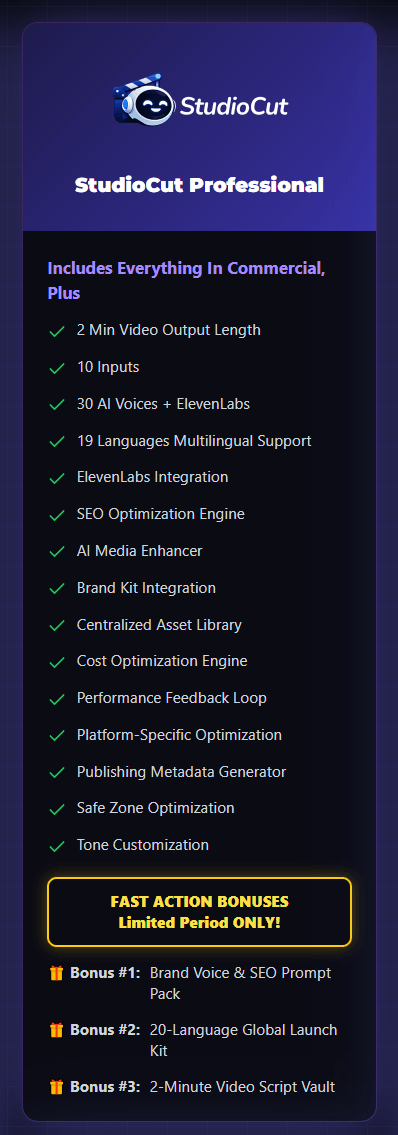
StudioCut Pro expands the core platform for creators who want to produce at a more professional level and handle larger content demands.

It gives users greater creative freedom, stronger branding control, broader international reach, and more room to develop longer, polished videos while keeping the same AI-driven production experience.

This upgrade makes the most sense for active creators, marketers, agencies, and businesses that plan to use StudioCut regularly rather than occasionally.

It strengthens the platform as a complete video production environment, helping users create more refined content for different audiences, markets, and publishing channels without moving their projects into a separate workflow.

Overall, StudioCut Pro takes the foundation of the Commercial Edition and gives serious users more capacity and flexibility to scale their video strategy while maintaining a professional look across everything they publish.

StudioCut-OTO-1

OTO 2: StudioCut Agency

Price: $97 (one-time payment)

>>>Click Here To Access This OTO 2

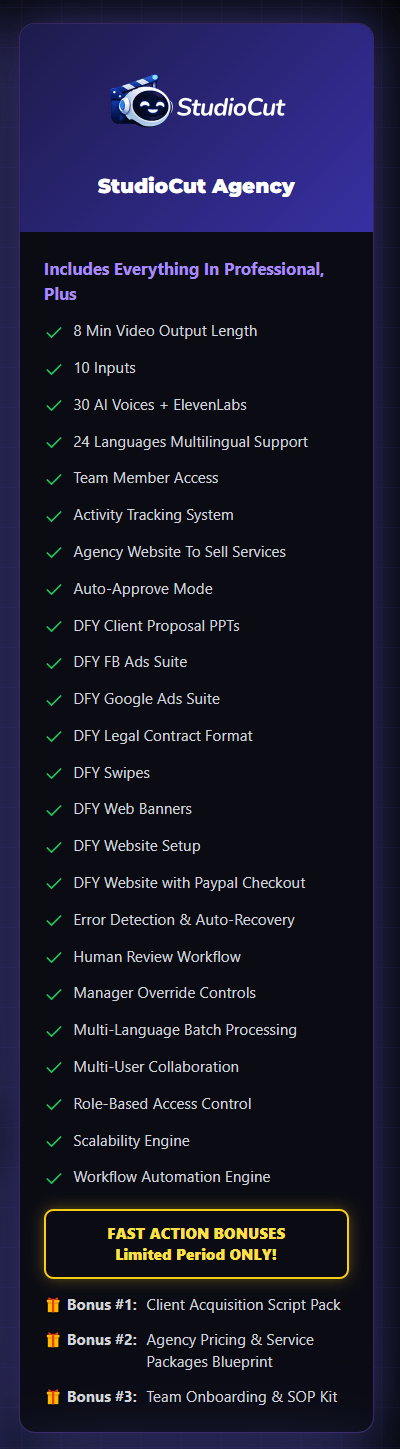
Agency Upgrade is designed for users who want to move beyond creating videos for themselves and turn the platform into a real client-service business.

It expands StudioCut into a more complete agency environment where freelancers, marketers, and small teams can manage larger workloads, collaborate on projects, and deliver professional video services to paying clients.

The biggest value here is the business opportunity it creates around the core software. Users can position themselves as AI video service providers, work with multiple clients, take on more ambitious projects, and operate with a more organized production process.

The upgrade also helps reduce the amount of setup normally required to launch an agency, so users can spend more time finding clients, delivering work, and growing recurring service income.

Overall, StudioCut Agency makes the most sense for anyone who sees video creation as more than a personal content tool. It gives StudioCut a stronger commercial direction and provides the structure needed to turn its video-production capabilities into a scalable service business.

StudioCut-OTO-2

OTO 3: StudioCut Reseller License

Price: $197 (one-time payment)

>>>Click Here To Access This OTO 3

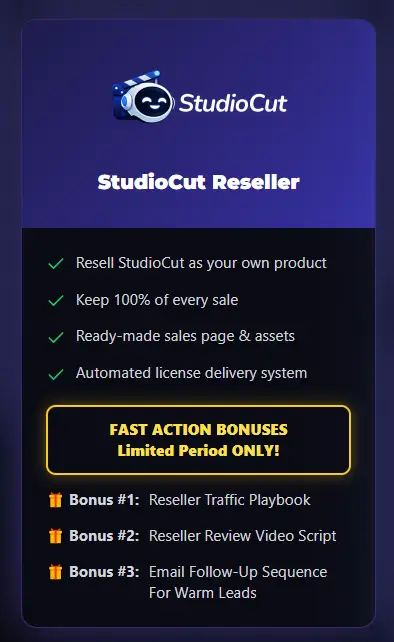
Reseller License is for users who want to turn StudioCut from a tool they use into a software business they can actively promote. Rather than developing an AI video platform from the ground up, resellers can promote the existing StudioCut system through their own tracking link and earn 50% commission on qualified sales they generate.

The main appeal comes from the amount of backend responsibility StudioCut handles for the reseller. The product, hosting, delivery, account activation, updates, sales infrastructure, and customer support remain with the StudioCut team, allowing resellers to concentrate mainly on attracting potential buyers and promoting the offer. This lowers the technical barrier normally associated with running a software business.

For affiliate marketers, audience owners, content creators, and entrepreneurs who already know how to generate traffic, the reseller upgrade creates another way to monetize StudioCut without creating or maintaining their own SaaS product.

It essentially provides access to an existing AI video software business where your role centers on marketing and customer acquisition while the StudioCut team manages the operational side.

StudioCut-OTO-3

Can You Really Make Money with StudioCut?

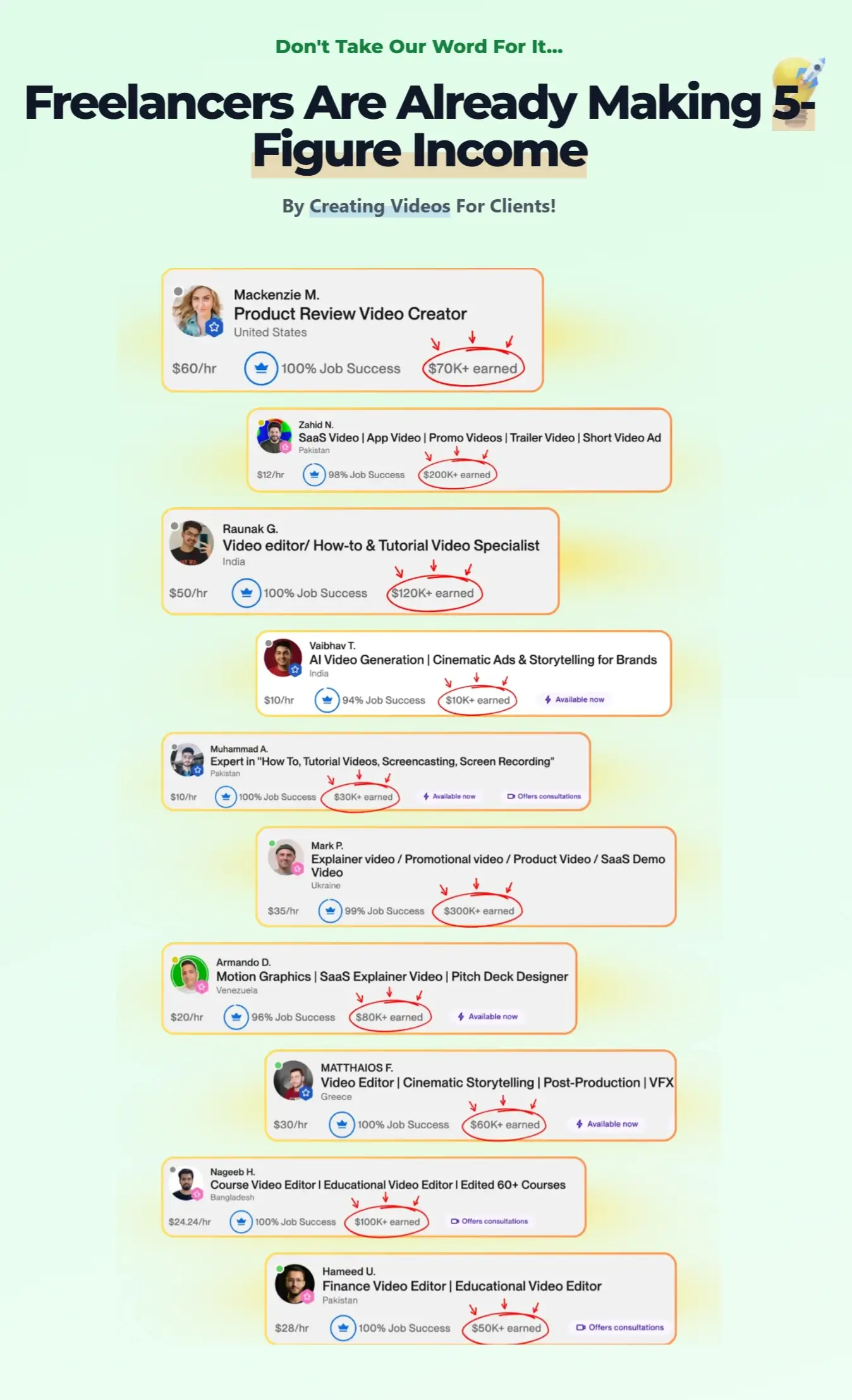
Yes. StudioCut can open several practical ways to earn from video content, especially for beginners who want to start offering creative services without learning complex editing software.

The platform includes a commercial license, so you can create videos for clients, businesses, brands, and your own marketing projects. Since StudioCut handles scripting, storyboard planning, visuals, voiceovers, captions, music, transitions, and final rendering, you can focus more on finding customers and delivering finished content.

Here are four strong ways to monetize StudioCut.

♥ Sell Promotional Videos to Local Businesses:

Local businesses constantly need fresh video content for Facebook, Instagram, TikTok, YouTube, and paid advertising.

You can approach businesses such as:

  • Restaurants
  • Dentists
  • Salons
  • Gyms
  • Real estate agents
  • HVAC companies
  • Pet groomers
  • Cleaning services
  • Local shops

StudioCut can turn their business information, website content, product details, or simple ideas into polished promotional videos.

This creates a beginner-friendly service opportunity because you do not need a camera crew or advanced editing experience. You can package individual videos or offer ongoing monthly content packages to businesses that need regular social media promotion.

♥ Offer Short-Form Video Creation Services:

Short-form content remains one of the most useful formats for businesses, influencers, coaches, and online marketers.

With StudioCut, you can produce:

  • Instagram Reels
  • YouTube Shorts
  • TikTok videos
  • Social media ads
  • Product showcases
  • Educational clips
  • Promotional videos

The platform handles much of the production work automatically, allowing you to produce multiple pieces of content without spending hours editing every project manually.

You can sell these videos individually or create packages such as 5, 10, or 20 videos for one client.

For beginners, this can be one of the easiest StudioCut monetization models because many businesses already understand the value of short-form content.

♥ Create Affiliate Marketing Videos:

StudioCut can also become a useful tool for affiliate marketers.

You can turn product information, landing pages, scripts, articles, or URLs into:

  • Product review videos.
  • Comparison videos.
  • Bonus videos.
  • Promotional clips.
  • Product demonstrations.
  • Social media advertisements.
  • YouTube Shorts.

These videos can include your affiliate links in the description or supporting content.

This gives you another way to promote offers without relying only on written reviews. One product can also generate several different videos for YouTube, TikTok, Instagram, Facebook, and other channels.

For beginners building an affiliate business, StudioCut can help increase content output while keeping the production process manageable.

♥ Start a Video Creation Agency:

The biggest long-term opportunity comes from turning StudioCut into the production engine behind a small video agency.

You can offer services such as:

  • Product videos
  • Social media content
  • Promotional campaigns
  • Explainer videos
  • Training videos
  • Tutorial videos
  • Brand videos
  • Ecommerce videos

StudioCut already handles many tasks that traditionally require writers, voice artists, designers, and video editors.

This allows a beginner to start small, build a portfolio, find a few clients, and gradually expand into recurring video packages.

The StudioCut Agency upgrade goes even further by adding team access, longer video output, agency assets, client proposal materials, advertising resources, workflow tools, and other features created for client-based businesses.

My Take on StudioCut’s Income Potential:

StudioCut gives beginners something very useful: the ability to create professional-looking video services without first becoming professional video editors.

You can begin with simple client projects, build examples, approach businesses, create affiliate content, or develop monthly video packages.

The commercial license also gives you room to use the software beyond your own content and turn the videos you create into a service people can pay for.

For anyone looking at StudioCut from a business perspective, its strongest opportunity comes from combining fast AI video production with services that businesses already need.

StudioCut-What

Who Is StudioCut Best For?

StudioCut suits people who want to create polished video content faster without spending hours working through traditional editing software. Its automated production workflow, scene-level controls, multiple formats, AI voices, cinematic styles, and commercial license make it useful for both personal content creation and client work.

Perfect for:

  • Affiliate marketers who want to create review videos, product promotions, comparisons, bonus videos, and short-form content around affiliate offers.
  • YouTubers and content creators who need a faster way to produce regular videos, Shorts, Reels, TikToks, and other social content.
  • Digital marketers creating promotional videos, ad creatives, lead-generation content, and campaign assets for different platforms.
  • Freelancers who want to offer video creation services without spending years mastering complex editing tools.
  • Agency owners who need a faster production workflow for client videos, branded content, social campaigns, and promotional projects.
  • Ecommerce sellers looking to turn product information into product showcases, demonstrations, advertisements, and social videos.
  • Local businesses that need promotional videos for services, special offers, seasonal campaigns, and social media marketing.
  • Coaches and course creators who want to transform lessons, instructions, presentations, and educational material into engaging video content.
  • Bloggers and website owners who want to repurpose written articles, URLs, and existing content into videos for broader reach.
  • SaaS and software businesses creating product demos, feature walkthroughs, tutorials, onboarding videos, and launch promotions.
  • Beginners who want AI to handle much of the storyboard planning, visual creation, voiceover, captions, music, transitions, and rendering.

StudioCut is not ideal for:

  • Professional filmmakers who need advanced frame-by-frame editing, detailed color grading, complex visual effects, or highly specialized post-production controls.
  • Editors who prefer complete manual control over every timeline element and want to create each production detail themselves.
  • People who only need basic raw AI clips and have no interest in storyboard planning, voiceovers, captions, music, scene organization, or finished-video production.
  • Users who rarely create video content, since they may not take full advantage of StudioCut’s production, repurposing, publishing, and commercial-use features.

Overall, StudioCut makes the most sense for marketers, creators, entrepreneurs, freelancers, and businesses that want to turn ideas or existing content into finished videos with far less manual production work.


StudioCut-Feedback

Frequently Asked Questions

Q: How do AI Credits work?

StudioCut uses AI Credits when generating videos. The number of credits depends mainly on video length and quality, and the estimated cost appears before production starts. Planning and editing do not consume credits, and failed productions caused by system issues receive an automatic credit refund.

Q: Can I buy more AI Credits?

Yes. After using your included Welcome AI Credits, you can purchase additional credit packs or upgrade your StudioCut plan. Purchased credits are added instantly and do not expire.

Q: Do I need video editing experience?

No. StudioCut handles most of the production process automatically, making it suitable for beginners as well as experienced creators.

Q: How is StudioCut different from other AI video tools?

Many AI tools mainly create individual clips. StudioCut takes the process further by turning your source material into a complete, edited, ready-to-publish video.

Q: What types of videos can I create?

You can produce product demos, tutorials, explainers, YouTube videos, Shorts, Reels, TikToks, promotional content, training videos, affiliate reviews, educational videos, client projects, and more.

Q: Can I create and sell videos to clients?

Yes. The Commercial License allows you to create videos for clients, businesses, agencies, and your own projects.

Q: Does StudioCut require a monthly subscription?

No mandatory monthly subscription applies during the launch offer. You receive Welcome AI Credits and can purchase more only when needed or upgrade for greater usage capacity.

Q: What happens if StudioCut is not right for me?

StudioCut comes with a 30-day money-back guarantee, allowing you to test the platform and request a refund within the guarantee period if it does not meet your needs.

Hudareview-101

bonus-11

getinstantaccessnow1

VIP-Support-Huda

Our HudaReview team offers valuable bonuses to customers who purchase StudioCut through our website.

Yes. You can get all the bonuses below if you purchase this product through our StudioCut review post.

AI & Automation

AI & Automation

Super Bonus Package 01

Bonuses-1

The Ultimate Collection of High-Quality PLR Packages For Your Online Business

The Ultimate Collection of HQ PLR Packages

01st Mega Pack:

10 Beautiful Themes For Different Business Types

02nd Mega Pack:

Graphics Elements For Versatile Usage

03rd Mega Pack:

The Video Tools

04th Mega Pack:

The Social Media Marketing Suite

05th Mega Pack:

The Social Traffic Apps

06th Mega Pack:

The Health, Diet, and Lifestyle Ebooks With PLR

07th Mega Pack:

The PLR Products With Personal Development Content

V.I.P AI SOFTWARE BONUS PACKAGES

Unlock Exclusive Bonuses for the Bundle Deal

Moreover, if you purchase the all-in-one StudioCut Bundle offer, you will get all the bonus packages below:

1/ FAST-ACTION BONUS PACKAGE 01

>>Click Here To Check<<

2/ FAST-ACTION BONUS PACKAGE 02

>>Click Here To Check<<

3/ FAST-ACTION BONUS PACKAGE 03

>>Click Here To Check<<

4/ FAST-ACTION BONUS PACKAGE 04

>>Click Here To Check<<

5/ FAST-ACTION BONUS PACKAGE 05

>>Click Here To Check<<

6/ FAST-ACTION BONUS PACKAGE 06

>>Click Here To Check<<

7/ FAST-ACTION BONUS PACKAGE 07

>>Click Here To Check<<

8/ FAST-ACTION BONUS PACKAGE 08

>>Click Here To Check<<

9/ FAST-ACTION BONUS PACKAGE 09

>>Click Here To Check<<

10/ FAST-ACTION BONUS PACKAGE 10

>>Click Here To Check<<

***3 STEPS TO CLAIM THESE BONUSES***

Step 1: Purchase the StudioCut platform on my website:

Add-To-Cart

Or would you like to review the all-in-one StudioCut Bundle?

>>CLICK HERE TO ACCESS THE BUNDLE OFFER<<

Add my code CUT to get $50 off the StudioCut Bundle.

Step 2: After completing the transaction, forward the receipt to my email at [email protected]

Final step: You will receive the bonuses within 24 hours.

Once again, thank you for reading my StudioCut review to the end. Send my best wishes to you and your family.

Leave a Reply