MerryMint AI Review
From Christmas Card Ideas to Marketable Digital Products With AI Assistance
A little festive imagination, the power of AI, and a well-timed product launch could become an exciting recipe for seasonal income.
Unfortunately, many people have plenty of creative ideas but struggle to transform them into polished, marketable products. The process often becomes more complicated and time-consuming than they initially expected.
I recently discovered MerryMint AI, and its creative business concept genuinely sparked my interest. It takes a familiar holiday tradition and adds an interesting commercial twist that even beginners can explore.
Stay with me throughout this MerryMint AI review to uncover its capabilities, potential income opportunities, and the value behind this timely release.
MerryMint AI Review – Quick Overview

| Creator | Nhan Scope et al. |
| Product | MerryMint AI |
| The official page | >>Click here to access |
| Front-end price | $17 (one-time payment) |
| Coupon | Use my code YDG107KD6SRT to get 20% off. |
| Bonus | Yes, Huge Bonus |
| Guarantee | 30-day money-back guarantee! |
| Support | Vendor Support: tech@proplrhub.com
HudaReview Support: hudareviewbonus@gmail.com |
At The Core of MerryMint AI
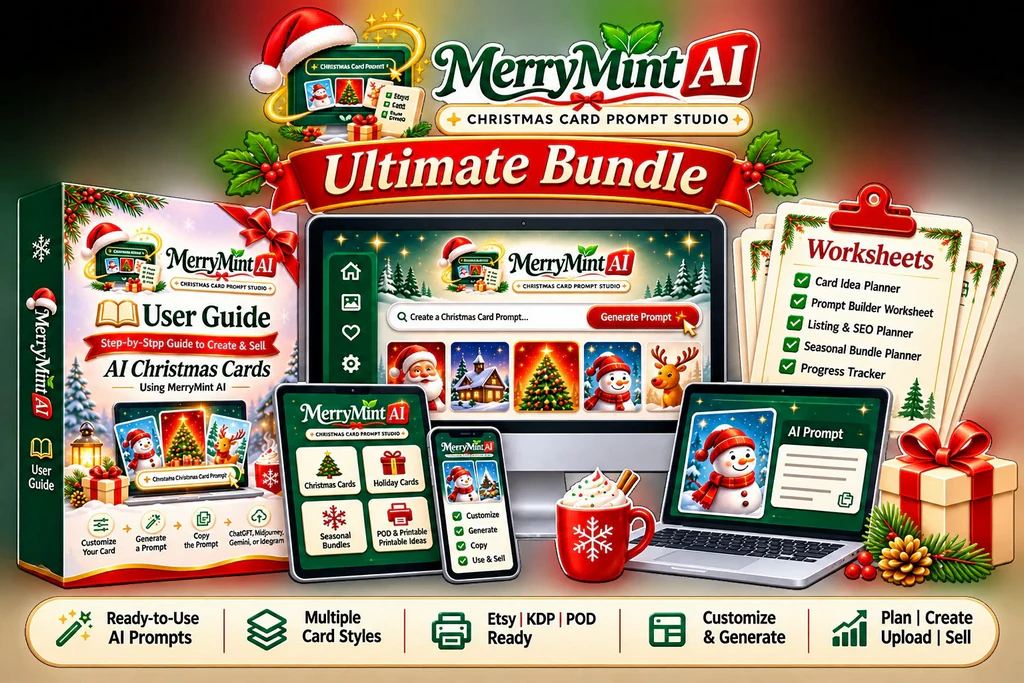
This is a specialized Christmas Card Prompt Studio that helps users create professional, visually cohesive Christmas and holiday card designs without requiring graphic design skills or advanced prompting knowledge.
It generates structured, ready-to-use AI prompts for matching front, inside, and back card designs, which you can turn into beautiful artwork using ChatGPT Images, Midjourney, Gemini, or Ideogram.
MerryMint AI helps you capitalize on the seasonal demand for Christmas cards. You can create personalized greeting cards, family Christmas cards, printable card collections, and seasonal bundles to sell on Etsy, Amazon KDP, print-on-demand marketplaces, or your own online store.
The Mind Behind It

Nhan Scope created MerryMint AI. He develops digital products and AI-powered tools that help online entrepreneurs create marketable content without spending hours on complicated tasks. Recent launches include MineMint AI, StoryMarket AI, and CozyCrumb Mystery Writer GPT.
His experience in the digital publishing and printable product markets makes MerryMint AI a natural addition to his product collection.
With this release, Nhan focuses on helping everyday sellers tap into the Christmas shopping season by making professional holiday card creation faster, easier, and more accessible.

Use my code YDG107KD6SRT to get 20% off.
Explore the Features That Make Holiday Card Creation Easier
Creating beautiful Christmas cards shouldn’t involve hours of experimenting with AI prompts, adjusting designs, and trying to make every page match. MerryMint AI gives you a more practical way to turn your creative ideas into marketable holiday products.
Here’s a closer look at everything you get inside the Starter edition:
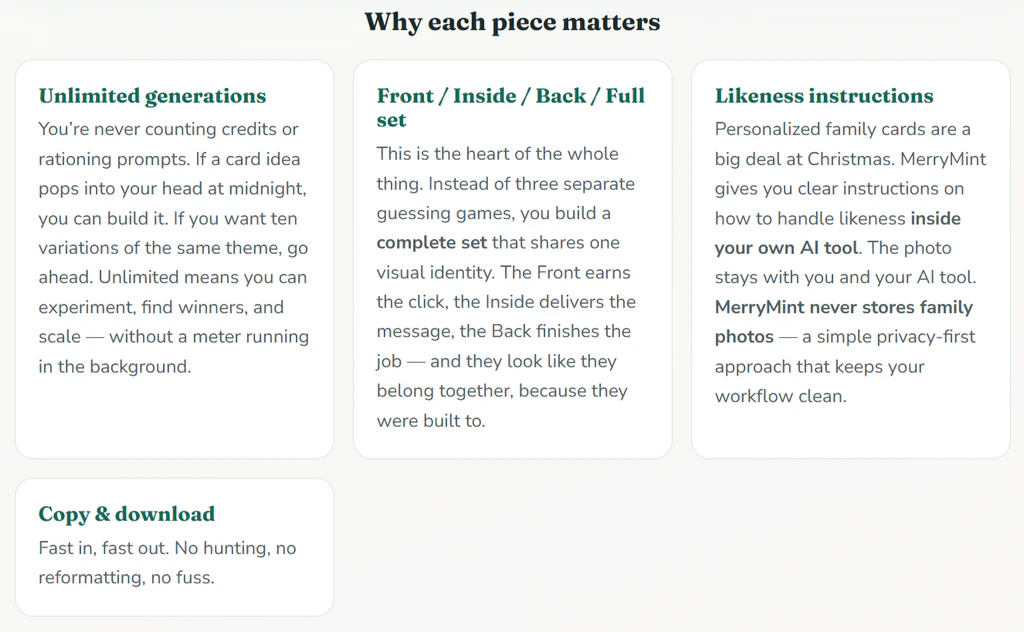
✅ Unlimited AI Prompt Generations.
Generate as many Christmas card prompts as you want without worrying about credits or generation limits. Experiment with different concepts, explore new holiday themes, and grow your seasonal product collection at your own pace.
✅ Ready-to-Use Christmas Card Styles.
Access a collection of basic design styles that give your holiday cards an attractive visual foundation. Start creating professional-looking card artwork without spending hours figuring out artistic directions from scratch.
✅ Complete Front, Inside, Back & Full Card Set Prompts.
Create individual prompts for the front, inside, or back of your Christmas cards, or generate prompts for an entire matching set. MerryMint AI helps you maintain a unified look across every part of your card.
✅ Instant Prompt Copy & Download.
Copy or download your generated prompts and use them directly with your favorite AI image generator, including ChatGPT Images, Midjourney, Gemini, and Ideogram.
✅ Personalized Photo & Family Likeness Instructions.
Create more meaningful Christmas cards with personalized family artwork. MerryMint AI provides instructions that guide your preferred AI image generator when working with family or customer photos. The software never stores these personal images.
✅ Launch Your Holiday Card Business Without Hiring Designers.
Create attractive Christmas card artwork and prepare your first product listings without paying professional graphic designers or relying on outsourcing services.
✅ Produce Complete, Beautifully Matching Card Sets.
Develop coordinated front, inside, and back designs through a single workflow, giving your finished Christmas cards a more polished appearance.
✅ Make Your Products More Appealing to Buyers.
Maintain a recognizable visual style throughout your card designs. Well-coordinated artwork can make your listings look more professional and help establish customer confidence.
✅ Establish a Repeatable Card Creation Workflow.
Stop wasting time experimenting with random prompts. Follow a structured process that you can repeat whenever you want to introduce a new Christmas card design.
✅ Create More Products in Less Time.
Accelerate your creative process and publish more holiday card listings across Etsy, KDP, print-on-demand marketplaces, or your own store before the seasonal shopping window closes.
✅ Create Premium Personalized Family Card Collections.
Maintain a matching family appearance and artistic style across an entire card collection, helping you develop more attractive personalized products and premium holiday bundles.
✅ Get Better Results From Your Favorite AI Image Tools.
Give your AI image generator clear, structured creative instructions to improve the relevance, quality, and visual harmony of your generated artwork.
✅ Never Start From a Blank Page Again.
Approach every new Christmas card project with a clear creative direction. Spend less time wondering what to write and more time developing products for your customers.
✅ Enjoy Unlimited Generations Without Recurring Fees.
Pay once for MerryMint AI and keep generating prompts throughout the holiday season without monthly subscription charges, helping you keep production expenses under control.
About Usage Instructions and Reasons Why You Should Purchase It
MerryMint AI: Step-by-Step Walkthrough
Follow the video demonstration to create a coordinated retro Christmas card collection, from initial settings and prompts to finished artwork in ChatGPT Images.
Log in and open the Studio:
Sign in using the email address and password associated with your purchase, then click Log in.
After you enter the Studio, follow the short onboarding tour if it appears. The Studio is where you customize your card on the left and review generated prompts on the right.
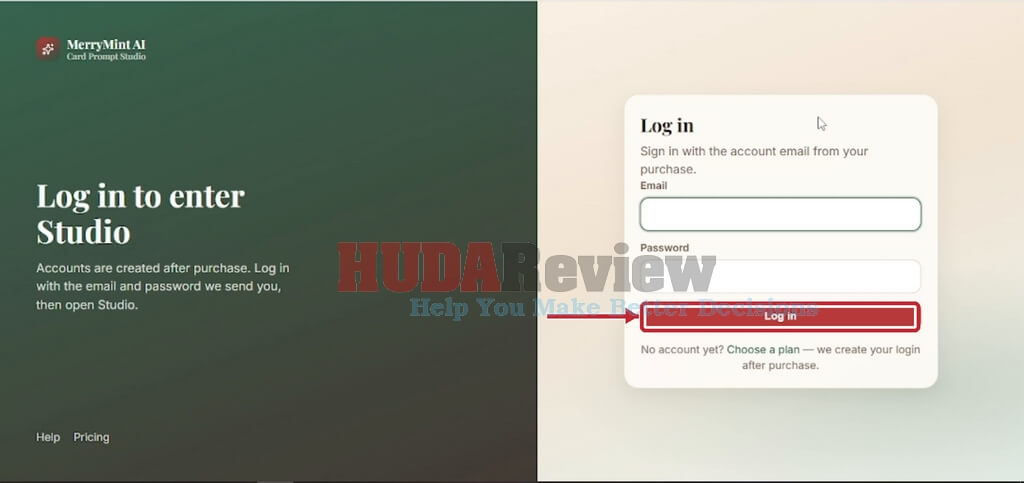
Enter your account details and select Log in.
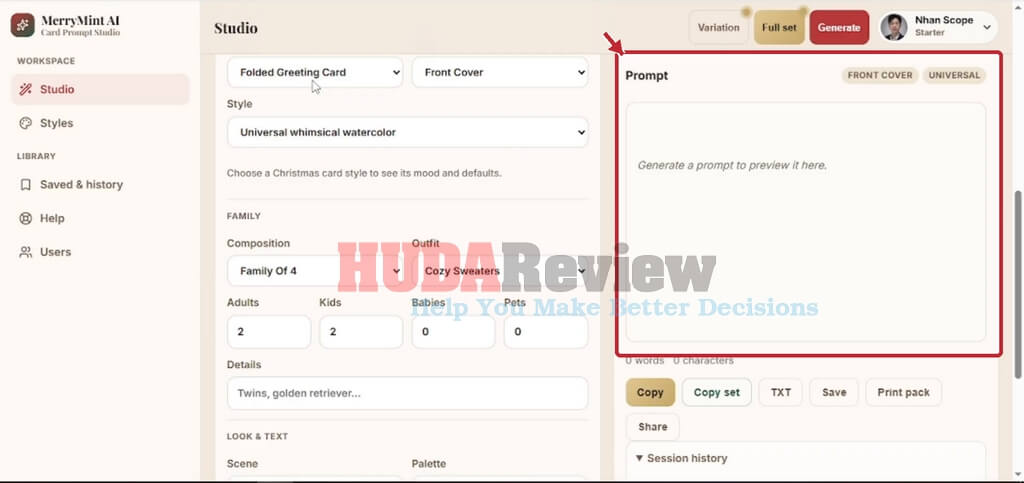
The Studio workspace: card settings on the left, prompt preview on the right.
Choose the card format and design style:
Open the Type menu to choose a format. The demo explores the available options and ultimately selects Printable Card Set, with Front Cover as the initial side.
Next, open Style and select Retro 1950s Christmas. This gives the collection a mid-century festive look. Some styles carry a Pro label, so choose one available with your plan.
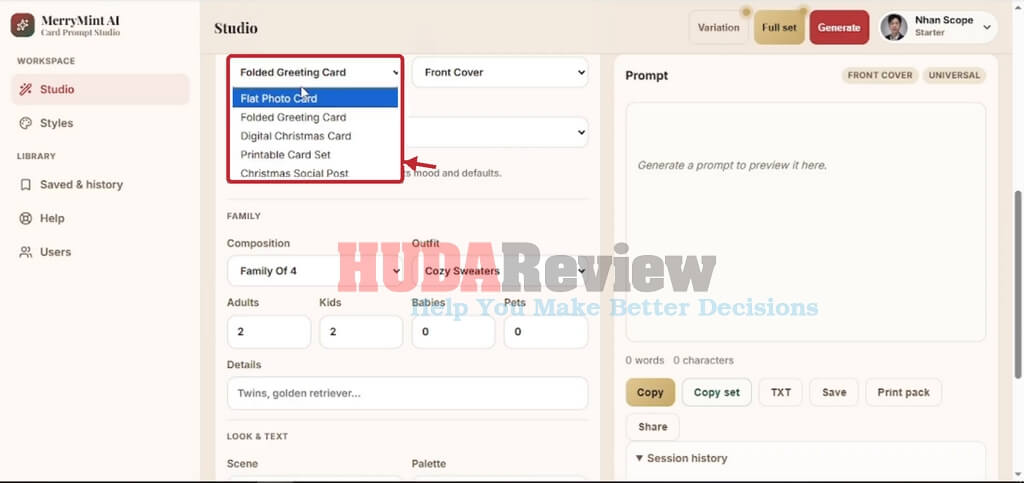
The Type menu contains formats such as Folded Greeting Card and Printable Card Set.
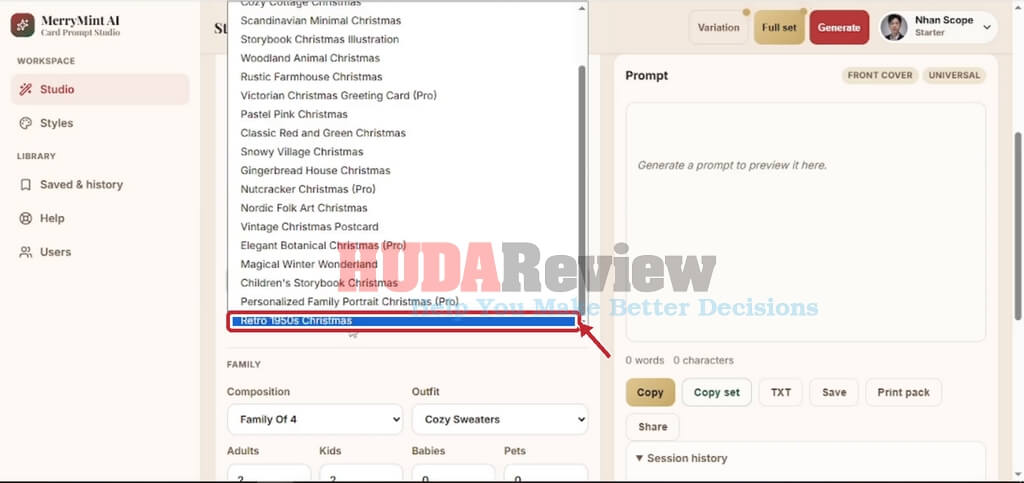
Select Retro 1950s Christmas from the style collection.
Customize the family and festive setting:
Under Family, select Family of 4 and set the composition to two adults and two kids, with no babies or pets.
The final example uses Vintage Christmas outfits. Add any relevant notes in Details. Under Look & Text, select Snowy Cottage, Classic Red Green, Merry Christmas, and enter The Anderson Family.
Set Platform to ChatGPT Images and Ratio to 5:7. These settings establish a shared direction for the collection.
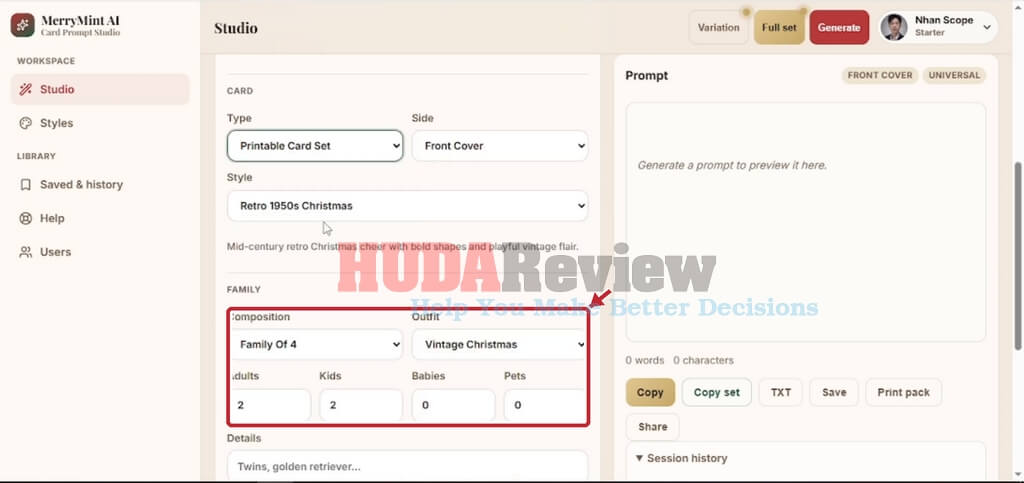
The final card format, retro style, family size, and outfit are visible here.

The finished look and text settings include the classic palette, family name, platform, and ratio.
Generate a prompt and the complete card set:
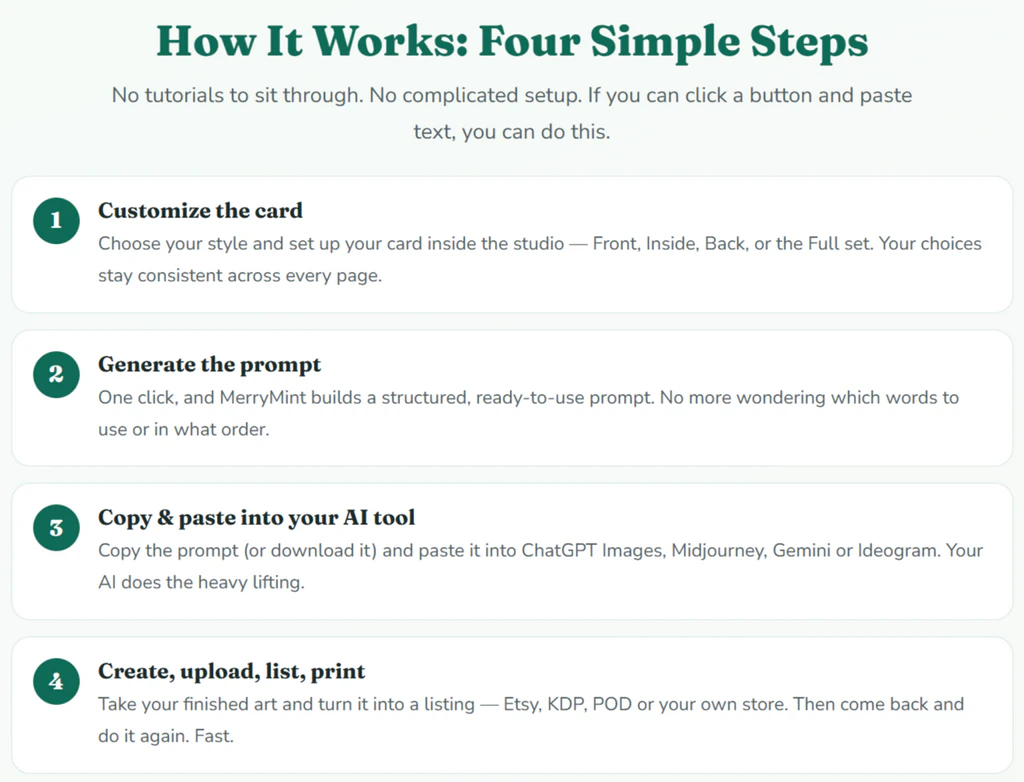
Click Generate to produce a detailed prompt for the selected side. Read the prompt on the right to confirm the style, family, scene, colors, and greeting match your choices.
Then click Full set to prepare prompts for the complete collection. In this demo, the set contains Front Cover, Inside Message, Back Cover, and Envelope tabs.
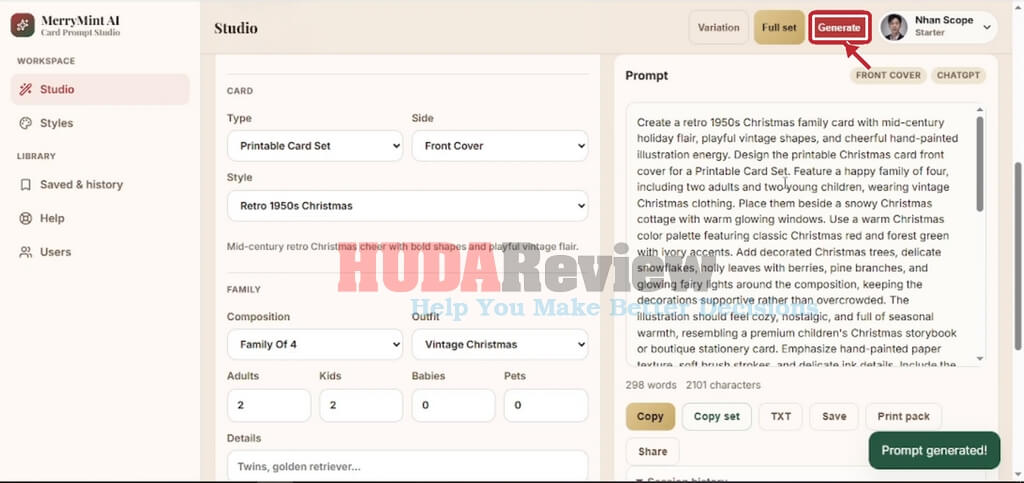
Generate creates a detailed front-cover prompt in the preview panel.
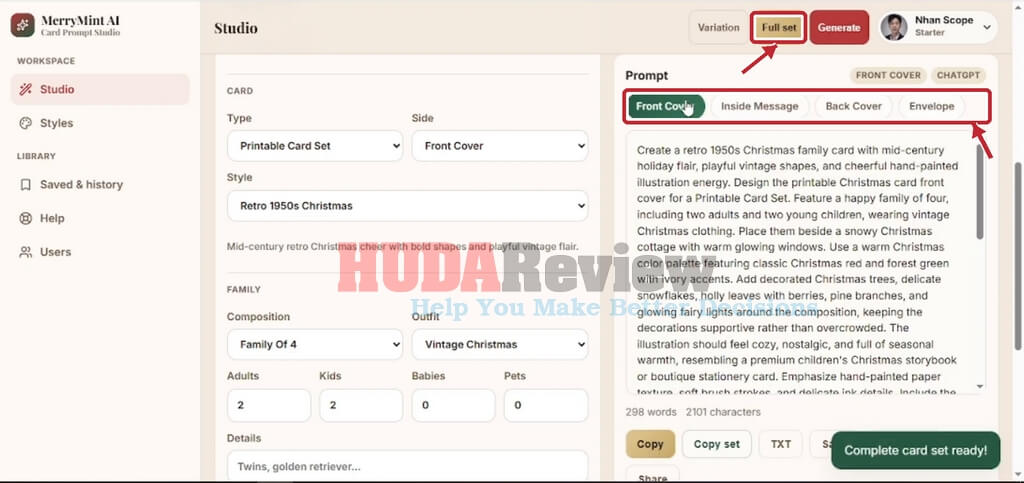
Full set creates separate prompts for all four parts of this printable set.
Transfer the front-cover prompt into ChatGPT:
Keep the Front Cover tab active and click Copy.
Open ChatGPT, paste the prompt into a new conversation, and submit it. ChatGPT Images generates the artwork using MerryMint AI‘s detailed instructions.
Keep the same conversation for the remaining card sections so the earlier artwork and visual direction remain available as context.
Copy the selected front-cover prompt.
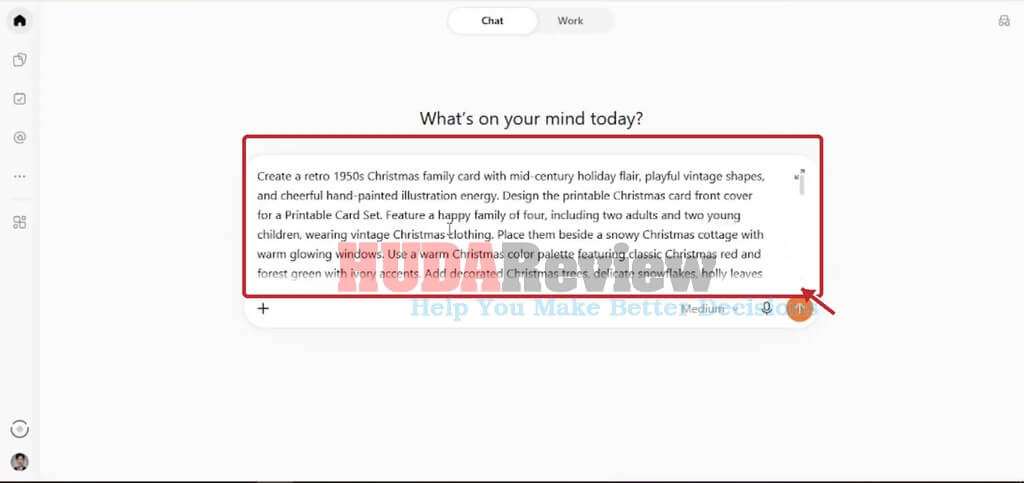
Paste the prompt into ChatGPT and submit it using the send button.
Review the front cover and create the inside message:
The generated cover features a retro family illustration, snowy cottage, festive decorations, and the name The Anderson Family with the year 2026.
Return to MerryMint AI, select Inside Message, and click Copy. Paste that prompt into the same ChatGPT conversation and submit it to generate the greeting panel.
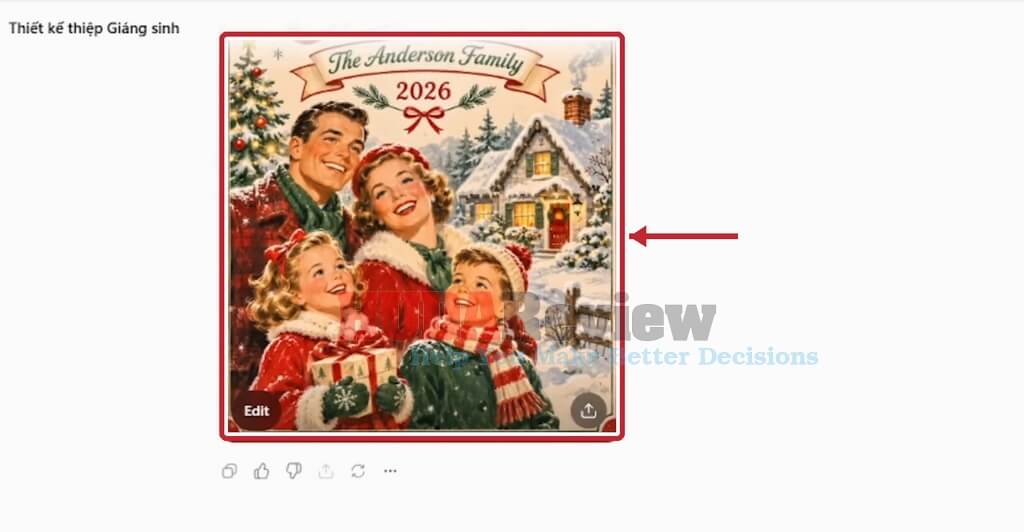
ChatGPT produced the front-cover artwork in the demonstration.
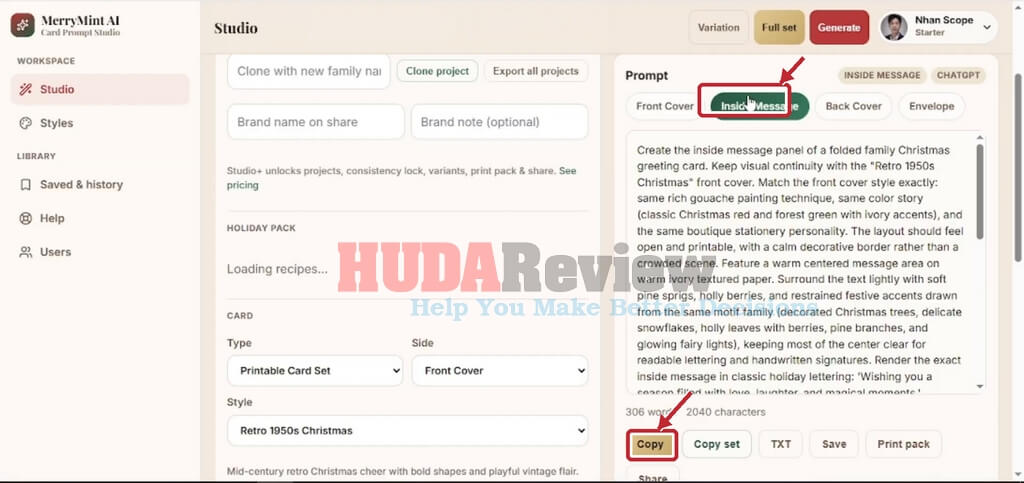
Choose Inside Message, then copy the prompt for the next artwork.
Review the inside panel and generate the back cover:
The inside design uses festive lettering, a cream background, holiday foliage, and the same family name.
Check the greeting for spelling and legibility. Return to the prompt studio, select Back Cover, and copy its prompt.
Submit it to ChatGPT in the existing conversation to create a quieter, matching back design.
Inside greeting panel shown in ChatGPT; the lower edge is partly outside the visible area.
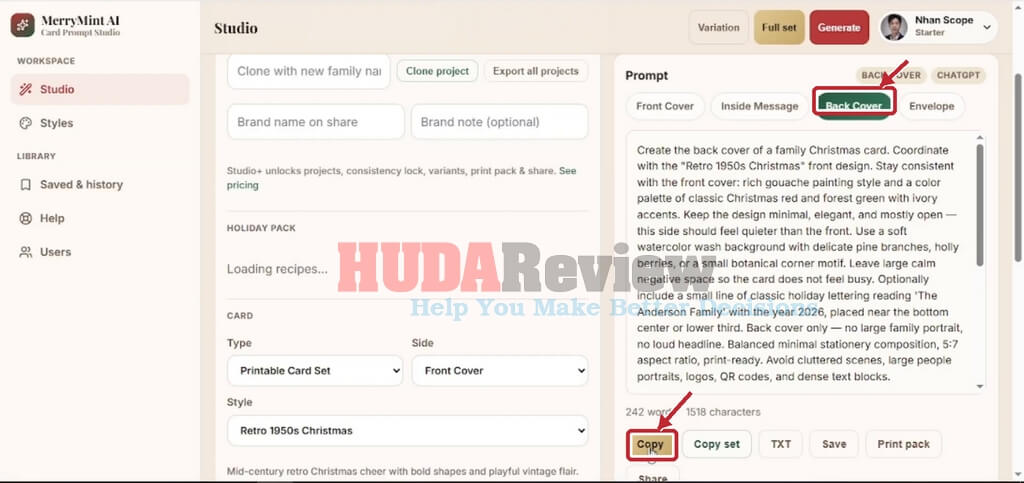
Select Back Cover and copy its dedicated prompt.
Create the matching envelope:
Review the back artwork, which uses a cream background with understated Christmas foliage and family lettering.
In MerryMint AI, select Envelope and copy the new prompt. Paste it into ChatGPT and generate the fourth piece.
The envelope is an extra component available in the Printable Card Set demonstrated in the video.
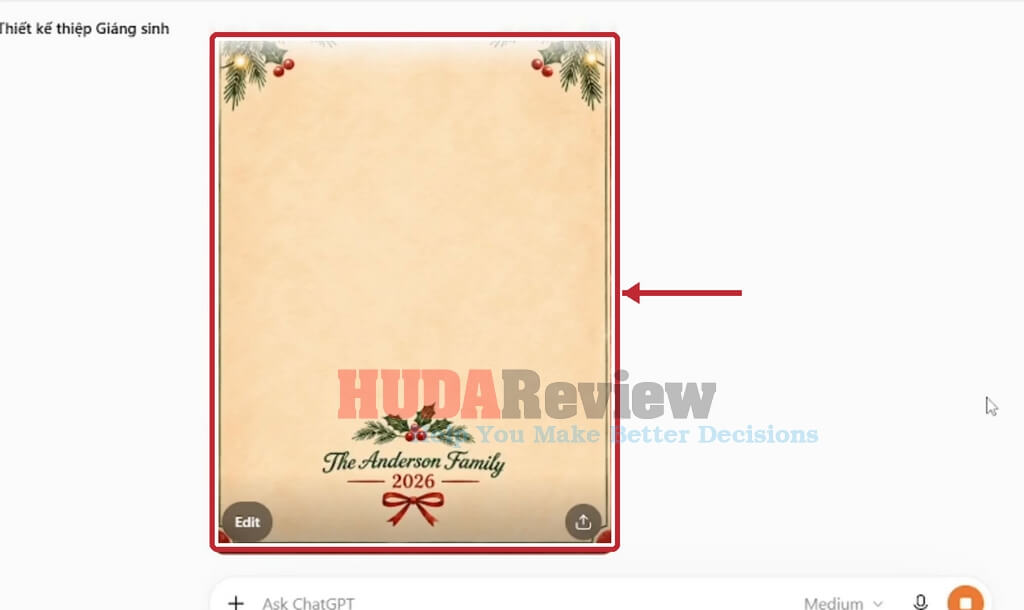
The back cover leaves generous open space and uses a matching festive theme.
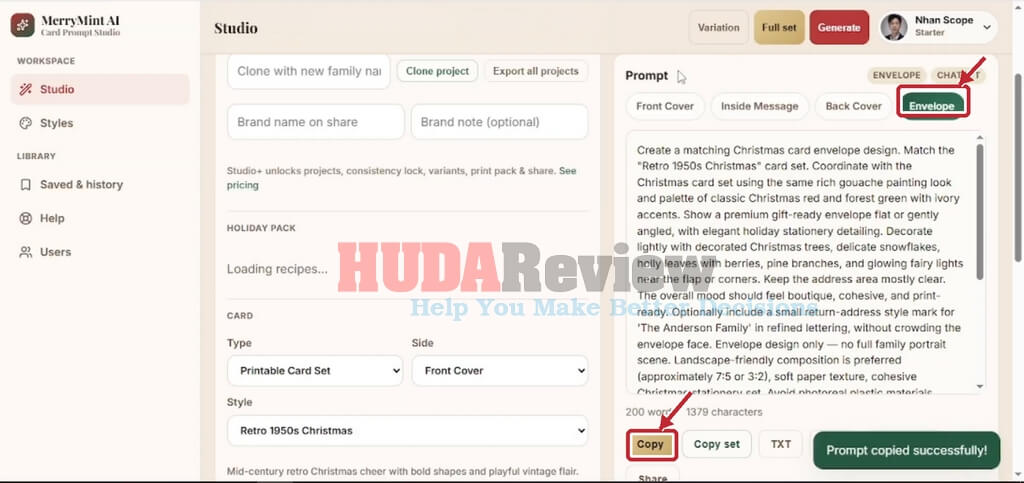
Select Envelope and copy the prompt to create the final matching piece.
Review the envelope and download the prompts:
The envelope artwork uses the same cream, red, and green color direction and includes a decorative flap, festive foliage, and family lettering.
Return to MerryMint AI and click TXT in the prompt controls to download the generated prompt collection. This creates a reusable text file, not a finished image file.
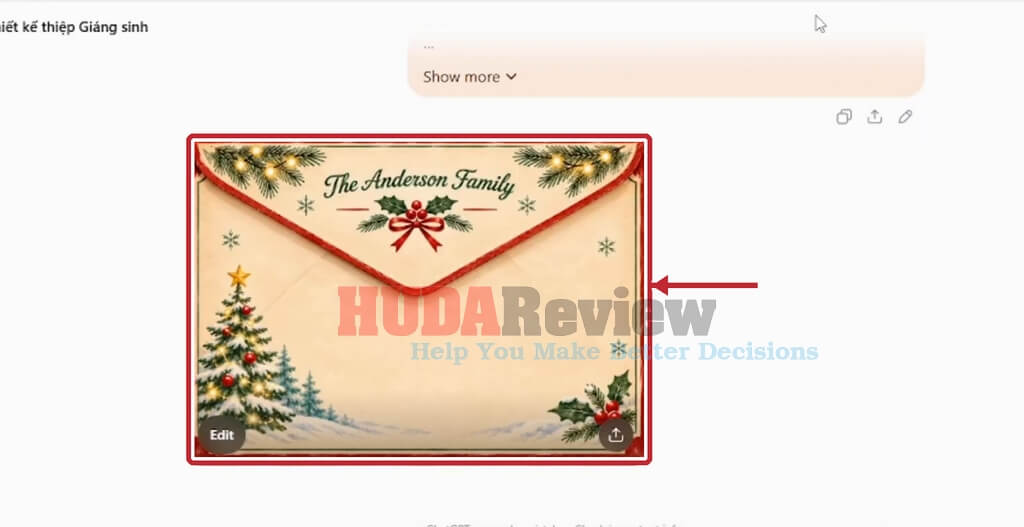
The matching envelope artwork shown at the end of the generation sequence.
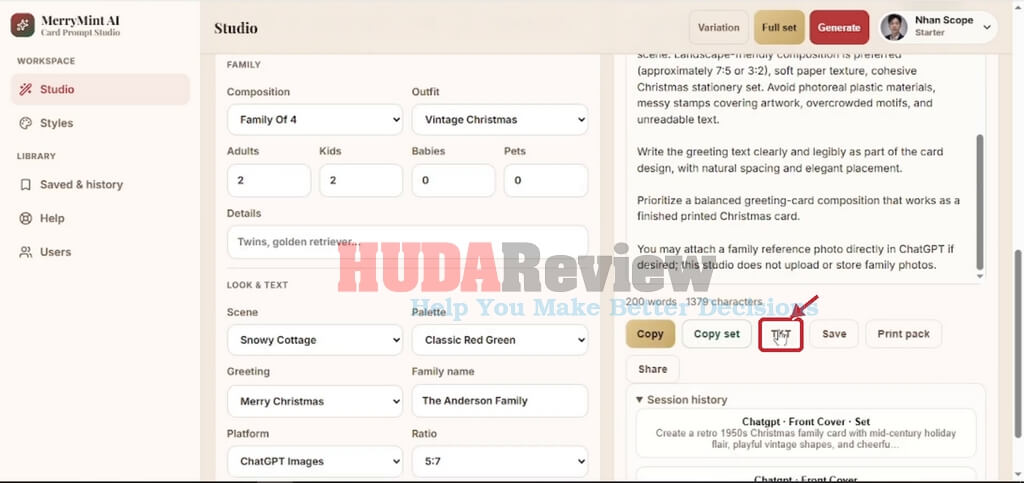
Use TXT to download the generated text prompts.
Inspect the exported file and prepare your final product:
Open the downloaded TXT file to review the labeled prompts. The demo shows Front Cover, Inside Message, Back Cover, and Envelope instructions inside Notepad. Keep this file for future design variations or related products.
For a finished commercial listing, save the images from ChatGPT, check spelling and visual alignment, and verify dimensions, margins, bleed, and print requirements before preparing the final files.
These final preparation checks are recommended next steps, not a completed marketplace upload shown in the demo.
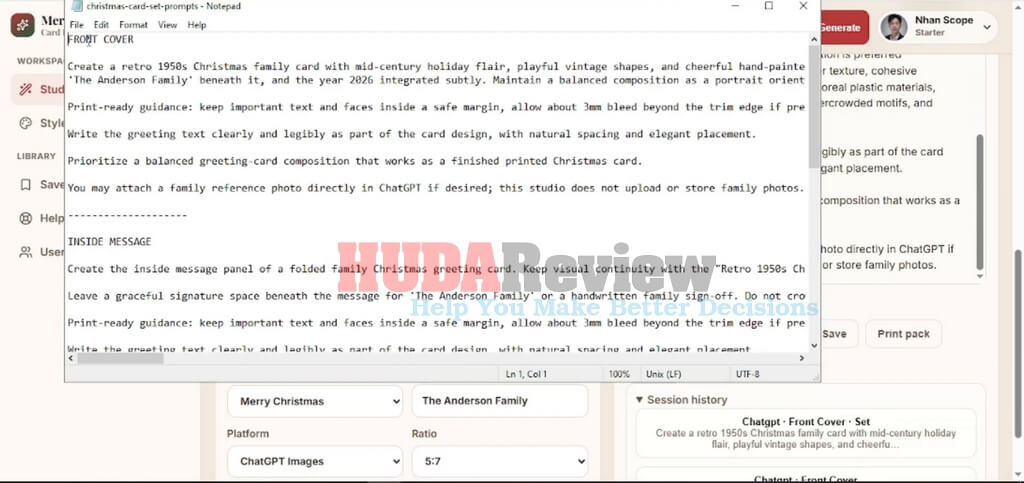
The exported text file contains labeled instructions for the front and inside.
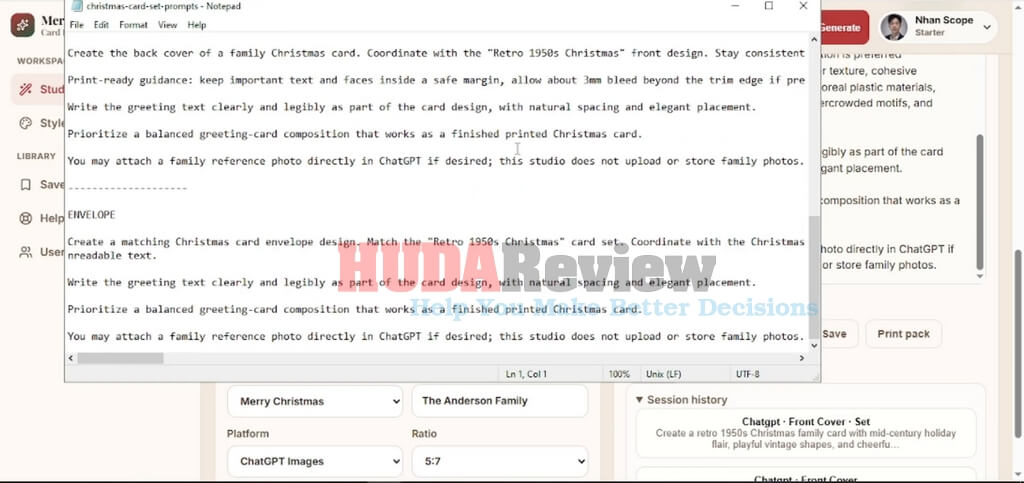
Scroll through the file to review the back-cover and envelope instructions.
For more details, please watch the demo video below:
DEMO VIDEO

Why Should You Put MerryMint AI To Real Use?
Here are four reasons why I recommend giving this software a try:
🔔 Take Advantage of the Christmas Shopping Season.
Christmas creates a strong seasonal demand for personalized greeting cards, family cards, festive printables, and holiday gifts. People actively search for these products on Etsy, print-on-demand marketplaces, and independent online stores.
MerryMint AI helps you enter this market without developing advanced graphic design skills. You can turn different Christmas themes, family concepts, and artistic styles into commercial product ideas.
You can also package multiple card designs into premium collections or offer personalized cards to increase each order’s value.
The sooner you list your products, the more opportunities you have to reach shoppers before the holiday season ends.
🔔 Solve One of the Biggest Problems With AI-Generated Card Designs.
Anyone can ask ChatGPT or Midjourney to generate a beautiful Christmas image. However, creating an entire greeting card with matching artwork across multiple pages is much harder.
For example, your front cover might feature a family in a watercolor illustration, while the inside page introduces different colors, facial characteristics, and artistic elements. These differences can make the finished product look amateurish.
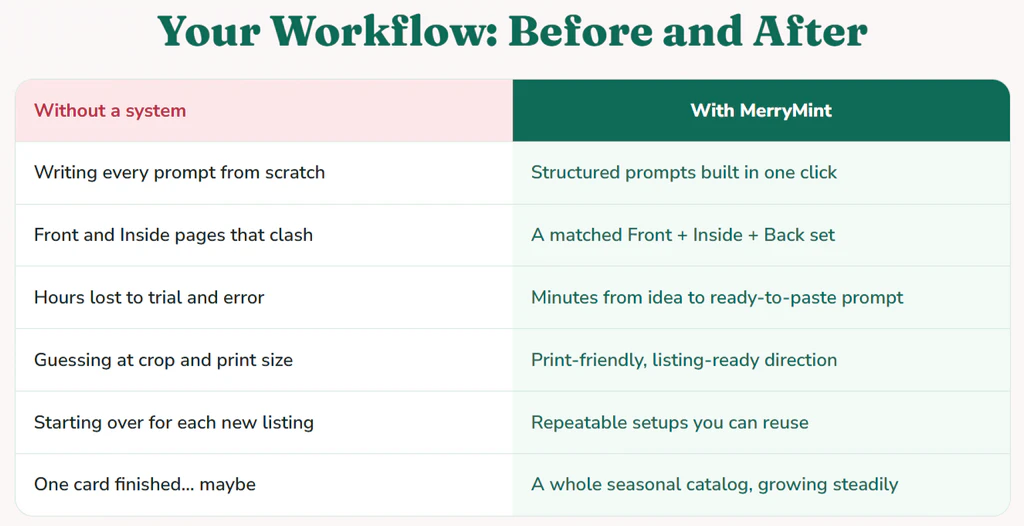
MerryMint AI addresses this problem by generating structured prompts for the Front, Inside, Back, and Full Card Set while maintaining a shared creative direction. This gives your AI image generator clearer instructions and helps you produce more visually cohesive, professional-looking products.
🔔 Produce More Marketable Products Without Spending Hours on Prompt Writing.
Time is particularly valuable when selling seasonal products. Spending an entire evening experimenting with prompts for a single Christmas card leaves little time to develop additional products, publish listings, and promote your store.
With MerryMint AI, you simply customize your card, generate the corresponding prompts, and transfer them to your preferred AI image generator. The software also offers unlimited prompt generations, allowing you to experiment freely with different designs.
Imagine creating collections of watercolor Christmas cards, vintage holiday greetings, cute animal cards, and personalized family designs.
You could target multiple customer preferences and expand your product catalog without manually developing every prompt from scratch.
The Pricing Breakdown
Front-End Price
MerryMint AI is currently available for a one-time payment of $17.
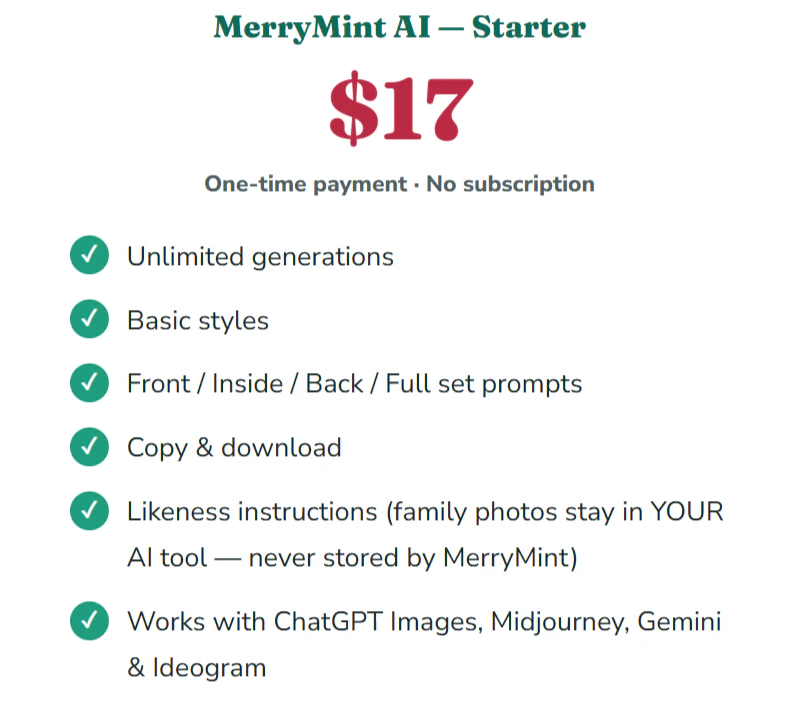
For this investment, you get a dedicated Christmas card prompt studio that helps you produce matching card designs, develop personalized products, and expand your seasonal catalog. Unlimited prompt generations also give you plenty of freedom to explore different product ideas without additional MerryMint fees.
Remember, this is a special early-bird offer, and the price is expected to increase soon. The earlier you start, the more time you have to prepare your products and reach holiday shoppers.
Secure your access now and make the most of this year’s Christmas selling opportunity!
Click the button below to access the main sales page:

Use my code YDG107KD6SRT to get 20% off.
MerryMint AI Review – The OTO Details
Want to develop more distinctive Christmas card collections, manage complete projects, or offer personalized design services to clients?
MerryMint AI provides several optional upgrades that help you achieve these goals with greater flexibility and control.
OTO 1: MerryMint AI Pro Edition
Price: $37 (one-time payment)
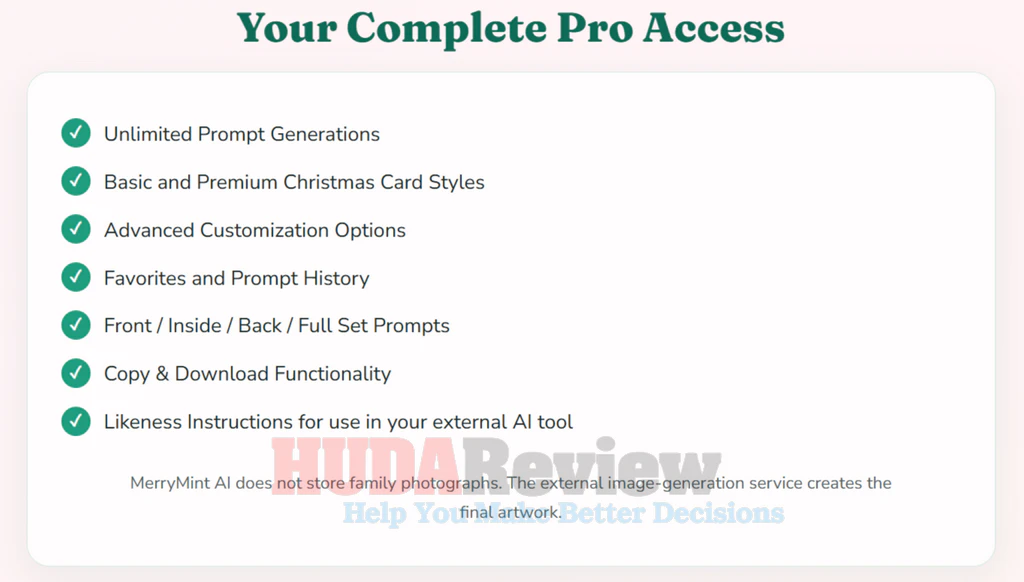
Take your Christmas card creation to the next level with premium design styles, advanced customization options, and convenient prompt management tools.
This upgrade lets you save your favorite prompts, revisit previous creations, and build more distinctive holiday card collections without starting from scratch each time.
Here’s what you will unlock with the Pro edition:
OTO 2: MerryMint AI Studio+ Edition
Price: $67 (one-time payment)
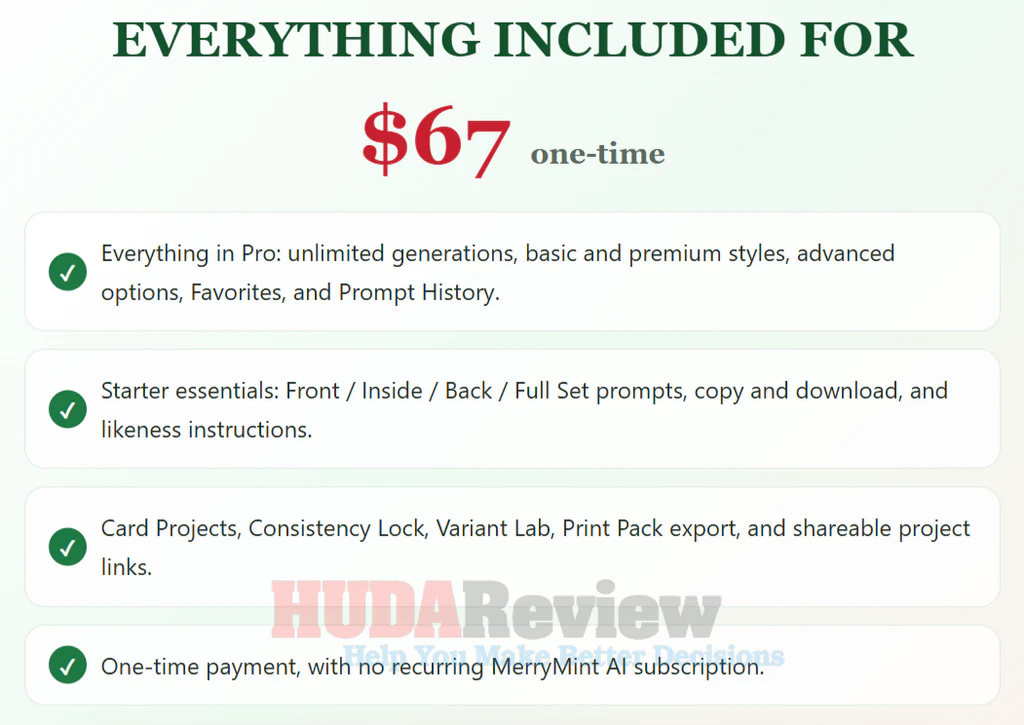
Turn individual Christmas card ideas into complete, coordinated product collections.
Studio+ introduces advanced project management, Consistency Lock, design variation tools, print preparation guidance, and project-sharing capabilities.
It’s a practical upgrade for sellers who want to expand their product catalogs and manage their creative work more efficiently.
Take a look at everything included in this upgrade:
OTO 3: MerryMint AI Agency Edition
Price: $127 (one-time payment)
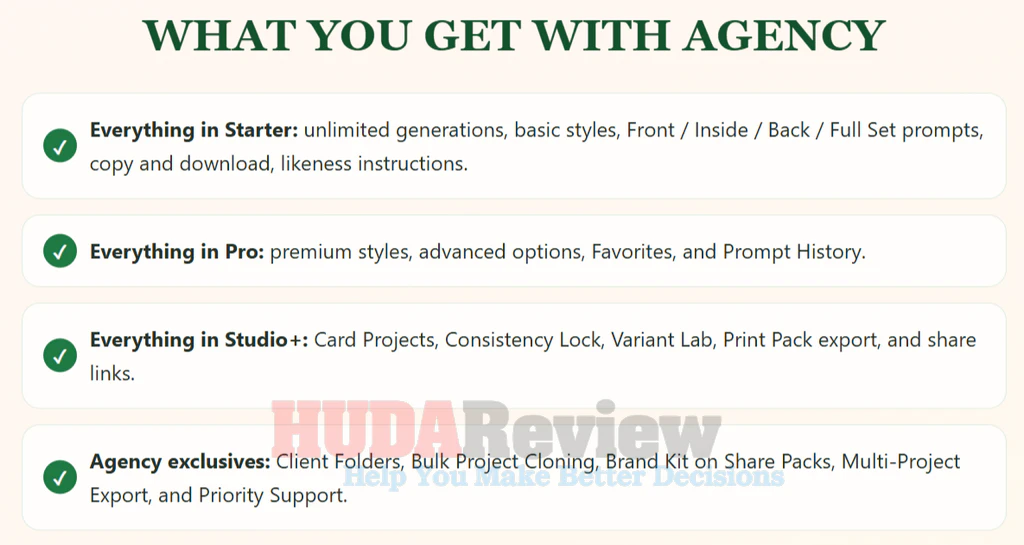
Expand your holiday card business beyond your own storefront and start accommodating multiple clients, shops, and brands.
The Agency edition combines all the previous capabilities with dedicated client management, bulk project cloning, branded project packs, batch exports, and priority support, making it easier to handle a growing volume of commercial projects.
Below are the exclusive capabilities you will gain with Agency access:
Who Is It Best Suited For?
MerryMint AI is an excellent choice for:
- Etsy sellers: Create attractive holiday cards and digital printable collections to expand their stores.
- Print-on-demand sellers: Develop festive artwork for physical greeting cards and other seasonal products.
- Amazon KDP publishers: Explore seasonal publishing opportunities with holiday-themed artwork.
- Canva template creators: Generate creative artwork for editable Christmas card templates.
- Freelancers: Offer personalized Christmas card design services to paying clients.
- Digital product creators: Develop themed holiday card bundles for extra income.
- Small business owners: Create branded Christmas greeting cards for customers and promotional campaigns.
- Complete beginners: Enter the seasonal digital product market without advanced design or prompting skills.
It may not suit:
- Standalone AI image generator seekers: Those who want software that generates final artwork directly.
- Professional graphic designers: Those who prefer complete manual control over their creative process.
- Non-seasonal product sellers: Those who have no interest in Christmas cards or holiday-related products.
- Instant income seekers: Those expecting automatic earnings without creating, listing, or promoting products.
The Good and the Not-So-Good
To make this MerryMint AI review more balanced and helpful, I’ve summarized the main advantages and a few limitations you should consider before purchasing.
PROS:
- Easy to use, even for complete beginners.
- Targets a promising seasonal selling opportunity.
- Requires no professional graphic design skills.
- Reduces time spent experimenting with AI prompts.
- Helps produce more professional-looking holiday cards.
- Supports multiple digital product business models.
- Offers excellent potential for personalized products.
- Helps reduce design and outsourcing expenses.
- Makes expanding your product catalog more manageable.
- Works well with popular AI image generators.
- Offers a reasonable one-time investment.
- Provides opportunities to attract different customer groups.
- Includes optional upgrades for growing businesses.
CONS:
- Requires an internet connection to use.
- You may need minor adjustments to the AI-generated artwork to achieve your preferred look.
My Final Recommendation
MerryMint AI gives you a valuable head start in creating and selling Christmas cards. You can spend less time struggling with AI prompts and more time developing attractive products, expanding your store, and reaching potential buyers.
Christmas won’t wait, and neither will the early-bird offer. Now is a great time to get started.
Thank you for reading my MerryMint AI review. Hopefully, you’ll make a smart investment that brings you closer to your business goals.
10 Common Questions Answered
Q: Do I need a paid AI image generator to use this software?
Not necessarily. You can use compatible AI image generators with free access, subject to their generation limits and usage policies.
Q: Can I sell the Christmas cards I create?
Yes, as long as you comply with the commercial usage terms of your chosen AI image generator and selling marketplace.
Q: Can I create Christmas cards featuring my customers’ family photos?
Yes. The software provides likeness instructions to help you create personalized family artwork using your preferred AI image generator.
Q: Does the software store my customers’ photographs?
No. Family photographs stay within your chosen AI image tool, and MerryMint AI never stores them.
Q: Can I create individual card sections separately?
Yes. You can generate prompts for the front, inside, or back individually or generate prompts for a complete matching card set.
Q: Can I reuse my previous prompts for new product collections?
Yes. The Pro edition offers Favorites and Prompt History, allowing you to revisit, refine, and reuse previous creative ideas.
Q: Does the software generate print-ready image files?
No. It generates structured prompts for external AI image tools. The Studio+ edition also provides print preparation guidance.
Q: Are there any generation credits or usage restrictions?
All editions include unlimited prompt generations. Your external AI image generator may have its own usage limits.
Q: Can I use this software to offer Christmas card design services to clients?
Yes. You can offer personalized card design services, while the Agency edition provides additional tools for managing multiple client projects.
Q: Can I upgrade my account as my business grows?
Yes. You can choose from Pro, Studio+, and Agency editions to access more advanced creative, project management, and client management capabilities.


The Elite Agency Launchpad

The Training & Resources To Start Working In KDP Publishing
Part 1:

Part 2:


The Ultimate Collection of High-Quality PLR Packages For Your Online Business

01st Mega Pack:
10 Beautiful Themes For Different Business Types

02nd Mega Pack:
Graphics Elements For Versatile Usage

03rd Mega Pack:
The Video Tools

04th Mega Pack:
The Social Media Marketing Suite

05th Mega Pack:
The Social Traffic Apps

06th Mega Pack:
The Health, Diet, and Lifestyle Ebooks With PLR

07th Mega Pack:
The PLR Products With Personal Development Content
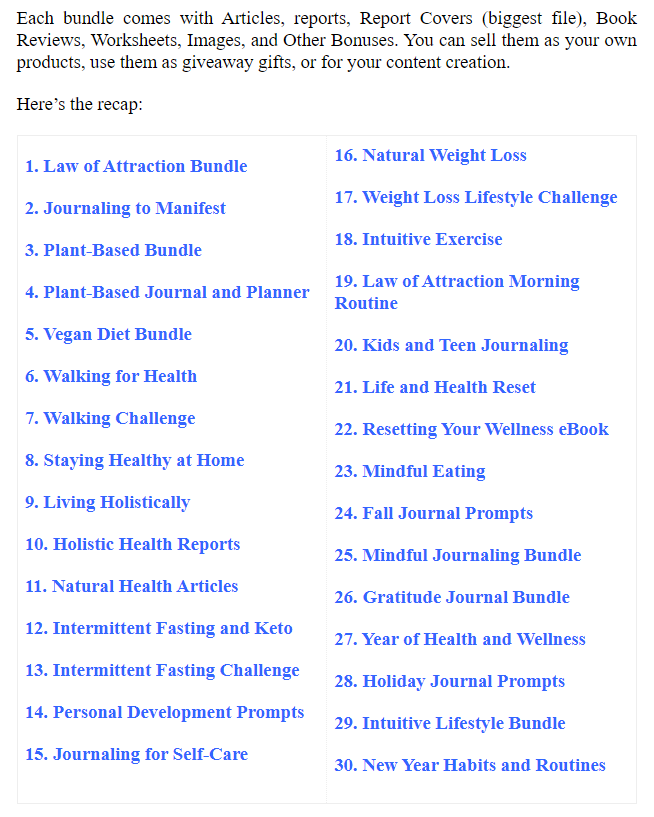
Moreover, if you purchase at least 1 MerryMint AI OTO/Upsell, you will get all the bonus packages below:
New Bonus Package #5:
Amazing WordPress Plugins With PLR
New Bonus Package #4:
Materials To Grow Your Online Business
New Bonus Package #3:
New Bonus Package #2:
New Bonus Package #1:
***3 STEPS TO CLAIM THESE BONUSES***
Step 1: Buy the MerryMint AI on my website:

Use my code YDG107KD6SRT to get 20% off.
Step 2: After completing the transaction, forward the receipt to my email at hudareviewbonus@gmail.com
Final step: You will receive the bonuses within 24 hours.
Thank you again for reading my MerryMint AI review. Send my best wishes to you and your family.