KDP ASSET STUDIO Review
Turn 1 KDP Book Into 9 Marketing Assets With AI
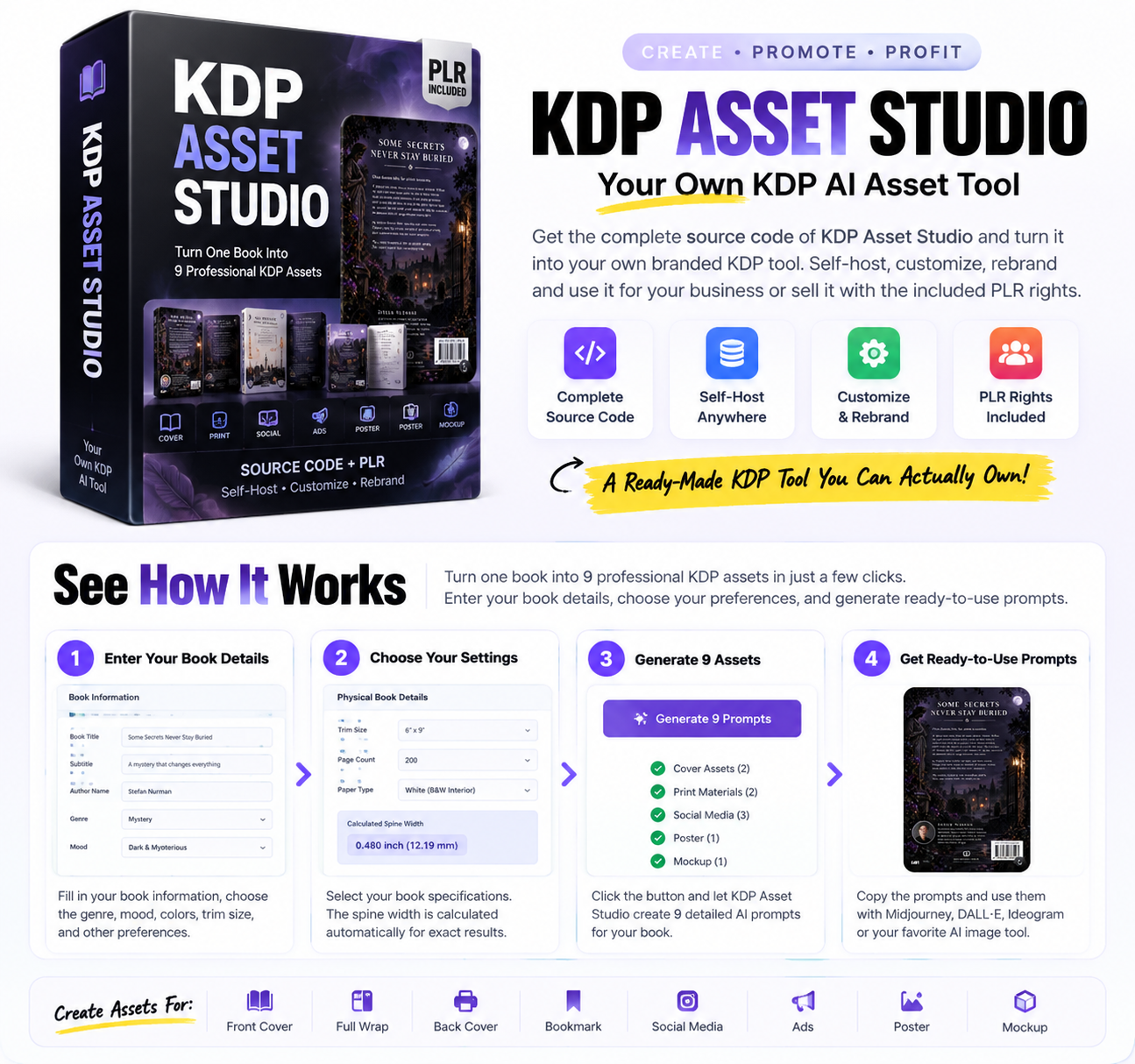
Publishing a book on Amazon KDP is only one part of the process. Authors also need attractive covers, promotional graphics, social media content, advertisements, and other marketing materials to present their books to potential readers.
Creating all these assets can take time, especially if you are not familiar with graphic design or writing effective AI prompts.
KDP Asset Studio is designed to help simplify this creative process. It provides a structured workflow that turns basic book information into prompts and creative directions for nine different marketing assets.
But is it a useful addition to a KDP publishing workflow? What exactly do you receive, and is the $12 version enough, or should you consider the $19 source edition?
In this KDP Asset Studio review, we’ll examine the advertised features, pricing, workflow, potential benefits, limitations, and the differences between the two editions.
KDP Asset Studio – Official Offer
Turn one KDP book brief into nine structured marketing asset prompt workflows.
User Edition: $12 one-time
Creator Edition: $19 one-time
Affiliate link. I may earn a commission at no extra cost to you.
What Is KDP Asset Studio?
KDP Asset Studio is a book marketing prompt workflow created by Desafa Media. It is designed for KDP authors, marketers, and digital product sellers who want to prepare creative directions for promoting books.
Instead of starting with a blank prompt box every time you need a graphic, the tool organizes the process around your book’s details. You enter information about your book, choose a creative direction, and generate structured prompts for different promotional assets.
The important distinction is that KDP Asset Studio generates prompts and creative directions—not finished images. You can take the generated prompts into your preferred AI image-generation service to create the actual visuals.
The offer has two editions:
- User Edition – $12: Access to the KDP Asset Studio workflow and its nine prompt directions.
- Creator Edition – $19: Includes the tool’s HTML source package, self-hosting, customization, rebranding, and PLR rights subject to the supplied license.
Both are advertised as one-time purchases, with no monthly subscription attached to this offer.
How Does KDP Asset Studio Work?
The advertised workflow is straightforward. You provide your book details, select the creative direction you need, and generate a structured prompt.
- Enter your book details: Add the book title, genre, and other relevant information.
- Choose a creative direction: Select the type of asset you want to prepare, such as a cover, social post, or product mockup.
- Generate the prompt: The tool produces a structured prompt based on your inputs and selected direction.
- Create the visual: Copy the prompt into your preferred AI image-generation service and use it to create the actual graphic.
- Review and refine: Check the resulting image for accuracy, readability, branding, and suitability for your intended use.
This approach can help users who struggle to organize their creative requirements. However, the quality of the final visual still depends on the image-generation service, the prompt, and your own review.
What Can You Create With KDP Asset Studio?
The sales page promotes nine asset directions. These are intended to cover several common visual needs associated with publishing and promoting a book.
1. Front Cover
The front-cover workflow helps you create a structured prompt around your book’s title, genre, and visual direction. You can use the resulting prompt as a starting point for generating a cover concept.
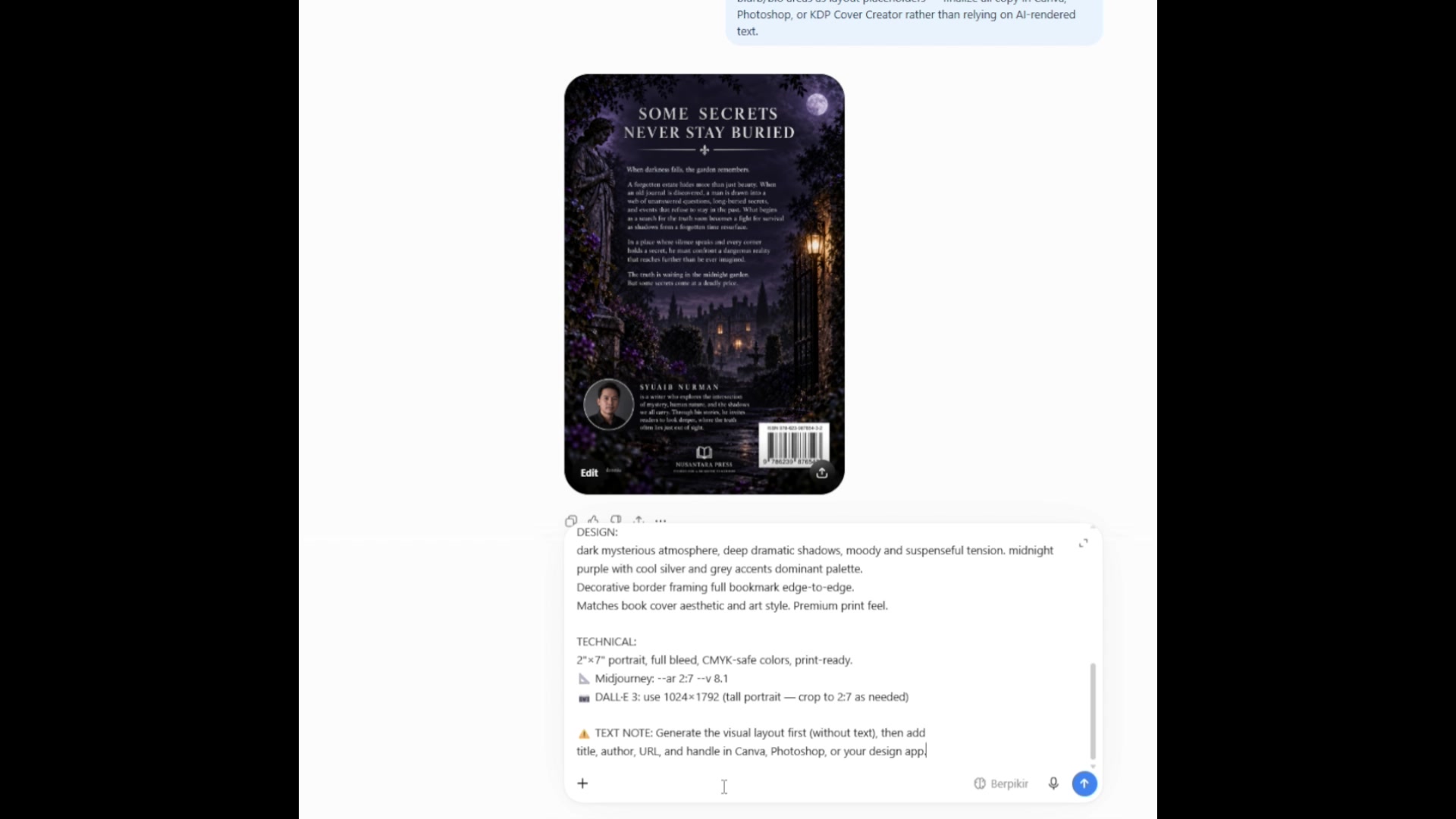
Remember that a generated concept may still need editing. Book titles, typography, and other text can be difficult for image-generation tools to render accurately. Always check the final cover against the requirements of your publishing platform.
2. Full Cover Wrap
The full-cover-wrap direction is designed to help plan the front cover, spine, and back cover together.
This can be useful when preparing a paperback design concept. However, a prompt is not a guarantee of print-ready dimensions. You should still verify trim size, page count, spine width, bleed, and other specifications before uploading a cover to Amazon KDP.
3. Back Cover
The back-cover workflow provides a creative direction for the back of your book. Authors can use it as a starting point for a visual layout that complements the front cover.
Depending on the book, the final design may need space for a description, author information, barcode, or other required elements.
4. Bookmark
The bookmark workflow helps you develop a branded promotional concept based on your book.
Bookmarks may be useful for authors who promote books at events, give away physical copies, or want an additional branded item for their audience.
5. Instagram Feed
The Instagram feed workflow is intended to create a social-ready visual concept around your book.
Authors can use this direction as a starting point for promotional posts, book announcements, or content introducing a new title.
6. Story and Reels
This workflow focuses on vertical creative directions suitable for short-form social media content.
It may help authors plan visual concepts for Stories or Reels. The generated prompt is only one part of the process; you may still need to create or edit the final image or video separately.
7. Meta Ad
The Meta ad workflow prepares a visual concept for Facebook and Instagram promotion, whether for paid advertising or organic posts.
It can provide a starting point for an advertising graphic, but it does not guarantee ad approval, audience engagement, clicks, or book sales. Review all creative materials and advertising requirements before launching a campaign.
8. Poster
The poster workflow helps you plan a larger promotional visual for online or offline use.
Depending on your needs, you may adapt the resulting concept for a book launch, event, announcement, or other promotional activity.
9. Product Mockup
The product mockup direction helps you prepare a product-style presentation for a book sales page or promotional graphic.
Mockups can help readers visualize a book, particularly when promoting a digital product. Check that the final mockup accurately represents the actual product and does not mislead potential customers about what they will receive.
The 9 Asset Directions at a Glance
- Front Cover
- Full Cover Wrap
- Back Cover
- Bookmark
- Instagram Feed
- Story / Reels
- Meta Ad
- Poster
- Product Mockup
These are nine prompt workflows, not nine guaranteed finished image files.
KDP Asset Studio Pricing: $12 vs. $19
The sales page presents two purchase options. The main difference is that the $19 Creator Edition includes the source package and additional rights described on the offer page.
| Feature | User Edition | Creator Edition |
|---|---|---|
| Advertised price | $12 | $19 |
| One-time payment | Yes | Yes |
| Use the KDP workflow | Yes | Yes |
| Nine prompt directions | Yes | Yes |
| Commercial use | As licensed | As licensed |
| Complete HTML source | No | Yes |
| Self-hosting | No | Yes |
| Customize and rebrand | No | Yes |
| PLR rights | Not listed | Subject to license |
User Edition – $12 One-Time
The $12 edition is intended for people who want to use the KDP Asset Studio workflow without owning or hosting the source code.
According to the offer page, it includes:
- Access to KDP Asset Studio
- Nine prompt directions
- Cover, print, and digital asset workflows
- Commercial use where permitted by the license
This option may suit authors who simply want a structured way to prepare prompts for their own books.
Creator Edition – $19 One-Time
The $19 Creator Edition is positioned for digital product sellers, marketers, and creators who want to own the source package and potentially build a branded version.
The advertised inclusions are:
- Complete KDP Asset Studio HTML source
- Access to the nine-asset workflow
- Self-hosting on your own server
- Customization of the interface and branding
- Rebranding options
- PLR rights subject to the supplied license
The additional $7 may be relevant if you want to customize or distribute a version of the tool. However, you should read the actual license before selling access, modifying the product, or distributing any files.
Who Is KDP Asset Studio For?
1. Amazon KDP Authors
Authors who already have a book and need promotional visuals may find the organized prompt workflows useful. Rather than planning every creative direction from scratch, they can use the tool as a starting point.
2. Self-Publishers With Multiple Books
Authors managing several titles may need a repeatable process for preparing covers, mockups, and promotional graphics. A structured workflow can help organize those tasks, although each book will still need individual review and customization.
3. Book Marketers
People who help authors promote books may use the prompts to develop visual concepts for social media, advertisements, and sales pages.
4. Digital Product Sellers
The Creator Edition may be relevant to sellers who want to host and customize the source package. Its usefulness for resale depends on the exact rights granted by the included PLR license.
5. Beginners Exploring AI-Assisted Design
Beginners who are unsure how to structure image prompts may appreciate having a more focused workflow. They should still expect to learn how to use an external image-generation service and evaluate its output.
Potential Benefits of KDP Asset Studio
A More Organized Creative Process
The tool is built around specific KDP-related assets rather than a general-purpose prompt box. This structure may help users identify what they need to create for a book promotion campaign.
Nine Different Asset Directions
The nine workflows cover several common promotional needs, from cover concepts to social content and mockups. Having them grouped in one tool may make the creative process easier to manage.
One-Time Pricing
The offer lists both editions as one-time purchases. That may appeal to users who prefer not to add another monthly subscription to their publishing expenses. Check the checkout page for the final terms before purchasing.
Optional Source Ownership
The Creator Edition offers the HTML source package and the ability to self-host and customize it. For technically comfortable users, this provides more flexibility than simply using the hosted workflow.
Potentially Useful for Repeated Projects
Authors who regularly prepare promotional materials may find it helpful to have a repeatable prompt workflow. The actual time saved will depend on how much editing and refinement each asset requires.
KDP Asset Studio Pros and Cons
Pros
- Focused on KDP book marketing needs
- Nine different prompt workflows
- Structured inputs instead of a blank prompt box
- Two editions for different use cases
- One-time pricing as advertised
- Creator Edition includes source and self-hosting options
- Rebranding and PLR rights are included in the Creator offer, subject to license
Cons
- Does not generate finished images itself
- Requires a separate image-generation workflow
- Final results need human review and editing
- Print-ready cover specifications still need checking
- Creator Edition may require technical skills to host or customize
- Resale permissions depend on the actual PLR license
- Refund terms are not clearly stated as a standard guarantee on the sales page
What KDP Asset Studio Does Not Do
It is important to understand the product’s scope before purchasing.
- It does not create finished images: It generates prompts and creative directions for use with an external image-generation service.
- It does not publish books to Amazon: You remain responsible for preparing and uploading your book through KDP.
- It does not guarantee print compliance: You must check dimensions, bleed, spine width, typography, and other requirements.
- It does not guarantee sales: Marketing assets alone cannot guarantee clicks, rankings, readers, or revenue.
- It does not replace creative review: Generated images and promotional materials should be checked for quality, accuracy, and licensing concerns.
Is KDP Asset Studio Beginner-Friendly?
The advertised workflow is designed to be simple: enter book details, select an asset direction, and generate prompts. This may make it approachable for beginners who are new to prompt writing.
However, there are two separate skills involved:
- Using KDP Asset Studio to prepare a prompt.
- Using an external image-generation service and refining the resulting image.
The first part is the tool’s main focus. The second may require additional learning, especially if you need professional-looking book covers or print-ready promotional materials.
If you are a beginner, start with a simple social media graphic or mockup concept before relying on the workflow for a final book cover.
Is the $19 Creator Edition Worth Considering?
The answer depends on what you plan to do with the product.
If you only want to prepare prompts for your own book, the $12 User Edition may cover the main use case described on the sales page.
If you want the HTML source, plan to host the tool on your own domain, or want to customize and rebrand it, the $19 Creator Edition offers those additional options.
Before purchasing the Creator Edition, consider these questions:
- Do you have a website or hosting environment where you can install the source?
- Are you comfortable making basic HTML changes, or can you get technical help?
- Do you have a specific plan for rebranding or distributing the tool?
- Have you reviewed the supplied PLR license and confirmed that it permits your intended use?
The source package may be less useful if you do not intend to host or customize it. The additional rights should be evaluated based on the actual license rather than assumed resale permissions.
Important Things to Check Before Buying
Although the sales page describes the main features and pricing, there are several practical details worth checking before completing your purchase.
- Delivery: Confirm how access to the User Edition is provided and what files are included in the Creator Edition.
- External services: Check whether your preferred AI image-generation service requires a paid plan, credits, or an API key.
- License: Read the commercial-use and PLR terms, especially if you plan to sell or distribute a rebranded version.
- Technical requirements: Confirm that the source package can be hosted in your intended environment.
- Refund policy: The sales page refers to refund processing through WarriorPlus and its applicable policies. Review the current checkout and platform terms rather than assuming a specific money-back guarantee.
KDP Asset Studio Review: Frequently Asked Questions
What is KDP Asset Studio?
KDP Asset Studio is a prompt workflow tool designed to help authors and marketers prepare creative directions for nine types of book-related marketing assets.
Does KDP Asset Studio generate images?
No. It generates structured AI prompts and creative directions. You use those prompts with your preferred AI image-generation service to create the actual visuals.
How much does KDP Asset Studio cost?
The sales page advertises a $12 one-time User Edition and a $19 one-time Creator Edition. Confirm the final price and terms at checkout.
What is included in the $12 version?
The User Edition provides access to the KDP Asset Studio workflow and its nine prompt directions. Commercial use is subject to the applicable license.
What is included in the $19 version?
The Creator Edition includes the HTML source package, self-hosting, customization, rebranding, and PLR rights subject to the supplied license.
Can I host the Creator Edition on my own website?
The sales page positions the Creator Edition for self-hosting on your own server or domain. Check the delivery materials for installation instructions and technical requirements.
Can I rebrand and resell KDP Asset Studio?
The Creator Edition is advertised with rebranding and PLR rights. The specific activities permitted—including resale and distribution—depend on the actual license supplied with the product.
Do I need an AI image-generation subscription?
The product page says prompts can be used with your preferred image-generation service. Whether you need a paid subscription, credits, or an API key depends on the service and implementation you choose.
Can KDP Asset Studio create a print-ready book cover?
It can help prepare a cover prompt and creative direction, but it does not guarantee a finished, print-ready cover. You must check the final file against Amazon KDP’s current specifications.
Is there a money-back guarantee?
The sales page does not clearly advertise a standard money-back guarantee. It mentions that refund processing is handled through WarriorPlus according to its applicable policies. Check the current checkout terms before purchasing.
Does KDP Asset Studio guarantee book sales?
No. The tool helps organize creative prompts, but sales depend on many factors, including the book, audience, pricing, discoverability, and marketing execution.
Final Verdict: KDP Asset Studio Review
KDP Asset Studio is a focused prompt workflow tool for authors and marketers who need creative directions for book-related promotional assets. Its nine workflows cover several common needs, including cover concepts, social media graphics, advertisements, posters, and product mockups.
The main distinction is between using the tool and owning its source. The $12 User Edition is designed for people who want the workflow. The $19 Creator Edition adds the HTML source, self-hosting, customization, rebranding, and license-dependent PLR rights.
Its most important limitation is that it does not generate finished images. You will need an external image-generation service and may need to edit the results before using them. Authors should also verify print specifications and licensing before publishing or promoting their work.
If you are considering KDP Asset Studio, compare the two editions with your actual needs, check the current checkout terms, and review the license before relying on any commercial or resale rights.
Explore KDP Asset Studio
Choose between the $12 User Edition and the $19 Creator Edition based on whether you need the tool alone or the source package and customization options.
Pricing and terms may change. Please review the offer before purchasing.
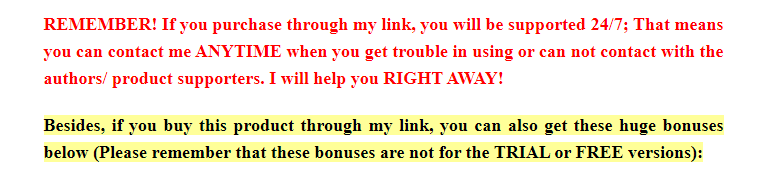



50,000+ AI Mega Prompt Bundle for ChatGPT, Midjourney, or Any AI
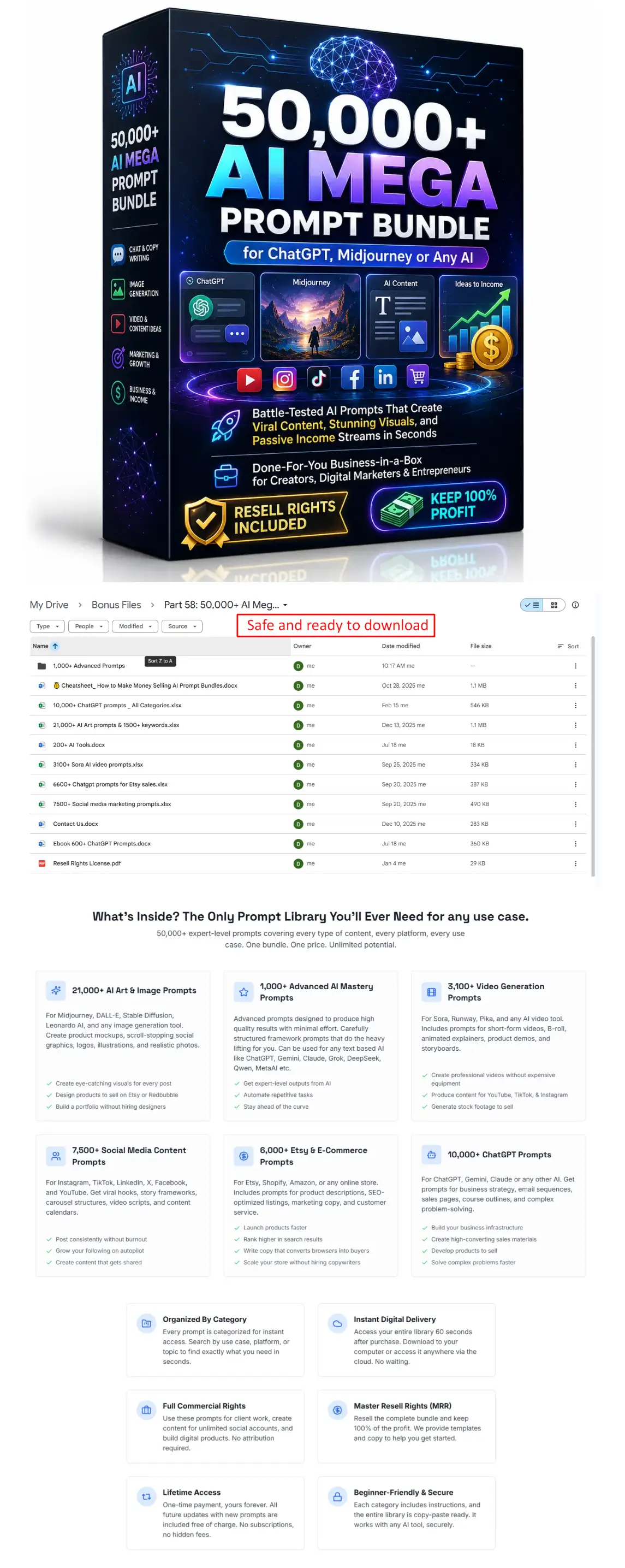
AI & Automation









Moreover, if you purchase at least 1 OTO/Upsell, you will get all the bonus packages below:
New Bonus Package #5:
Amazing WordPress Plugins With PLR
New Bonus Package #4:
Materials To Grow Your Online Business
New Bonus Package #3:
New Bonus Package #2:
New Bonus Package #1:
***3 STEPS TO CLAIM THESE BONUSES***
Step 1: Buy the KDP ASSET STUDIO App on my website:

Step 2: After completing the transaction, forward the receipt to my email at hudareviewbonus@gmail.com
Final step 3: You will receive the bonuses within 24 hours.
Thank you so much for reading my KDP ASSET STUDIO Review. Send my best wishes to you and your family.